Comparing CRT and Modern Displays for Retro Gaming: Lag, Motion Clarity, and the Measurable Differences
Understand the measurable differences in lag, motion clarity, and light-gun support between a CRT and a modern display for retro gaming.
You Plugged Your Super Famicom Into Your New OLED And It Looks Terrible
That smeared, laggy, flickering mess is not your console dying. It is the predictable result of feeding a 240p analogue signal into a modern flat panel designed to decode 480i video from a DVD player. Every conversion step adds delay and destroys the image unless you pick the right hardware. This comparison separates measurable facts from aesthetic preference, then routes you to the specific guide that solves your exact problem.
.jpg)
- CRT Input Lag: 0 ms at centre (sub 1 ms measurement floor); 16.7 ms scan out latency at bottom of screen at 60 Hz
- OLED Input Lag (1080p 60 Hz Game Mode): 8.9 ms (LG C3) to 9.4 ms (LG C1); outside Game Mode, 85 ms or more
- CRT Phosphor Decay (P22): 1 to 3 ms to 10% luminance, the source of CRT motion clarity
- OLED Panel Response (80% Transition): 1.0 ms (Samsung S95C) to 1.7 ms (LG C1); still slower than CRT phosphor
- RetroTINK 4K Input Lag (Framelock): 0.25 to 0.5 ms, measured by Time Sleuth
- Sony PVM 20L5 TV Lines: 800 TVL, the benchmark scaler CRT filters target
- CRT vs OLED Peak Brightness (10% Window): CRT ~100 cd/m²; LG C3 820 cd/m²; Samsung S95C 1370 cd/m²
What The CRT Has That A Flat Panel Cannot Replicate
Three Physical Properties That Define The CRT
Three physical properties make a CRT fundamentally different from any modern display. First, the electron beam draws the image line by line in real time with no frame buffer, so input lag at the centre of the screen measures below 1 ms on a Leo Bodnar tester. Second, phosphor decay. The P22 coating used in colour TVs fades to 10% luminance in 1 to 3 ms. Each pixel vanishes before the next frame arrives, eliminating the sample and hold blur that makes motion on an OLED look smeary. Third, the CRT has no native resolution. The spot size of the beam, about 0.3 mm at centre on a Sony PVM 20L5 with 800 TVL, defines sharpness, not a pixel grid.
Modern OLEDs and LCDs hold each frame static until the next one replaces it. That sample and hold persistence is why a scrolling Super Mario World background on a 2023 LG C3 with 8.9 ms of input lag still looks less clear than the same image on a 1993 consumer Trinitron with zero processing delay. Black frame insertion at 60 Hz on an LG C3 reduces persistence to roughly 4 ms MPRT, but it halves perceived brightness and cannot match the CRT's instantaneous pixel decay.
The measurable differences are input lag, motion clarity, and light gun support. Everything else, the look of scanlines, the warmth of phosphor glow, the curve of the glass, is subjective. Pick the guide that matches your situation.
Input Lag: The Only Number That Matters For Feel
How Scalers Compare On Delay
A frame at 60 Hz lasts 16.67 ms. Any device that buffers a full frame adds at least that much delay. The OSSC, a line multiplier with no framebuffer, adds less than 0.1 ms because it processes a single scanline at a time. The RetroTINK 5X Pro in framelock mode adds under 0.25 ms. The 4K model in framelock mode adds 0.25 to 0.5 ms. Switch either unit to triple buffer mode and you add 16 to 32 ms, one or two frames. That is noticeable on rhythm games and shmups.
Cheap Converters Destroy Your Timing
A typical low-cost converter from Sham Shui Po treats your 240p console signal as 480i video, applies a destructive deinterlace that discards half the vertical resolution, and adds two to four frames of lag. That is 33 to 66 ms. The gap between 0.25 ms and 33 ms is the gap between hitting every jump in Super Mario World and missing every jump.
Where The Total System Lag Lands
A modern OLED in Game Mode adds 8.9 to 9.4 ms at 1080p 60 Hz. Outside Game Mode, an LG C1 adds 89.3 ms. The CRT's 0 ms at centre is not achievable on any flat panel, but a RetroTINK 5X Pro feeding an OLED in Game Mode keeps total lag under 10 ms. That is imperceptible to all but the most sensitive players. The Sony PVM 20L5 remains the benchmark against which all scaler lag claims are measured. For a deeper breakdown of which scaler adds how much and how to test it yourself, the guide on input lag testing answers that question.
Motion Clarity: Why The CRT Still Looks Cleaner
How The Electron Beam Wins
The CRT electron beam scans horizontally at about 0.3c, or 30% of the speed of light, for a 31 kHz VGA monitor. The coating behind the glass emits light and then decays. P22 fades to 10% luminance in 1 to 3 ms. By the time the beam returns for the next frame, the previous frame is gone. Your eye sees no overlap, no ghosting, no persistence blur.
The Sample And Hold Problem
An OLED holds each pixel at full brightness until the next frame. A 60 Hz frame lasts 16.67 ms. During that time, your eye tracks motion across the screen while the pixel stays still, creating a motion blur that is not a display defect but a fundamental property of sample and hold. Black frame insertion at 60 Hz on an LG C3 cuts the hold time to about 4 ms. This improves sharpness but introduces a visible flicker at 60 Hz that some viewers find fatiguing. The LG C1 and C3 both max out BFI at 60 Hz. The Samsung S95C has no BFI mode at all.
What The Filters Can And Cannot Do
The FirebrandX CRT profile, used in the RetroTINK 5X and 4K, recreates the gamma curve and colour response of a calibrated Sony PVM, but it cannot replicate the instantaneous pixel decay. The 4K's HDR CRT emulation injects a custom luminance curve into an HDR10 container to simulate the CRT's limited peak brightness, about 100 cd/m², against an OLED panel that can hit 820 cd/m². The result is a convincing approximation. It remains an approximation. The guide on CRT motion clarity goes into the specific settings for BFI, decay simulation, and scanline masks on each scaler.
Light Gun Games: The One Thing A Modern Display Cannot Do
Light guns work by detecting the timing of the CRT electron beam as it scans across the screen. The gun knows where it is aimed because it reads the beam position at the moment the screen flashes. A modern flat panel has no scanning beam, so a standard light gun cannot detect a hit. There is no setting, no filter, no scaler mode that makes a Nintendo Zapper or a Sega Menacer work on an OLED or LCD.
Some solutions exist. The Sinden Lightgun uses a camera and a white border around the screen to track position, working on any display. The Gun4IR uses infrared LEDs and a sensor bar. The RetroTINK 4K includes a light gun mode that outputs a timing signal compatible with certain FPGA based light guns on MiSTer, but this is not a universal fix. The guide on light gun games modern TV covers which guns work, which consoles have native support, and what the Hong Kong Retro Game Association has tested at their meetups.
Scanline Filters Versus Real CRT Scanlines
What A Real Scanline Looks Like
Scanlines on a real CRT are the gaps between the illuminated horizontal lines of the electron beam. On a Sony PVM 20L5 with 800 TVL at 240p, each line is about 0.3 mm wide and the gap is roughly the same width. The result is a visible grid that masks the low resolution of the source and gives retro graphics a cohesive look.
How The Filters Stack Up
A scanline filter on a scaler, such as the RetroTINK 5X CRT filter or the 4K's advanced CRT emulation, draws black lines between the upscaled pixels. The effect can be convincing at 4K on a 65 inch screen, where the mask is fine enough to disappear at normal viewing distance, but it is never identical. A real CRT's scanlines are irregular, varying with brightness because the electron beam spreads at higher current. A filter is a fixed pattern. The 4K's mask generator uses a multi phase algorithm that varies the line width with luminance, coming closer than any previous filter. It still lacks the analogue variance of real glow.
The choice between a real CRT and a filtered modern display is a choice between authenticity and convenience. The Hong Kong apartment gamer with space for one display cannot fit a 30.8 kg Sony PVM 20L5 and a 55 inch OLED. The filter is the compromise. The guide on scanline filter vs real CRT details which scaler produces the most convincing simulation and at what resolution the filter becomes invisible.
The Benchmark Display And Where To See The Difference
The Reference Monitor
The Sony PVM 20L5 is the reference CRT for the retro gaming community. It accepts 240p through 1080i, uses a 200 MHz video bandwidth, and displays 800 TV lines of resolution. Its input lag is zero measurable at centre. Its P22 coating decays in 1 to 3 ms. Every scaler CRT filter is calibrated against this monitor. FirebrandX produces the reference profiles for the RetroTINK line by measuring a calibrated PVM 20L5 and matching the gamma and colour response on the scaler.
The Absolute Peak
The Sony BVM D24E1WU is the ceiling. It is a widescreen broadcast monitor with 1000 TVL, a 300 MHz video bandwidth, and a 32 to 35 kV anode voltage. It weighs 53.5 kg and was discontinued in 2015. It represents the absolute peak of CRT image quality and the absolute peak of second hand market pricing.
See Them Side By Side
The Hong Kong Retro Game Association hosts regular meetups where members bring their PVMs, BVMs, RetroTINK scalers, and MiSTer setups for side by side comparison. You can see the difference between a real CRT and a 4K CRT filter on the same game, on the same input, at the same time. That is the only way to decide whether the filter is good enough for you.
Where This Comparison Breaks Down
The CRT vs modern display retro gaming comparison is useful only if you separate the measurable from the subjective. Input lag, motion clarity, and light gun support are measurable. The look of scanlines, the warmth of the image, the feel of the glass are subjective. A viewer who insists that a RetroTINK 4K filter looks exactly like a Sony PVM 20L5 has not seen them side by side. A viewer who insists that any modern display is unplayable for retro games has not tried a 5X Pro in framelock mode feeding an OLED with Game Mode on. The truth is in the middle, and the Hong Kong Retro Game Association meetups are where you verify it.
Start with the question that matches your situation. Need to play light gun games? Begin with the light gun guide. Can you feel the lag but do not know where it comes from? The input lag testing guide has the methodology and the numbers. Weighing a CRT against a scaler filter? The scanline filter versus real CRT guide shows the difference at every resolution. The guides beneath this comparison are the territory.
More in this guide
Scanline filtersProjectors for retro gamingHow 50Hz PAL and 60Hz NTSC Affect Retro Gaming on Modern Displays in Hong Kong.
More in CRT vs modern displays
-
 50Hz vs 60Hz
50Hz PAL與60Hz NTSC的幀率差異直接影響舊遊戲的執行速度與畫面流暢度,香港玩家選購主機時需注意版本,升頻器的幀率轉換能力是解決卡頓的關鍵。
50Hz vs 60Hz
50Hz PAL與60Hz NTSC的幀率差異直接影響舊遊戲的執行速度與畫面流暢度,香港玩家選購主機時需注意版本,升頻器的幀率轉換能力是解決卡頓的關鍵。
-
 Buying a used CRT in Hong Kong
在香港購買二手CRT螢幕的實務指南,涵蓋Sony PVM、BVM與消費級型號的檢查要點、幾何失真評估及日規電壓的變壓器需求。
Buying a used CRT in Hong Kong
在香港購買二手CRT螢幕的實務指南,涵蓋Sony PVM、BVM與消費級型號的檢查要點、幾何失真評估及日規電壓的變壓器需求。
-
 Keeping a CRT alive
CRT螢幕的幾何失真與色收斂偏移可透過服務手冊調整部分修正,但涉及高壓電路有致命風險,香港使用日規100V機種必須配備足夠功率的降壓變壓器。
Keeping a CRT alive
CRT螢幕的幾何失真與色收斂偏移可透過服務手冊調整部分修正,但涉及高壓電路有致命風險,香港使用日規100V機種必須配備足夠功率的降壓變壓器。
-
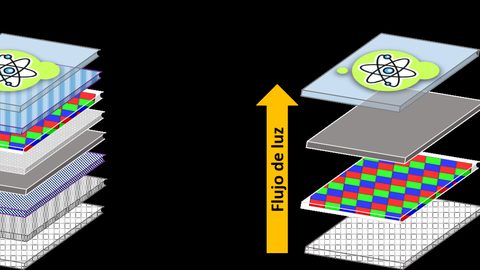 LCD vs OLED vs CRT motion clarity for retro games
CRT的脈衝式掃描在動態清晰度上仍優於LCD與OLED,但OLED的瞬態響應配合黑幀插入已大幅縮小差距,LCD取樣保持特性在橫向捲軸場景中最容易出現模糊。
LCD vs OLED vs CRT motion clarity for retro games
CRT的脈衝式掃描在動態清晰度上仍優於LCD與OLED,但OLED的瞬態響應配合黑幀插入已大幅縮小差距,LCD取樣保持特性在橫向捲軸場景中最容易出現模糊。
-
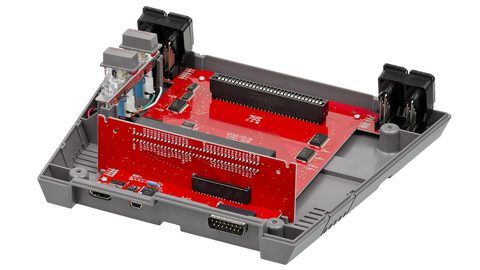 Light guns (Duck Hunt, Time Crisis) and why they fail on flat panels
光線槍遊戲依賴CRT電子束掃描的時序同步來偵測命中位置,LCD與OLED的持續顯示與處理延遲徹底破壞此機制,現代替代方案需額外紅外線定位或邊框偵測。
Light guns (Duck Hunt, Time Crisis) and why they fail on flat panels
光線槍遊戲依賴CRT電子束掃描的時序同步來偵測命中位置,LCD與OLED的持續顯示與處理延遲徹底破壞此機制,現代替代方案需額外紅外線定位或邊框偵測。
-
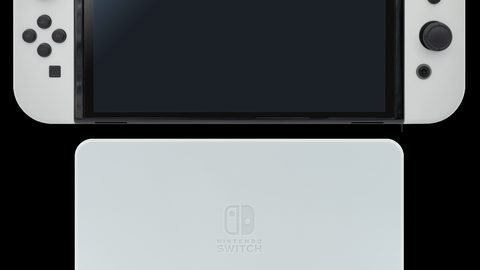 OLED for retro gaming
OLED屏幕的完美黑色與極速反應時間適合懷舊遊戲,但長時間顯示靜態HUD或固定掃描線圖案存在烙印風險,現代面板的緩解措施可降低但無法消除此隱憂。
OLED for retro gaming
OLED屏幕的完美黑色與極速反應時間適合懷舊遊戲,但長時間顯示靜態HUD或固定掃描線圖案存在烙印風險,現代面板的緩解措施可降低但無法消除此隱憂。
-
 Projectors for retro gaming
投影機可提供大畫面的懷舊遊戲體驗,但輸入延遲在接收240p等非標準訊號時可能顯著增加,DLP機種的反應時間優於LCD,燈泡衰減是長期使用的隱藏成本。
Projectors for retro gaming
投影機可提供大畫面的懷舊遊戲體驗,但輸入延遲在接收240p等非標準訊號時可能顯著增加,DLP機種的反應時間優於LCD,燈泡衰減是長期使用的隱藏成本。
-
 Scanline filters
掃描線濾鏡能否還原CRT質感取決於輸出解像度與整數倍縮放的配合,RetroTINK 4K以4K模擬螢光粉排列是目前最接近的方案,但物理差異無法完全消除。
Scanline filters
掃描線濾鏡能否還原CRT質感取決於輸出解像度與整數倍縮放的配合,RetroTINK 4K以4K模擬螢光粉排列是目前最接近的方案,但物理差異無法完全消除。
-
 Why retro games were designed for CRTs
探討舊遊戲開發者如何刻意利用CRT螢幕的掃描線、像素模糊與色彩滲出特性,創造在現代清晰屏幕上無法完全重現的經典視覺效果。
Why retro games were designed for CRTs
探討舊遊戲開發者如何刻意利用CRT螢幕的掃描線、像素模糊與色彩滲出特性,創造在現代清晰屏幕上無法完全重現的經典視覺效果。
Common Questions
Is input lag the only measurable difference between CRT and modern displays for retro gaming?
No. Motion clarity is a separate measurable difference caused by CRT decay versus sample and hold persistence. Light gun support is another. Colour accuracy, contrast, and resolution are also different but are not purely measurable in the same way.
Can I make my light gun work on a modern TV?
A standard light gun that detects the CRT electron beam will not work on any flat panel. You need a camera based gun like the Sinden Lightgun, an IR based gun like the Gun4IR, or a MiSTer setup with the RetroTINK 4K's light gun timing mode. No scaler setting enables a Zapper on an OLED.
What is the cheapest scaler that eliminates input lag for 240p games?
The RetroTINK 2X Pro costs less than the 5X or 4K and adds under 0.1 ms of lag in line doubling mode. It outputs 480p over HDMI and accepts composite, S Video, and component. It does not offer CRT filters or scanline masks.
Does the OSSC have zero lag?
The OSSC adds less than 0.1 ms because it is a line multiplier with no framebuffer, but that claim only covers the scaler itself. Your TV then adds its own scaling lag, 9 to 17 ms in Game Mode. The total system lag is the sum of both.
Can a modern OLED match CRT motion clarity with black frame insertion?
BFI at 60 Hz on an LG C3 reduces persistence to about 4 ms, which is close to the CRT's decay of 1 to 3 ms, but it introduces visible flicker at 60 Hz and halves perceived brightness. The Samsung S95C has no BFI mode. The CRT remains superior for motion clarity.
What is the 240p test suite and why does it matter?
The 240p test suite is a homebrew ROM that generates test patterns for lag, geometry, colour, and sync. It is the standard measurement tool used by the community to compare CRTs and scalers. FirebrandX uses it to calibrate the reference profiles for the RetroTINK line.
Should I buy a Sony PVM or a RetroTINK 4K?
If you have the space, the physical strength to move a 30.8 kg monitor, and access to a second hand PVM in good condition, the CRT is the authentic experience. If you need one display for modern and retro consoles, or if you want HDR and 4K resolution, the 4K is the better choice.
Read next
-
Scanline filters
掃描線濾鏡能否還原CRT質感取決於輸出解像度與整數倍縮放的配合,RetroTINK 4K以4K模擬螢光粉排列是目前最接近的方案,但物理差異無法完全消除。
-
Projectors for retro gaming
投影機可提供大畫面的懷舊遊戲體驗,但輸入延遲在接收240p等非標準訊號時可能顯著增加,DLP機種的反應時間優於LCD,燈泡衰減是長期使用的隱藏成本。
-
LCD vs OLED vs CRT motion clarity for retro games
CRT的脈衝式掃描在動態清晰度上仍優於LCD與OLED,但OLED的瞬態響應配合黑幀插入已大幅縮小差距,LCD取樣保持特性在橫向捲軸場景中最容易出現模糊。
-
OLED for retro gaming
OLED屏幕的完美黑色與極速反應時間適合懷舊遊戲,但長時間顯示靜態HUD或固定掃描線圖案存在烙印風險,現代面板的緩解措施可降低但無法消除此隱憂。
-
Buying a used CRT in Hong Kong
在香港購買二手CRT螢幕的實務指南,涵蓋Sony PVM、BVM與消費級型號的檢查要點、幾何失真評估及日規電壓的變壓器需求。
-
50Hz vs 60Hz
50Hz PAL與60Hz NTSC的幀率差異直接影響舊遊戲的執行速度與畫面流暢度,香港玩家選購主機時需注意版本,升頻器的幀率轉換能力是解決卡頓的關鍵。