How Retro Game Upscaling and Anti-Aliasing Work
How retro game upscaling works: every mechanism from 240p to 4K explained with concrete resolution chains and terminology defined in both English and Chinese.
How Retro Game Upscaling Works: The Section Hub
Every guide in this catalogue explains one mechanism using one concrete resolution chain: a 240p signal from a Super Famicom or Mega Drive, processed to a 1080p or 4K flat panel. That is the test. Every technical term appears in both English and Traditional Chinese the first time it is used, and every number is labelled as either advertising or evidence. The Shmups Forum development threads and Bob Neal's RetroRGB documentation set the baseline. If a claim contradicts them, trust the forums and the documentation, not the box.
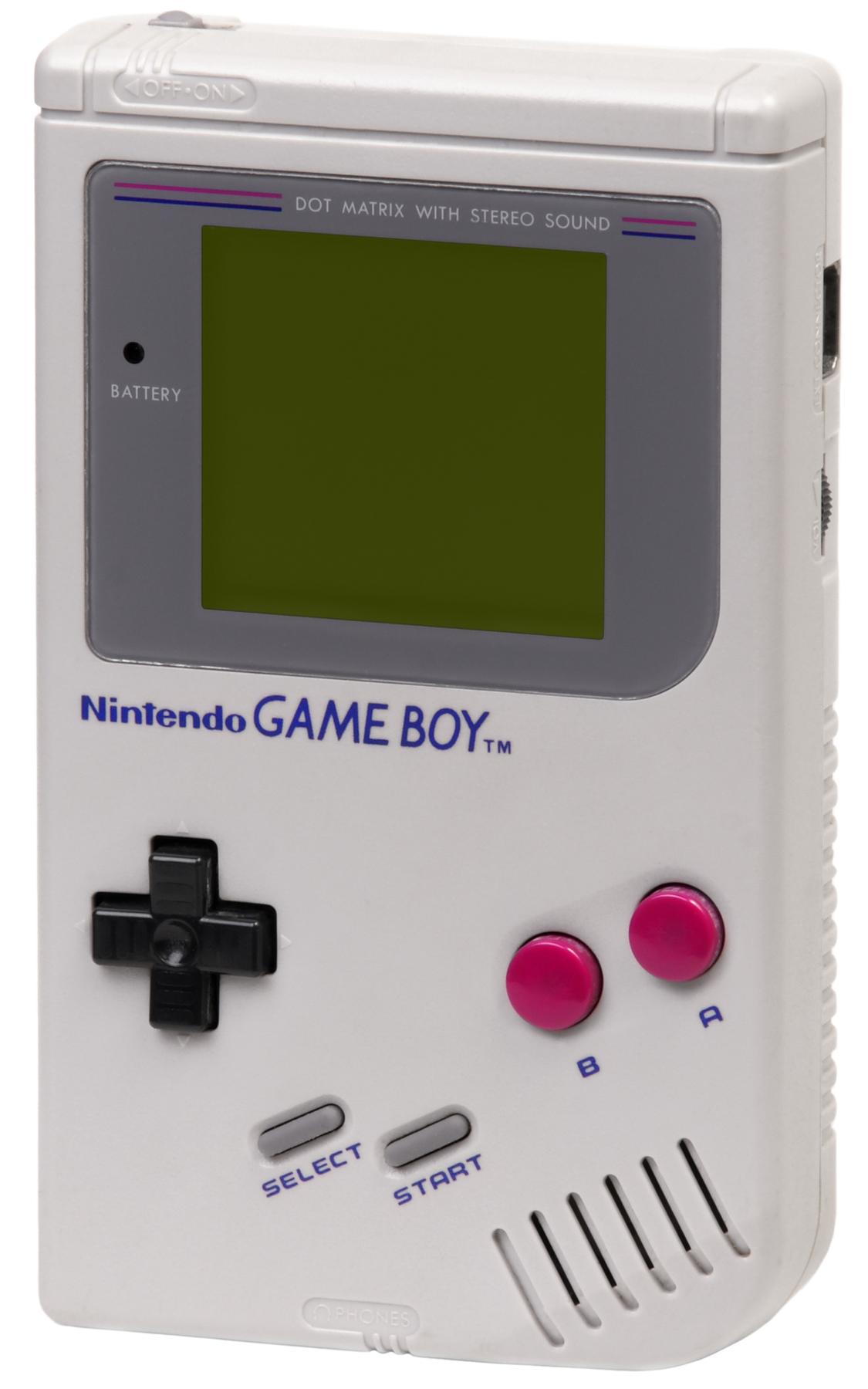

Retro Upscaling Mechanisms Explained: Why Your Console Looks Bad
Before you pick a scaler, know why your Super Famicom looks bad on that 4K OLED in your Hong Kong apartment. The signal is 240p, a progressive-scan format from 1990. A modern TV expects 2160p. Somewhere between the console and the panel, something has to convert all those lines. A generic converter sees 240p and assumes it is 480i video, so it applies a destructive deinterlace that discards half the vertical resolution and adds combing artifacts. That is the smeared mess you see. The fix is not a better TV. It is a scaler that understands what 240p actually is. The RetroTINK-4K and the OSSC both do this, but they do it in opposite ways, and the choice comes down to what you play.
240p to 4K Conversion Process: The OSSC and RetroTINK Difference
Line Multiplication Versus Frame Capture
The OSSC is a line multiplier with no frame buffer. It takes each 240p line and repeats it at 2×, 3×, 4×, or 5×, producing a razor-sharp image with zero measured lag. Microseconds, not milliseconds. The RetroTINK-5X Pro is a frame-buffer device, capturing a full frame before resampling it, which adds a few milliseconds of latency but enables motion-adaptive deinterlacing for 480i games. The OSSC cannot handle composite or S-Video input. The RetroTINK-5X Pro accepts both. If you play Super Famicom via RGB SCART, the OSSC is purer. If you play PS2 games that switch between 240p and 480i, the RetroTINK-5X Pro's deinterlacing is the difference between a playable image and a flickering mess.
Retro Anti-Aliasing Methods: The Sharpening and Smoothing Tension
Line Doubling Keeps Every Pixel
Line doubling repeats each scanline exactly with no processing. It preserves whole-number ratios and adds no lag. It cannot do fractional scales like 240p to 1080p without uneven pixel sizes. Frame-buffer capture resamples a full frame via a polyphase scaler. This allows rotation, zoom, and HDR filters, but it introduces latency and can blur the image if the algorithm is weak. The OSSC Pro is the hybrid: it uses an FPGA-based polyphase scaler with both whole-number and fractional modes, adding a frame buffer only when you need it. For pure 240p, whole-number multiplication to 960p with black borders on a 1080p panel is the gold standard. The math of pixel grids does not change.
Deinterlacing Quality and 480i Handling: PS2 and the Flicker Problem
How the OSSC Pro Handles Adaptive Filtering
The OSSC Pro, designed by the same community that built the original OSSC, adds a frame buffer and a polyphase scaler. Its default mode still uses whole-number line multiplication. The anti-aliasing is optional and off by default because the community disagrees on whether smoothing ever helps. The RetroTINK-4K offers multiple anti-aliasing options, including a smoothing filter and adaptive de-ringing, both selectable per input. The RetroTINK-4K's latency is under 1 millisecond with the frame buffer off and about 4 milliseconds with it on. That is why it can handle both 240p and 4K. The OSSC cannot do 4K output at all. Its maximum is 1440p, achieved only via line multiplication, not frame-buffer processing.
Sharpening Filters and Ringing: Judging the Claims
Sharpening filters are the most misused tool in retro processing. A scaler with overly aggressive sharpening adds ringing halos around sprites that were not present on a CRT. The RetroTINK-4K's adaptive de-ringing filter removes those halos, but it is off by default. The mClassic's edge-directed interpolation can also introduce ringing if the algorithm misjudges a diagonal line. The gap is small but real, caused by the context-adaptive algorithm's analysis window. The OSSC has no sharpening filter at all. Purists prefer it: what you see is the raw pixel grid, not a processed version of it. To judge a sharpening claim, look at a scrolling background with text. Halos are visible there first. The RetroTINK-4K's smoothing filter is the opposite. It intentionally softens the image to mimic a CRT's shadow mask, which is a different aesthetic choice.
Scaling Path Comparison: OSSC, RetroTINK-5X, and the Cheap Converter
Here is a table that compares the three most common processing paths on the axes that matter: latency, deinterlacing, and input support. This is the fastest way to see why a RetroTINK-4K costs more than a month's rent in Hong Kong and why a cheap converter from Sham Shui Po is not a bargain.
Input Signal Compatibility: What You Can Plug In
The question is rarely "which is best" and more often "what can I plug in." The RetroTINK-4K accepts composite, S-Video, component (YPbPr), RGB over SCART, DE-15 VGA, and BNC. That covers every console from an Atari 2600 to a PS3. The OSSC takes RGB SCART and component, but no composite or S-Video, which is a dealbreaker if you own a Famicom without an RGB mod. The mClassic is HDMI-only, so it only helps if your console already outputs 480p or higher. The GBS-Control is the budget wildcard: it takes VGA and component, but requires soldering to install the firmware, and the motion-adaptive deinterlacing has known chroma artifacts on fast-moving red objects.
Video Scaling Terminology Chinese English: The Claim Versus the Evidence
Marketing Numbers Versus Measured Performance
The mClassic outputs a 1440p frame with a 1080p active image area processed inside it. It is not a native 1440p render. The OSSC has zero lag for the device itself, but the TV then adds its own processing lag. The gap between claimed and real is effectively zero, but the TV is the bottleneck. A generic HDMI converter treats 240p as 480i, discarding half the vertical resolution and adding 2 to 4 frames of lag. The Analogue Pocket Dock outputs 1080p, but the default processing is not whole-number, causing uneven pixel sizes on some cores. That is a configuration default, corrected by enabling whole-number ratios. A Samsung or LG TV in Hong Kong with Game Mode on still adds 10 to 15 milliseconds of lag at 1080p and 30 to 40 milliseconds at 4K. That is the panel's inherent processing, caused by the scaler inside the TV still being active.
Line Doubling vs Framebuffer Scaling: The Two Core Mechanisms
Both approaches convert 240p to 480p. Line doubling repeats each line exactly with no processing. Frame-buffer capture grabs a full frame and resamples it. Line doubling has zero lag but cannot do fractional ratios. Frame-buffer processing can. The RetroTINK-4K does both, which is why it costs so much. The OSSC only does line doubling, which is why it is cheaper but less flexible. The GBS-Control does a hybrid, but its fractional processing is poor. Always enable whole-number ratios if you use one.
The CRT Electron Beam and Scanline Filters: What You Are Replicating
The 15kHz analogue video standard is the fixed point that all retro processing revolves around. 240p and 480i are fixed historical formats. They do not change, and any scaler that claims to "convert" them to 4K without a frame buffer is lying. The conversion to digital YCbCr and the chroma subsampling that follows is a defined, unchanging pipeline. The CRT electron beam draws an image line by line with a blanking interval. That is the physical phenomenon that scanline filters and BFI (black frame insertion) are trying to replicate. When you use a CRT filter on a 4K OLED, you are simulating that beam. A good filter is a complex piece of software, not a simple overlay.
mClassic and the 1440p Output Claim: What It Really Does
The mClassic's input resolution range is 480p to 1080p. It cannot help with a raw 240p signal. Its anti-aliasing method is a proprietary contextual post-process AA, and its processing algorithm uses sub-pixel resampling with edge-directed interpolation. It is powered by the HDMI port, so it needs no external power supply. It is a valid option for a PlayStation 3 or Wii U owner who wants to clean up a 720p signal on a 4K TV. But it is not a retro scaler. It is a post-processing dongle, and it will not fix a Super Famicom.
The Cost of Doing It Right: What to Budget
Retro game processing is a hobby where the hardware costs more than the games. A RetroTINK-4K costs more than a new console. An OSSC Pro costs more than a used PS4 Pro. The GBS-Control is cheap, but it requires soldering and has known artifacts. The mClassic is a compromise, and the Analogue Pocket is a separate ecosystem. If you are on a budget, start with a RetroTINK-5X Pro and a quality RGB SCART cable. That is the most cost-effective way to get 90% of the way to a perfect image. If you are not willing to spend that, use a CRT for 240p content and a modern TV only for 480i and up. The tools exist, but they are not magic, and they cost money.
FAQ: Quick Answers on Retro Upscaling
What is the difference between 240p and 480i?
240p is progressive scan with a blank line between each field, which creates a stable image for games. 480i is interlaced, drawing alternating lines in two passes, which causes flicker. A scaler that mistakes 240p for 480i will deinterlace it, destroying the scanline effect and adding combing artifacts.
Why does my SNES look worse on a 4K TV than on a CRT?
Because the 240p signal is not being processed correctly. A cheap converter deinterlaces it as 480i, discarding half the resolution, and the TV's own scaler adds lag and blur. A dedicated scaler with whole-number multiplication to 960p (on a 1080p TV) or 1440p (on a 4K TV) preserves the original pixel grid.
Is the mClassic worth it for retro gaming?
Only if your console outputs 480p or higher. The mClassic does not accept 240p input, so it cannot help a Super Famicom or N64 without a mod. For a Wii or PS3, it can reduce jaggies, but it adds about 10ms of lag, which is noticeable in rhythm games.
Can I use scanline filters on a 4K TV to mimic a CRT?
Yes, but only if you have a scaler that can do whole-number multiplication first. Scanline filters on a fractional processed image look uneven and cause shimmering. The RetroTINK-4K and OSSC Pro handle this correctly; most TV built-in scanline modes do not.
More in this guide
The TV's built-in scalerAI upscaling (DLSS, FSR, PSSR) vs hardware dongles240p, 480i, 720p, and 1080p Explained for Retro Gaming.
More in How upscaling and anti-aliasing work
-
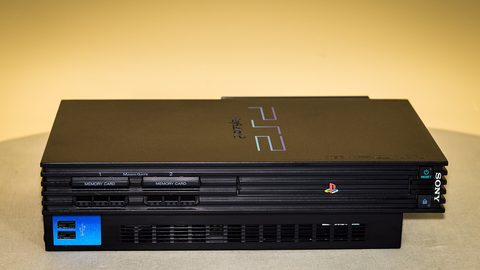 240p, 480i, 720p, 1080p
解釋240p、480i、720p與1080p對舊遊戲畫面的實際意義,以及為何現代電視普遍將240p誤判為480i導致畫面模糊與延遲。
240p, 480i, 720p, 1080p
解釋240p、480i、720p與1080p對舊遊戲畫面的實際意義,以及為何現代電視普遍將240p誤判為480i導致畫面模糊與延遲。
-
 AI upscaling (DLSS, FSR, PSSR) vs hardware dongles
區分AI升頻技術(DLSS、FSR、PSSR)與以mClassic為代表的即插式硬件轉接器,兩者解決的是完全不同的畫面處理問題,適用場景亦截然不同。
AI upscaling (DLSS, FSR, PSSR) vs hardware dongles
區分AI升頻技術(DLSS、FSR、PSSR)與以mClassic為代表的即插式硬件轉接器,兩者解決的是完全不同的畫面處理問題,適用場景亦截然不同。
-
 Chroma subsampling, RGB range and colour banding in the signal chain
說明色度抽樣與RGB範圍設定在升頻器至電視的訊號鏈中對畫面的實際影響,以及高位元深度處理無法補救來源色彩資訊遺失的限制。
Chroma subsampling, RGB range and colour banding in the signal chain
說明色度抽樣與RGB範圍設定在升頻器至電視的訊號鏈中對畫面的實際影響,以及高位元深度處理無法補救來源色彩資訊遺失的限制。
-
 Deinterlacing methods (bob, motion-adaptive)
詳細比較Bob、Weave與Motion Adaptive三種去交錯方法的技術原理與視覺效果,解釋為何PS2與SEGA Saturn的480i遊戲在現代電視上會出現閃爍。
Deinterlacing methods (bob, motion-adaptive)
詳細比較Bob、Weave與Motion Adaptive三種去交錯方法的技術原理與視覺效果,解釋為何PS2與SEGA Saturn的480i遊戲在現代電視上會出現閃爍。
-
 Glossary of scaler terms in 繁中 and English
懷舊遊戲升頻領域的核心術語詞典,提供繁體中文與英文對照及簡潔定義,涵蓋解像度格式、處理方式與量度單位。
Glossary of scaler terms in 繁中 and English
懷舊遊戲升頻領域的核心術語詞典,提供繁體中文與英文對照及簡潔定義,涵蓋解像度格式、處理方式與量度單位。
-
 Integer scaling vs non-integer scaling
解釋整數倍縮放的數學原理,以及為何非整數倍縮放會導致像素藝術在液晶屏幕上出現抖動與偽影,並討論填滿屏幕與像素完美之間的取捨。
Integer scaling vs non-integer scaling
解釋整數倍縮放的數學原理,以及為何非整數倍縮放會導致像素藝術在液晶屏幕上出現抖動與偽影,並討論填滿屏幕與像素完美之間的取捨。
-
 Line doubling vs frame-buffer scaling
深入比較OSSC的線性倍線與RetroTINK的幀緩衝升頻技術,解釋兩種處理方式在延遲、兼容性與480i畫面處理上的根本分別。
Line doubling vs frame-buffer scaling
深入比較OSSC的線性倍線與RetroTINK的幀緩衝升頻技術,解釋兩種處理方式在延遲、兼容性與480i畫面處理上的根本分別。
-
 Post-process anti-aliasing (FXAA/SMAA-type) vs native AA
分析後處理反鋸齒(FXAA/SMAA)與原生反鋸齒的技術分別,說明mClassic類裝置在訊號鏈中的位置及其對2D像素藝術與3D遊戲的不同影響。
Post-process anti-aliasing (FXAA/SMAA-type) vs native AA
分析後處理反鋸齒(FXAA/SMAA)與原生反鋸齒的技術分別,說明mClassic類裝置在訊號鏈中的位置及其對2D像素藝術與3D遊戲的不同影響。
-
 Sharpening vs detail
解釋畫面銳化處理與真實細節還原的根本分別,分析過度銳化導致的邊緣光暈與偽影,以及為何升頻後的畫面不一定更清晰。
Sharpening vs detail
解釋畫面銳化處理與真實細節還原的根本分別,分析過度銳化導致的邊緣光暈與偽影,以及為何升頻後的畫面不一定更清晰。
-
 The TV's built-in scaler
解釋現代電視內置升頻器如何將舊主機的240p訊號錯誤處理為480i,導致畫面模糊與高延遲,以及遊戲模式實際上能改善和無法改善的環節。
The TV's built-in scaler
解釋現代電視內置升頻器如何將舊主機的240p訊號錯誤處理為480i,導致畫面模糊與高延遲,以及遊戲模式實際上能改善和無法改善的環節。
Read next
-
The TV's built-in scaler
解釋現代電視內置升頻器如何將舊主機的240p訊號錯誤處理為480i,導致畫面模糊與高延遲,以及遊戲模式實際上能改善和無法改善的環節。
-
AI upscaling (DLSS, FSR, PSSR) vs hardware dongles
區分AI升頻技術(DLSS、FSR、PSSR)與以mClassic為代表的即插式硬件轉接器,兩者解決的是完全不同的畫面處理問題,適用場景亦截然不同。
-
Post-process anti-aliasing (FXAA/SMAA-type) vs native AA
分析後處理反鋸齒(FXAA/SMAA)與原生反鋸齒的技術分別,說明mClassic類裝置在訊號鏈中的位置及其對2D像素藝術與3D遊戲的不同影響。
-
240p, 480i, 720p, 1080p
解釋240p、480i、720p與1080p對舊遊戲畫面的實際意義,以及為何現代電視普遍將240p誤判為480i導致畫面模糊與延遲。
-
Sharpening vs detail
解釋畫面銳化處理與真實細節還原的根本分別,分析過度銳化導致的邊緣光暈與偽影,以及為何升頻後的畫面不一定更清晰。
-
Glossary of scaler terms in 繁中 and English
懷舊遊戲升頻領域的核心術語詞典,提供繁體中文與英文對照及簡潔定義,涵蓋解像度格式、處理方式與量度單位。