The Best Video Signal Chain for Every Retro Console
Route your retro console to a modern display with the best possible signal chain. Every guide covers the full path from console to TV, ordered by picture quality and lag.
The Best Video Signal Chain for Every Retro Console
Your Super Famicom is plugged into your 4K OLED and the result looks like a watercolour painting left in the rain. That is a broken signal chain, and it is fixable. What follows routes you to the right scaler, cable, and settings for your exact console, your TV, and what you care about most: lag, sharpness, or simplicity. Every console section delivers the full chain, ordered from best picture quality to simplest setup, with the lag and visual cost of each option spelled out in milliseconds and artifacts. Find your console below and follow the chain.
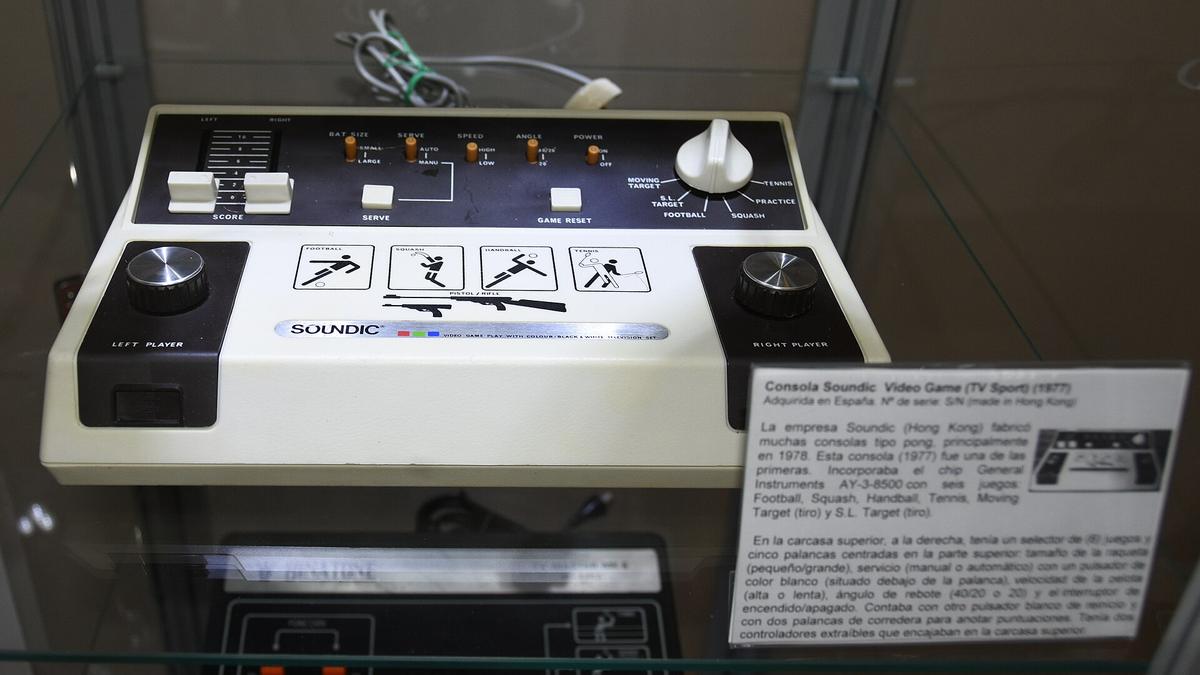

- The 15kHz Signal Is Fixed: Every pre-HDMI console outputs 240p or 480i at 15kHz. No cable or scaler changes that; it is a permanent electrical fact.
- The Video Output Hierarchy: RF worst, composite better, S-Video better still, RGB SCART and component video tied for best. This is the durable electrical truth documented by RetroRGB, not an opinion.
- Input Lag Is Physics: A 60Hz frame lasts 16.67ms. Any device that buffers a full frame adds at least that much lag. A scaler that buffers zero frames adds microseconds.
- 240p Is Not 480i: A scaler that treats 240p as 480i deinterlaces and discards half the vertical resolution. That is what cheap HDMI converters from Sham Shui Po do.
- Hong Kong Mains Voltage: 220V at 50Hz. Imported Japanese 100V consoles need a step down transformer. PAL consoles run at 50Hz and require scalers that handle frame rate conversion.
Best Video Cable for Retro Consoles: The Hierarchy That Never Changes
The single most asked question about retro console connections is which cable to buy. The answer is a fixed ladder, and the rungs are based on how much the signal is mangled before it reaches the TV. At the bottom is RF, which combines video and audio into one carrier wave and then makes your TV separate them again. One step up is composite video, which keeps video and audio separate but still mixes luminance and chrominance into a single wire, producing dot crawl on fine patterns. S-Video splits luminance and chrominance onto two wires and kills the dot crawl. At the top, RGB SCART and component video both carry the image as three discrete signals with no mixing at all. The difference between them is the colour space: RGB uses red, green, and blue signals plus separate sync, while component video uses luminance and two colour difference signals. In practice both deliver the same sharpness when fed into a scaler that handles them correctly.
Which Cable Your Console Actually Needs
The catch is that many consoles do not output RGB or component natively. The NES and N64 require a mod. The SNES outputs RGB natively on its multi out port. The Mega Drive outputs RGB on its DIN connector. The PlayStation 1 outputs RGB through its multi out. The PlayStation 2 outputs both RGB and component natively. The GameCube outputs component only from the DOL-001 model through a proprietary cable that contains a DAC chip. The Wii outputs component from every model. The Xbox outputs component, RGB SCART, and S-Video depending on the region and cable. HD Retrovision makes component cables that include integrated transcoders for consoles like the Genesis and SNES that lack native component output. Insurrection Industries makes the SCART cables used in high end North American and export setups.
Match the Cable to Your Scaler
The cable you buy is determined by what your console outputs natively and what input your scaler takes. If your scaler takes SCART, buy an RGB SCART cable. If your scaler takes component and your console does not output it, buy an HD Retrovision cable that transcodes the RGB signal to component inside the cable itself. If you are in Hong Kong importing a Japanese console, note that JP-21 uses the same physical 21 pin connector as SCART but with a different pinout. Plugging a JP-21 cable into a SCART input or vice versa can damage equipment. Verify the pinout before you connect anything.
Retro Console Signal Chain: What Happens Between the Console and the TV
The signal chain has three links. The console outputs a 15kHz analogue signal over one of the cable types above. The cable carries that signal to a scaler or line doubler. The scaler converts the analogue signal to digital, resamples it to a resolution your TV can display, and sends it over HDMI. Every link adds potential delay or visual artifacts. The console output is fixed. The cable adds zero lag but can introduce noise if it is unshielded or if the ground loop hum from a 50Hz mains frequency bleeds into the audio line. The scaler is where most of the damage happens.
Line Doubling vs Framebuffer Scaling
A line doubler like the OSSC takes each scanline of a 240p image and repeats it exactly. A 240p image line doubled to 480p retains every pixel of the original with zero processing. The OSSC achieves this with no framebuffer, so lag is measured in microseconds, not milliseconds. The cost is that it cannot do non-integer scales, it cannot deinterlace 480i without a bob flicker, and it cannot apply CRT simulation filters that require a full frame buffer. A framebuffer scaler like the RetroTINK 5X Pro captures a full frame into memory, then resamples it to the target resolution using a polyphase scaler. This adds one frame of lag when the framebuffer is active, which is 16.67ms at 60Hz. The trade off is that you get motion adaptive deinterlacing for 480i games, rotation, zoom, and scanline masks that replicate the look of a Sony PVM. The RetroTINK 4K adds HDR output and 4K scanline masks at the cost of the same single frame of lag. The OSSC Pro adds a framebuffer option so you can toggle between zero lag line multiplication and framebuffer scaling depending on the game.
The 240p as 480i Failure Mode
The most destructive thing a scaler can do is misdetect a 240p signal as 480i. This is what every generic HDMI converter from Golden Computer Centre does. The converter sees a 15kHz signal and applies a video deinterlacer designed for DVD players. It discards half the vertical resolution, introduces combing artifacts on moving sprites, and adds two to four frames of buffer lag. The result looks soft, smeary, and delayed. A scaler built for retro gaming, whether the RetroTINK 5X, the OSSC, or the GBS-Control with proper firmware, detects 240p by measuring the sync timing and treats it as progressive scan. This is the single feature that separates a usable scaler from a waste of money.
Sync and Audio
The sync signal that tells the scaler where each line starts can be carried on the composite video line, on the luma line, or on a dedicated csync wire. Sync on composite is the most common and works with every scaler but can cause checkerboard artifacts on some RGB sources. Csync is cleaner but not every console outputs it. The SNES outputs csync natively. The Mega Drive outputs sync on composite. The PlayStation 1 outputs csync on pin 3 of the multi out. If your scaler drops sync during a full white flash, the console sync voltage is dipping below the scaler threshold. This is common on the SNES and is usually fixed by adding a sync stripper or switching to a cable with a built in sync regenerator. Audio embedding is another variable. Some scalers pass analogue audio through to the HDMI signal. The RetroTINK 5X and 4K both embed stereo audio from the 3.5mm input. The OSSC has no audio input and passes HDMI audio from the source if the source is HDMI. If you are using an OSSC with a SCART cable that carries audio, you need a separate audio extractor or a TV that takes analogue audio on a separate input.
| Scaler | Inputs | Max Output | Lag | Deinterlacing | Key Limitation |
|---|---|---|---|---|---|
| OSSC 1.8 | SCART, Component, VGA | 1600x1200 | <1ms (line buffer only) | Bob (Line2x for 480i) | No composite or S-Video input |
| RetroTINK 5X Pro | Component, S-Video, Composite | 1440p | <1ms (framebuffer off) | Motion-adaptive | No SCART input without adapter |
| RetroTINK 4K | Component, S-Video, Composite, SCART, HDMI | 4K 60Hz HDR | <1ms (framebuffer off) | Motion-adaptive | Cost; requires HDMI 2.0 display |
| GBS-Control | VGA, Component, S-Video, Composite | 1080p | ~1 frame (framebuffer) | Motion-adaptive | DIY assembly; chroma artifacts on fast red |
| mClassic | HDMI in | 1440p 60Hz / 4K 30Hz | 1-2ms | N/A (passes 480i as is) | Only HDMI input; 240p not handled |
RGB SCART vs Component Guide: Which Signal Standard Belongs In Your Chain
The choice between RGB SCART and component video is determined by your region and your scaler, not by quality. Both carry three separate signals with no chroma subsampling. Both support 4:4:4 colour at the scaler input. Both can carry 240p and 480i. The difference is the connector and the voltage levels. RGB SCART uses a 21 pin connector with separate red, green, blue, and composite sync signals. Component video uses three RCA jacks carrying Y, Pb, and Pr. In Europe and Hong Kong where PAL consoles were sold, SCART was the standard and most CRT TVs had a SCART socket. In North America and Japan, component video was the high end consumer standard. The RetroTINK 5X Pro takes component directly through RCA jacks and SCART through a separate adapter or a breakout cable. The OSSC takes SCART directly and component through a VGA breakout cable. The RetroTINK 4K takes both natively. If you are in Hong Kong and buying a Japanese console, the console likely outputs RGB through a JP-21 connector, which uses the same physical plug as SCART but with a different pinout. You need either a JP-21 to SCART adapter or a cable made for JP-21 pinout. If you buy a PAL console from a Hong Kong second hand market, it outputs RGB SCART natively and works with any SCART scaler input. The practical difference comes down to what cables you can find. HD Retrovision component cables are widely available and require no adapter for a component scaler input. Insurrection Industries SCART cables are the standard for North American and export SCART setups. Both deliver the same pixel perfect image when the scaler handles the signal correctly. The only reason to prefer one over the other is your scaler input and your cable availability.
Console Video Output Hierarchy: Where Each Console Sits On The Ladder
The hierarchy from worst to best is RF, composite, S-Video, then RGB and component tied. Every console has a native output that sits somewhere on this ladder, and some require a hardware modification to climb higher. The NES outputs composite and RF only. To get RGB or component you need an RGB mod that taps the PPU video signal before it reaches the RF modulator. The SNES outputs composite, S-Video, and RGB natively. The 1CHIP model produces sharper RGB than earlier revisions. The SNES Jr outputs composite and S-Video but requires a mod for RGB. The N64 outputs composite and S-Video. An RGB mod or an internal HDMI mod like the UltraHDMI or N64Digital is required for component or HDMI output. The Mega Drive outputs composite, RF, and RGB natively. The Model 1 has a headphone jack that provides stereo audio. The Saturn outputs composite, S-Video, and RGB. The PlayStation 1 outputs composite, S-Video, and RGB. The PlayStation 2 outputs composite, S-Video, RGB, and component. The GameCube outputs composite and S-Video from all models. The DOL-001 model also outputs component through a proprietary digital AV port. The Wii outputs composite, S-Video, and component from all models. PAL Wiis also output RGB SCART. The original Xbox outputs composite, S-Video, component, and RGB SCART depending on the region and cable. The output hierarchy is the first thing to identify because it determines whether your best possible signal requires a cable purchase or a soldering iron.
Who This Signal Chain Information Suits And Who Should Skip It
This subject suits the Hong Kong apartment gamer with limited space who needs one display for modern and retro consoles and must understand why their Super Famicom looks like a smeared mess on their 4K OLED. It suits the competitive or feel sensitive player who perceives milliseconds of input lag and needs to know which scaler and TV settings add the least delay for rhythm games, shmups, or platformers. It suits the CRT curious enthusiast in Hong Kong who has access to second hand Sony PVMs and consumer Trinitrons from local markets but needs to understand RGB modding and 50Hz versus 60Hz regional pitfalls. It suits the capture and streaming hobbyist who needs to split a signal cleanly to both a lag free play display and a capture card without degrading either. It suits the emulation pragmatist weighing original hardware against MiSTer FPGA or software emulation on a Raspberry Pi who needs Hong Kong relevant power and connectivity advice.
Skip This If
Someone looking to buy a pre modded console as a plug and play gift with no interest in settings menus should visit a local Hong Kong retro shop to pay for a configured solution. A PC gamer trying to upscale old 3D PC titles from a Windows desktop is in the wrong place and should look at dgVoodoo2, DXVK, or driver level integer scaling guides. A modern gamer wanting better anti aliasing on a PlayStation 5 or Xbox Series X needs display side motion blur and VRR guides, not scanline generators.
Start Here
Start with your console. Identify its native output on the hierarchy. If it outputs RGB or component natively, buy the corresponding cable and a scaler that takes that input. If it outputs only composite or S-Video, decide whether you want to mod the console for RGB or buy a scaler with composite and S-Video inputs. The RetroTINK 5X Pro takes all three analogue inputs. The OSSC takes only RGB and component. The RetroTINK 4K takes everything including HDMI. The GBS-Control takes VGA, component, S-Video, and composite but requires DIY assembly and firmware flashing. The mClassic is a post processing dongle, not a primary scaler for analogue consoles. The MiSTer FPGA and Analogue Pocket are alternative hardware platforms that bypass the analogue signal chain entirely by generating digital video from FPGA logic. If you want zero lag and pixel perfect line multiplication for a 240p only console like the SNES or Mega Drive, the OSSC is the correct scaler. If you want motion adaptive deinterlacing for a 480i heavy library like the PlayStation 2, the RetroTINK 5X or 4K is the correct scaler. If you want a single device that handles every console from the NES to the Switch, the RetroTINK 4K is the ceiling of the market. The answer to every question about your specific console is in the guide that covers that console, not in this map. Read the map, find your console, and follow the chain.
More in this guide
mClassic console compatibility tableGame Boy / handheld consoles on the TV (GB Interface, Retro Freak, modern FPGA)Connecting a Sega Dreamcast to a Modern Display with a VGA Cable for 480p.
More in Retro console connection guides (per console)
-
 Dreamcast
利用Dreamcast原生VGA 480p輸出以最低成本獲得清晰畫質,分析VGA轉接盒方案、遊戲兼容性,以及如何將VGA訊號升頻至HDMI。
Dreamcast
利用Dreamcast原生VGA 480p輸出以最低成本獲得清晰畫質,分析VGA轉接盒方案、遊戲兼容性,以及如何將VGA訊號升頻至HDMI。
-
 Game Boy / handheld consoles on the TV (GB Interface, Retro Freak, modern FPGA)
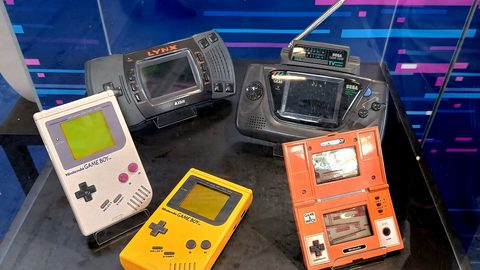
比較GB Interface、Retro Freak、Analogue Pocket底座與MiSTer FPGA將Game Boy畫面輸出至電視的方案,涵蓋非標準幀率兼容與整數倍縮放效果。
Game Boy / handheld consoles on the TV (GB Interface, Retro Freak, modern FPGA)
比較GB Interface、Retro Freak、Analogue Pocket底座與MiSTer FPGA將Game Boy畫面輸出至電視的方案,涵蓋非標準幀率兼容與整數倍縮放效果。
-
 GameCube
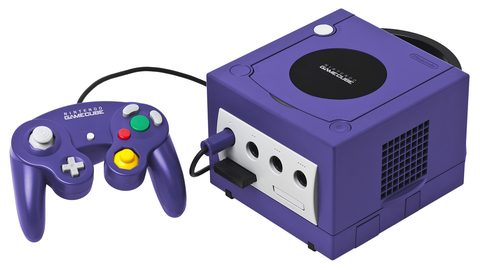
比較GameCube的GC Video HDMI轉接器與原裝色差線方案,分析DOL-001數位接口的優勢,以及Swiss軟體強制480p輸出的畫質提升效果。
GameCube
比較GameCube的GC Video HDMI轉接器與原裝色差線方案,分析DOL-001數位接口的優勢,以及Swiss軟體強制480p輸出的畫質提升效果。
-
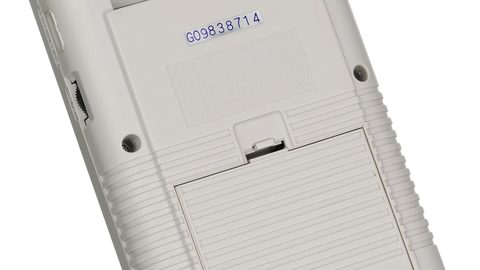 mClassic console compatibility table
mClassic接駁各代遊戲主機的兼容性總表,涵蓋每部主機的實際輸出解像度、1440p限制及對2D像素遊戲的柔化影響。
mClassic console compatibility table
mClassic接駁各代遊戲主機的兼容性總表,涵蓋每部主機的實際輸出解像度、1440p限制及對2D像素遊戲的柔化影響。
-
 Nintendo 64
分析Nintendo 64畫面模糊的成因,比較RGB改造模組與N64Digital HDMI方案在消除模糊濾鏡與提升輸出清晰度上的實際效果。
Nintendo 64
分析Nintendo 64畫面模糊的成因,比較RGB改造模組與N64Digital HDMI方案在消除模糊濾鏡與提升輸出清晰度上的實際效果。
-
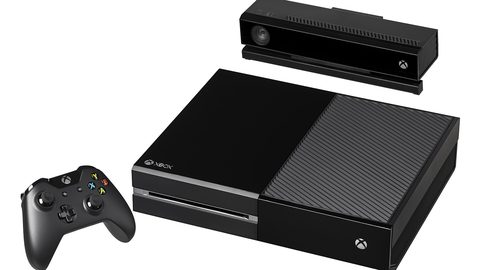 Original Xbox and Xbox 360
比較初代Xbox色差線與Xbox 360 HDMI輸出的最佳升頻路徑,涵蓋480i去交錯方案選擇及RetroTINK與mClassic的實際表現。
Original Xbox and Xbox 360
比較初代Xbox色差線與Xbox 360 HDMI輸出的最佳升頻路徑,涵蓋480i去交錯方案選擇及RetroTINK與mClassic的實際表現。
-
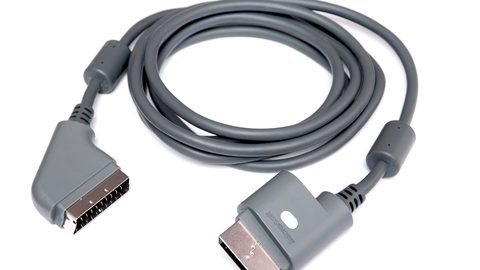 PS1
分析PS1使用RGB SCART與複合視訊接駁現代電視的畫質差異,解釋240p訊號的正確處理方式與整數倍縮放對像素藝術還原的關鍵作用。
PS1
分析PS1使用RGB SCART與複合視訊接駁現代電視的畫質差異,解釋240p訊號的正確處理方式與整數倍縮放對像素藝術還原的關鍵作用。
-
 PS2 on a modern TV
比較PS2接駁現代電視的各種方案,從色差線配專業升頻器到即插式HDMI轉接器,分析480i去交錯處理與240p切換時的實際表現。
PS2 on a modern TV
比較PS2接駁現代電視的各種方案,從色差線配專業升頻器到即插式HDMI轉接器,分析480i去交錯處理與240p切換時的實際表現。
-
 PS3 and Wii U
為PS3與Wii U的720p原生遊戲建立從主機到4K電視的升頻訊號鏈,比較主機內置升頻、mClassic與RetroTINK 4K的實際表現。
PS3 and Wii U
為PS3與Wii U的720p原生遊戲建立從主機到4K電視的升頻訊號鏈,比較主機內置升頻、mClassic與RetroTINK 4K的實際表現。
-
 Sega Saturn and Mega Drive / Genesis
為SEGA Saturn與Mega Drive建立從RGB SCART到現代電視的完整訊號鏈,涵蓋同步訊號類型、區域版本差異及各方案在畫質與延遲上的取捨。
Sega Saturn and Mega Drive / Genesis
為SEGA Saturn與Mega Drive建立從RGB SCART到現代電視的完整訊號鏈,涵蓋同步訊號類型、區域版本差異及各方案在畫質與延遲上的取捨。
-
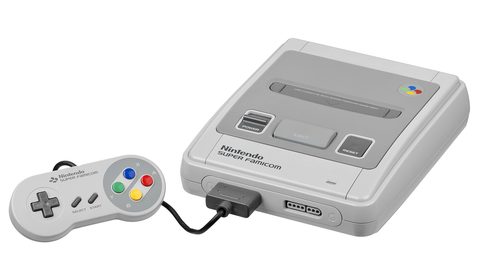 SNES / Super Famicom
為香港日版超級任天堂玩家提供RGB線材選擇指南,分析不同主機版本的畫質差異,以及HD Retrovision色差線作為現代電視接駁方案的優勢。
SNES / Super Famicom
為香港日版超級任天堂玩家提供RGB線材選擇指南,分析不同主機版本的畫質差異,以及HD Retrovision色差線作為現代電視接駁方案的優勢。
-
 Wii
比較Wii使用色差線與Wii-to-HDMI轉接器接駁現代電視的實際表現,分析480p訊號的升頻方案與mClassic反鋸齒對3D遊戲的效果。
Wii
比較Wii使用色差線與Wii-to-HDMI轉接器接駁現代電視的實際表現,分析480p訊號的升頻方案與mClassic反鋸齒對3D遊戲的效果。
Common Questions
What is the single biggest mistake people make when connecting a retro console to a modern TV?
Buying a cheap HDMI converter from a market stall that treats 240p as 480i. This deinterlaces the image, discards half the vertical resolution, and adds two to four frames of input lag. The result looks soft and feels delayed. A scaler built for retro gaming detects 240p correctly and treats it as progressive scan.
Can I use an mClassic as my only scaler for retro consoles?
Only if your console already outputs HDMI. The mClassic has an HDMI input and output. It takes up to 1080p and outputs up to 1440p at 60Hz or 4K at 30Hz. It adds 1 to 2ms of lag and applies context adaptive anti aliasing. It does not handle 240p or 480i analogue signals. You need a separate scaler to convert analogue to HDMI first.
What is the difference between the OSSC and the RetroTINK 5X Pro?
The OSSC is a line multiplier with no framebuffer and no composite or S-Video input. It produces zero lag and razor sharp pixels but cannot deinterlace 480i without flicker. The RetroTINK 5X Pro is a framebuffer scaler with composite, S-Video, and component inputs and motion adaptive deinterlacing. It adds one frame of lag when the framebuffer is active. Choose the OSSC for 240p only consoles and zero lag. Choose the RetroTINK 5X for mixed 240p and 480i libraries.
Does the RetroTINK 4K justify its price over the 5X Pro?
It justifies the price if you have a 4K display that supports HDR and you want CRT simulation at 4K resolution with HDR CRT profiles from FirebrandX. The 4K adds SCART input, HDMI input, Wi-Fi firmware updates, and 120Hz black frame insertion. If you play on a 1080p or 1440p display, the 5X Pro delivers the same core functionality at a much lower cost.
What is the best cable for a SNES on a modern TV?
An RGB SCART cable from Insurrection Industries or an HD Retrovision component cable. Both carry the native RGB signal from the SNES multi out. The SNES outputs csync natively, so a SCART cable with csync wiring produces the cleanest signal. If your scaler takes SCART, buy the SCART cable. If your scaler takes component, buy the HD Retrovision cable.
Why does my PlayStation 2 look flickery on my scaler?
The PlayStation 2 outputs many games in 480i, which is interlaced. A scaler without motion adaptive deinterlacing uses bob deinterlacing, which alternates between the two fields and causes a visible flicker on fine horizontal lines. The RetroTINK 5X and 4K have motion adaptive deinterlacing that reconstructs a full progressive frame from the interlaced signal. The OSSC uses bob deinterlacing and will flicker.
What do I need to know about Hong Kong voltage and console compatibility?
Hong Kong mains voltage is 220V at 50Hz. Japanese consoles run on 100V and require a step down transformer. PAL consoles from Europe and official Hong Kong releases run on 220V and 50Hz but output at 50Hz refresh rate. A game coded for 60Hz will run 16.7 percent slower at 50Hz. NTSC consoles from Japan and North America output at 60Hz and need a transformer for power but no frame rate conversion.
Read next
-
mClassic console compatibility table
mClassic接駁各代遊戲主機的兼容性總表,涵蓋每部主機的實際輸出解像度、1440p限制及對2D像素遊戲的柔化影響。
-
Game Boy / handheld consoles on the TV (GB Interface, Retro Freak, modern FPGA)
比較GB Interface、Retro Freak、Analogue Pocket底座與MiSTer FPGA將Game Boy畫面輸出至電視的方案,涵蓋非標準幀率兼容與整數倍縮放效果。
-
SNES / Super Famicom
為香港日版超級任天堂玩家提供RGB線材選擇指南,分析不同主機版本的畫質差異,以及HD Retrovision色差線作為現代電視接駁方案的優勢。
-
Wii
比較Wii使用色差線與Wii-to-HDMI轉接器接駁現代電視的實際表現,分析480p訊號的升頻方案與mClassic反鋸齒對3D遊戲的效果。
-
Original Xbox and Xbox 360
比較初代Xbox色差線與Xbox 360 HDMI輸出的最佳升頻路徑,涵蓋480i去交錯方案選擇及RetroTINK與mClassic的實際表現。
-
PS2 on a modern TV
比較PS2接駁現代電視的各種方案,從色差線配專業升頻器到即插式HDMI轉接器,分析480i去交錯處理與240p切換時的實際表現。