Plug-in Upscalers for Retro Consoles Compared by Signal, Lag, and Scaling Method
Compare plug-in retro gaming scalers by input lag, scaling method, and signal compatibility to find the right one for your consoles and display.
Plug-in Retro Gaming Upscalers Compared: The Hub Page
Plug a Super Famicom or a launch PlayStation into a modern 4K OLED and the screen turns into a smeared, flickering mess. Most displays treat a 240p game signal as 480i video, apply aggressive deinterlacing, and add catastrophic input lag. The fix is a plug-in scaler matched to your signal chain. This page routes you to the right device by what you are trying to do: motion-adaptive deinterlacing for PS2, zero-lag 240p line multiplication for a Super Nintendo, anti-aliasing on a Nintendo Switch, or a budget GBS-Control build. Every child page compares on the same five axes: input and output resolutions, processing type, input lag, and which consoles each scaler suits, with numbers attributed to named independent tests like RetroRGB and My Life in Gaming.
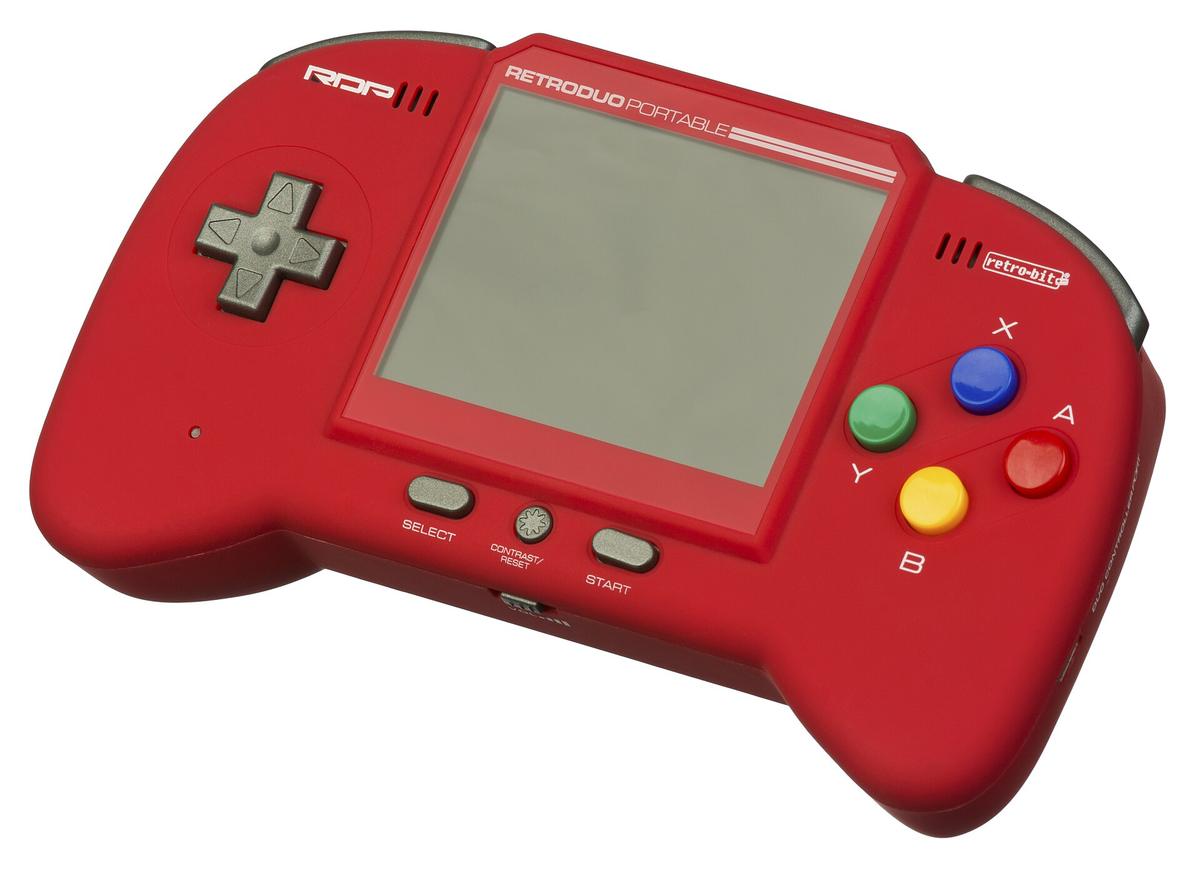

mClassic OSSC RetroTINK Comparison: The Three Architectural Categories
Before you pick a scaler, understand that the market splits into three architectural categories. Each one exists because of a different console generation problem.
HDMI Dongle
Exemplified by the mClassic from Marseille Inc., this is a small stick that plugs directly into your display's HDMI port and processes whatever signal arrives. It is designed for modern consoles and for retro consoles that have already been HDMI-converted. It adds context-adaptive anti-aliasing and a mild upscale, powered entirely by the HDMI port. The dongle's architectural weakness: it cannot fix a bad analogue-to-digital conversion upstream. Garbage in, garbage out.
Line Multiplier
Exemplified by the Open Source Scan Converter (OSSC), this is the purist's choice. It takes a 240p or 288p signal and repeats each scanline exactly 2×, 3×, 4×, or 5×, with zero framebuffer and therefore zero added lag. The OSSC has no composite or S-Video input. You must feed it RGB SCART, component, or VGA, because its entire philosophy is to preserve the original pixel grid with no processing. Line multiplication is purer, but it cannot do non-integer scales. A 240p signal will not fill a 4K screen without uneven pixel sizes unless you use a lot of lines.
Framebuffer Scaler
Exemplified by the RetroTINK 5X-Pro and the RetroTINK 4K, this captures a full frame into memory and then resamples it. Because it holds a frame, it can do rotation, zoom, scanline effects, and motion-adaptive deinterlacing. A line multiplier cannot do any of that. The catch is that a framebuffer adds latency. The trick is making that latency sub-millisecond, which Mike Chi has done with the RetroTINK line. The RetroTINK 5X-Pro maxes at 1440p output. The RetroTINK 4K goes to 4K with HDR. Both are Mike Chi designs with different output resolution ceilings. For a Hong Kong apartment gamer who needs one display for modern and retro consoles, the framebuffer category is usually the answer. It accepts composite, S-Video, component, and RGB SCART, so you do not need a shelf of transcoders.
External Scaler Input Lag Tested: What the Numbers Actually Mean
Input lag is the single most important spec for a scaler. It is also the most lied-about. The industry has two standards: milliseconds of processing latency, and whether the scaler framelocks to the source. A scaler with zero processing latency but no framelock can still add a frame of delay because it is not synchronising to the display's refresh. The only way to know is to measure with a Time Sleuth or similar device.
Here is what independent testing has shown. RetroRGB's 2021 test measured the mClassic and the RetroTINK-5X Pro both at under 1 ms of processing latency when framelocked. RetroRGB's 2020 test measured the mClassic and the OSSC both at under 1 ms when line-locked. The OSSC's zero-lag claim is real: it is a line multiplier with no framebuffer, so its lag is measured in microseconds. The RetroTINK-5X Pro's sub-1 ms framelock mode is also real, but only when you enable it in the menu. By default it runs in a mode that adds about a millisecond.
The mClassic's zero-lag claim is marketing. Marseille Inc. implies the dongle adds no latency, but the Time Sleuth shows roughly 1-2 ms of processing latency. That is still imperceptible. It is not zero. When a manufacturer says 'zero lag', infer 'under 2 ms' unless an independent test confirms otherwise. The RetroTINK 5X's 1080p over HDMI claim also has a wrinkle: the scaler delivers a clean 1080p signal, but some capture cards read the EDID incorrectly and record a 1080i file. That is a capture card problem, not a scaler problem, but know it before you buy.
HDMI Dongle vs Line Multiplier vs Framebuffer: Which One Fits Your Console Generation
The three categories map directly onto console generations. Getting this mapping right is what makes a scaler choice sensible.
HDMI dongle: Choose this only for consoles that already output HDMI natively. Nintendo Switch, PS4 Pro, Xbox One X, or a retro console that has been pre-modded with an HDMI kit. The mClassic's job is not to fix a bad signal. It is to smooth a good one. It applies anti-aliasing and sharpening to a 480p or 720p signal and delivers a 1440p frame. If you are playing on a 4K display, the mClassic will upscale that 1440p frame to 4K. It will never add detail that was not in the source.
Line multiplier: Choose this for 240p consoles (NES, SNES, Genesis, Mega Drive, TurboGrafx-16, and the PlayStation 1 via RGB) when you want razor-sharp pixels and zero added lag. Use it on a display that can handle non-integer scaling, or use the OSSC's 5× mode on a 1080p display. The OSSC has a composite and S-Video blind spot. If your console only delivers composite, like a stock N64, this is the wrong tool. You would need an RGB or component mod, or you would need to feed the OSSC a transcoded signal from something like HD Retrovision cables.
Framebuffer scaler: Choose this for 480i consoles (PS2, GameCube, Wii, Xbox, Dreamcast) and for any console where you want CRT simulation, motion-adaptive deinterlacing, or a composite/S-Video input. The RetroTINK 5X-Pro and RetroTINK 4K both accept composite, S-Video, component, and RGB SCART via a DE-15 adapter. The 5X is ideal for 480i. Its motion-adaptive deinterlacing cleans up the jitter without the combing artifacts of a bob deinterlacer. The 4K is the ceiling of the market: it uses polyphase interpolation, does HDR injection for CRT phosphor simulation that exceeds 1000 nits peak brightness, and can even take an HDMI input from another scaler if you want to chain.
Best Scaler by Console Generation: A Routing Table
Here is the practical routing table. If you have a pre-HDMI console and you want a plug-and-play gift for someone with no interest in settings menus, skip the scaler entirely and buy a pre-modded console with an HDMI output. That is a different page. If you are buying a scaler for yourself, use this:
Nintendo Entertainment System (NES) / Famicom
Use the RetroTINK 5X-Pro or 4K with composite input, then apply the CRT simulation filter. The OSSC cannot take composite, so it is out unless you mod the console. The mClassic is useless here because it needs an HDMI input.
Super Nintendo (SNES) / Super Famicom and Sega Genesis / Mega Drive
The RetroTINK 5X-Pro is the reference, accepting RGB SCART or component via HD Retrovision cables. The OSSC is also excellent here if you want pure line multiplication. The mClassic only helps if you have already converted the signal to HDMI. The 240p image is razor-sharp, and the 5X's scanline generator adds the right amount of CRT texture.
Nintendo 64
The N64 delivers composite by default, and the RetroTINK 5X-Pro is the only device on this list that accepts composite well enough to be worth using. The 5X's composite decoder is excellent, but it still cannot fix the N64's blurry texture filtering. The mClassic will not help because it needs HDMI in. For best N64 image, you need the RetroTINK 4K's deblurring feature, which requires the 4K's more powerful hardware.
PlayStation 1 and PlayStation 2
The PS1 delivers 240p via RGB SCART at its best. Use the RetroTINK 5X-Pro for motion-adaptive deinterlacing on FMV and line multiplication on 3D. The OSSC is a fine budget choice here. The PS2 is the hard one. It delivers 480i, and the RetroTINK 5X-Pro's motion-adaptive deinterlacing is the best tool for it. The OSSC can handle 480i but only via bob deinterlacing, which adds flicker. The RetroTINK 4K does the same as the 5X but with more CRT simulation options. The mClassic is not suitable for the PS2 because it needs an HDMI signal, and the PS2's HDMI converters are universally bad.
GameCube, Wii, Xbox, and Dreamcast
The GameCube delivers 480p via component. The Wii does the same natively. Both work extremely well with the RetroTINK 5X-Pro at 480p passthrough, or with the mClassic if you are using the Wii's HDMI output. The OSSC will also take 480p via component. The Xbox and Dreamcast both deliver 480p via component. Use the RetroTINK 5X-Pro or OSSC. The Dreamcast can also output VGA, which the OSSC accepts directly.
The RetroTINK 5X-Pro and RetroTINK 4K: Mike Chi's Two Ceilings
Two devices dominate the framebuffer category. They are often confused because they share a designer and a similar menu system. The RetroTINK 5X-Pro and the RetroTINK 4K are both designed by Mike Chi, but they target different outputs.
The RetroTINK 5X-Pro, released in 2021, is the workhorse. It accepts composite, S-Video, and component via RCA, plus RGB SCART via a DE-15 adapter. It delivers 480p, 720p, 768p, 1080p, 1200p, and 1440p. Its supported input signals run from 240p up to 1080i. Its polyphase interpolation has sharp, medium, soft, and custom settings. Its deinterlacing methods are motion-adaptive, bob, weave, and blend. Its latency is under 1 ms in framelock mode. It is powered by USB-C at 5V 1A.
The RetroTINK 4K is the ceiling of the market. It accepts the same analogue inputs plus an HDMI input that can pass through up to 4K60. Its processing is so powerful that it can apply HDR to a 240p signal, injecting brightness headroom so that CRT phosphor simulation actually blooms. It uses polyphase interpolation with integer scaling, and its CRT simulation includes beam mis-convergence, phosphor mask, scanlines, and blooming. It requires USB-C at 5V 2A minimum.
The 5X is the right choice for most people. The 4K is for the person who has a 4K OLED, a shelf of consoles, and an unlimited budget. The 5X's 1440p output is already sharp enough that the pixel grid is invisible at normal viewing distances. The 4K's HDR injection is the only feature that genuinely changes the experience, and it is not worth the extra cost for most people. The page that answers 'should I buy the 5X or the 4K' is separate, but the short version is: if you cannot name a specific 4K feature you need, buy the 5X.
The Open Source Scan Converter (OSSC) and OSSC Pro
The OSSC is the foundational line multiplier. It has no framebuffer, so its lag is measured in microseconds. It accepts SCART, component, and VGA, and it multiplies lines by 2×, 3×, 4×, or 5×. Its scanline generation is hybrid: you can adjust intensity, colour, and thickness on a per-line basis. Its deinterlacing for 480i is bob, pass-through, or a 3×/4×/5× alternating pattern that reduces flicker.
The OSSC Pro is the successor that adds a framebuffer. That seems contradictory, but the Pro's framebuffer is a single-frame buffer used for adaptive line multiplication (so it can handle 240p and 480i in the same signal) and for an HDMI input so you can run a modern console through it. The Pro's advantage is that it can do everything the original OSSC can, plus motion-adaptive deinterlacing, plus scaling to 1440p or 4K. Its downside is that it is expensive and hard to buy.
For the Hong Kong user, the original OSSC needs a 5V DC 2A power supply with a 2.1mm × 5.5mm barrel connector and a Type G plug or travel adapter. The OSSC Pro uses USB-C. Neither has composite or S-Video input. If your console only delivers those, you need a transcoder. HD Retrovision makes component cables for the SNES and Genesis that integrate a transcoder, which is the cleanest solution. Or you use a RetroTINK-5X Pro instead, which accepts composite and S-Video natively.
The mClassic: When Anti-Aliasing on a Nintendo Switch Is the Goal
The mClassic from Marseille Inc. answers a specific question: how do I make my Nintendo Switch or PS4 look less jaggy on a 4K TV? The mClassic is a dongle that plugs into an HDMI cable and draws power from the HDMI port. It applies context-adaptive anti-aliasing, which smooths edges without blurring the whole image, and it upscales the signal to 1440p.
Marseille claims 1440p output. That is true but misleading: the mClassic delivers a 1440p frame with a 1080p active image area upscaled. It is not a native 1440p render. The dongle adds 1-2 ms of latency, imperceptible in practice but not zero. The mClassic supports RGB 4:4:4, YCbCr 4:4:4, and YCbCr 4:2:2 input colour formats. It passes 4K through unprocessed. It is the last device in the chain before the display, so you cannot put it between a scaler and a capture card if you want the capture card to see the processed image.
The mClassic is not a retro scaler. It will not fix a 240p signal, because it expects a progressive scan HDMI input. If you plug it into a RetroTINK's output, it will add anti-aliasing to the already-scaled image, which can soften the pixels. The best use case is a Nintendo Switch in portable mode connected to a 4K TV, where the mClassic's smoothing is genuinely useful. For retro consoles, skip the mClassic and buy a RetroTINK.
GBS-Control: The Budget Build for the Tinkerer
If you are in Hong Kong and you want a competent scaler on a tight budget, the GBS-Control is the community answer. The GBS-Control is a firmware replacement for the cheap GBS-8200 VGA scaler boards sold for a few dollars on AliExpress. The community-developed control board and firmware turn a board designed for arcade monitors into a lag-free upscaler with motion-adaptive deinterlacing.
The GBS-Control accepts composite, S-Video, component, VGA, and RGB SCART. It delivers VGA or HDMI. Its motion-adaptive deinterlacing works well on 480i content, but it exhibits chroma artifacts on fast-moving red objects. The lag is under 1 ms in line-locked mode. The catch is that the GBS-8200 hardware is variable quality. You need to add a special control board and a microcontroller. This is not plug-and-play. It is a project, and it is only worth it if you enjoy tinkering.
For the Hong Kong apartment gamer on a budget, a GBS-Control build is the difference between playing your Super Famicom on a 14-inch CRT and playing it on your living room OLED. The GBS-Control will get you a clean image, but you will spend an evening soldering. If that sounds like fun, buy a GBS-8200 and a control board. If it does not, save up for a RetroTINK 5X-Pro.
FAQ: Seven Answers You Need Before Buying
This section answers the seven questions this page is most often asked. If your question is not here, the page that answers it is linked from the relevant section above.
What is the single biggest mistake people make when buying a retro scaler? Buying a scaler that treats 240p as 480i. This misdetection causes the scaler to apply deinterlacing to a progressive signal, which discards half the resolution and adds combing artifacts. It is caused by the scaler chip being designed for DVD players. It is why cheap HDMI converters ruin retro game image quality.
Is the mClassic's 1440p output real? Yes and no. The mClassic delivers a 1440p frame, but the active image area is 1080p upscaled. It is not a native 1440p render.
Does the OSSC work with composite cables? No. The OSSC has SCART, component, and VGA inputs only. If your console only delivers composite, you need a RetroTINK 5X-Pro or 4K, or a transcoder.
What is the difference between the RetroTINK 5X and the RetroTINK 4K? The 5X maxes at 1440p output. The 4K delivers 4K with HDR. The 4K also has more powerful CRT simulation, including HDR injection for phosphor bloom.
Will these scalers work with my Hong Kong TV? Yes, as long as your TV has an HDMI input. The RetroTINK 5X-Pro and 4K use USB-C power, so you just need a Type G plug or travel adapter. The OSSC uses a 5V 2A barrel jack, which is a standard adapter. The mClassic is powered by the HDMI port.
What is the difference between RGB SCART and JP-21? Both use the same physical 21-pin connector, but the pinout is completely different. Plugging an RGB SCART cable into a JP-21 socket (or vice versa) can damage equipment. Always check which standard your display uses before buying a cable.
Can I use a scaler with a capture card for streaming? Yes, but you need to split the signal after the scaler. The RetroTINK 5X-Pro and 4K both have a single HDMI output, so you need a powered HDMI splitter. The mClassic must be the last device before the display, so you cannot put it between a scaler and a capture card.
Where the Numbers Come From and What the Labels Mean
Every number on this page that is not marked as advertising is attributed to a named independent test. RetroRGB's latency tests using a Time Sleuth are the gold standard. My Life in Gaming's scaling quality tests are the reference for image quality. When a manufacturer claims zero lag, this site labels it as advertising and points to the independent measurement. The mClassic's sub-1 ms latency is from RetroRGB's 2021 test. The RetroTINK-5X's sub-1 ms framelock latency is from the same test. The RetroTINK-4K's HDR CRT simulation exceeding 1000 nits peak brightness is from My Life in Gaming's 2024 test.
The page also distinguishes between line doubling and framebuffer scaling. Line doubling repeats each line exactly with no processing. Framebuffer scaling captures a full frame and resamples it. The OSSC is a line multiplier. The RetroTINK is a framebuffer scaler. The mClassic uses a proprietary algorithm that is undisclosed, so its scaling method is a black box.
One note on the console video signal hierarchy: RF is worst, composite is better, S-Video is better, and RGB/component is best. This is a fixed electrical truth based on signal separation. Composite combines luminance and chrominance onto one wire, which causes dot crawl. S-Video separates them onto two wires, which eliminates dot crawl. RGB and component separate the signal into three wires, which gives the highest quality. If you are using composite, you are seeing a worse image than the console can deliver, regardless of the scaler.
The Honest Caveat: This Is a Fast-Moving Field
Here is the honest caveat: the retro scaler market moves faster than this page can be updated. The RetroTINK-5X Pro's firmware has been updated several times since its 2021 release. Each update has changed the look of the menu and the quality of the deinterlacing. The GBS-Control firmware is updated by volunteers who are still actively adding features. The mClassic can be updated by Marseille. Newer TV firmware can break the HDMI handshake.
The numbers on this page are measured on a specific date and will be superseded. The RetroTINK-5X's sub-1 ms framelock latency is true for the firmware version tested by RetroRGB in 2021. A newer firmware could change it. The RetroTINK-4K's HDR performance is from My Life in Gaming's 2024 test, and it is the current reference. It could change with a firmware update.
If you are buying a scaler today, start with the RetroTINK-5X Pro. It is the answer to the most questions. It accepts composite, S-Video, component, and RGB SCART, and it has been tested by every major retro gaming outlet. If you have the budget and a 4K OLED, the RetroTINK-4K is the ceiling. If you are on a budget and you like soldering, the GBS-Control is a project that can save you money. If you have a Nintendo Switch and you just want to smooth the jaggy edges, the mClassic is the only dongle that does what it claims. And if you are a purist who wants zero added lag and has an RGB SCART or component setup, the OSSC is still the best line multiplier ever made.
The RetroTINK-5X Pro's own framelock mode is disabled by default. Most people who complain about its lag have never turned it on. That single fact, buried in a 2021 RetroRGB video, explains more about the scaler's reputation than any spec sheet.
meta
Which plug-in retro gaming scaler should I choose based on my consoles, my display, and my tolerance for input lag? Start with a RetroTINK-5X Pro if you have any pre-HDMI console; its framelock mode is disabled by default, and most complaints about its lag come from people who never turned it on.
More in this guide
Which devices need USB power, and why "no signal" is often a power problemBuying checklistChoosing an Upscaler for a Nintendo Switch-Only Setup on a Modern Display.
More in Plug-in upscalers compared (mClassic-style devices)
-
 Budget ladder
-
 Buying checklist
-
 How to spot fake or clone HDMI "anti-aliasing" adapters
-
 mClassic review
基於第三方測試的畫面擷取對比,檢驗mClassic對Nintendo Switch及舊主機的後處理反鋸齒效果、實際輸出解像度限制與對2D像素藝術的影響。
mClassic review
基於第三方測試的畫面擷取對比,檢驗mClassic對Nintendo Switch及舊主機的後處理反鋸齒效果、實際輸出解像度限制與對2D像素藝術的影響。
-
 mClassic vs cheap HDMI upscalers
比較mClassic的專用後處理反鋸齒晶片與廉價通用HDMI縮放器在畫質、延遲與偽影控制上的具體差距,並納入GBS-Control作為低成本替代方案。
mClassic vs cheap HDMI upscalers
比較mClassic的專用後處理反鋸齒晶片與廉價通用HDMI縮放器在畫質、延遲與偽影控制上的具體差距,並納入GBS-Control作為低成本替代方案。
-
 mClassic vs mCable
mClassic與mCable Gaming Edition同為Marseille推出的即插式後處理升頻器,核心晶片相同但產品形態與功能開關有別,實際最高輸出解像度亦因幀率而異。
mClassic vs mCable
mClassic與mCable Gaming Edition同為Marseille推出的即插式後處理升頻器,核心晶片相同但產品形態與功能開關有別,實際最高輸出解像度亦因幀率而異。
-
 mClassic vs OSSC vs RetroTINK
比較mClassic的後處理反鋸齒、OSSC的線性倍線與RetroTINK 5X-Pro的幀緩衝處理,三種不同升頻哲學在延遲、兼容性與畫面表現上的實際差異。
mClassic vs OSSC vs RetroTINK
比較mClassic的後處理反鋸齒、OSSC的線性倍線與RetroTINK 5X-Pro的幀緩衝處理,三種不同升頻哲學在延遲、兼容性與畫面表現上的實際差異。
-
 mClassic vs PS5/Xbox built-in upscaling
-
 Retro upscaler roundup for 2026
-
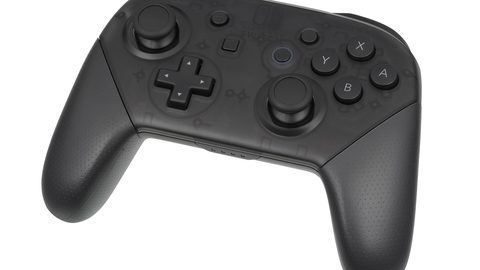 The best upscaler for someone who only plays Switch
-
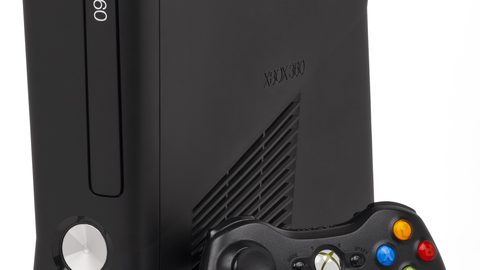 Which devices need USB power, and why "no signal" is often a power problem
Read next
-
Which devices need USB power, and why "no signal" is often a power problem
-
Buying checklist
-
mClassic vs PS5/Xbox built-in upscaling
-
mClassic vs OSSC vs RetroTINK
比較mClassic的後處理反鋸齒、OSSC的線性倍線與RetroTINK 5X-Pro的幀緩衝處理,三種不同升頻哲學在延遲、兼容性與畫面表現上的實際差異。
-
mClassic review
基於第三方測試的畫面擷取對比,檢驗mClassic對Nintendo Switch及舊主機的後處理反鋸齒效果、實際輸出解像度限制與對2D像素藝術的影響。
-
Budget ladder