Emulation vs Original Hardware: Choosing How to Play Retro Games on a Modern TV
Compare original retro consoles, MiSTer FPGA, and software emulation on lag, accuracy, and display compatibility to choose the right path for your modern TV setup.
Emulation vs Original Hardware Retro Gaming Modern TV: The Real Difference
The single biggest mistake newcomers make is assuming any cheap HDMI converter from Sham Shui Po will do the job. Most treat a 240p game signal as 480i video, applying a destructive deinterlace that discards half the vertical resolution and adds two to four frames of input lag. That makes Super Mario World feel slippery, ruins the scanline effect, and leaves you wondering why your Super Famicom looks like a smeared mess on your 4K OLED. The honest version of upscaling is that you are converting a low-resolution, interlaced analogue signal into a digital one your television understands. Every step adds a potential delay or visual artifact. The trade-offs in lag, accuracy, and screen compatibility between using original retro consoles with a scaler versus FPGA simulation or software emulation on a modern TV are real and measurable. This hub routes you by what you are trying to do: play on a television with original hardware, use an FPGA for cycle accurate timing, or run software emulation on a Raspberry Pi. The contract of this section is to compare lag, accuracy, and screen options fairly, keeping any legal notes on ROM acquisition to Hong Kong law in neutral, factual terms without endorsement.


- Input Lag Floor: A frame at 60Hz is 16.67ms. Any processing step that buffers a full frame adds at least this much lag.
- Scaler Reference: The RetroTINK 5X Pro and OSSC both add under 1ms of lag. Cheap converters add 30ms or more.
- Measurement Standard: All lag figures here use the 240p test suite and Time Sleuth methodology documented on Shmups Forum.
- Local Verification: The Hong Kong Retro Game Association holds meetups where hardware claims can be physically verified.
- Voltage Reality: Hong Kong mains is 220V at 50Hz. Imported Japanese 100V consoles require a step down transformer.
Original Hardware on a Modern TV: The Scaler Path
Using your original console with a scaler is the only path that preserves the exact original hardware. No emulation, no FPGA approximation, no core compatibility list. The trade off is that you must buy and configure a scaler, and the quality of the result depends entirely on which scaler you choose and how you set it up.
Why a Scaler and Not a Converter
A line multiplier like the OSSC repeats each scanline exactly with no framebuffer. Lag is measured in microseconds, not milliseconds. The image is razor sharp, but there is no composite or S Video input and no motion adaptive deinterlacing. That means 480i heavy PlayStation 2 games will flicker. The RetroTINK 5X Pro adds a framebuffer and motion adaptive deinterlacing while still measuring under 1ms of lag in RetroRGB Time Sleuth tests. It accepts composite, S Video, component, and RGB SCART. The RetroTINK 4K, released in 2024, outputs 4K with HDR10 and user configurable CRT simulation profiles including phosphor masks and beam mis convergence. It costs more but is the ceiling of the market.
What the Numbers Mean
The OSSC claim of zero lag is true in the sense that it is a line multiplier with no framebuffer. The gap between claim and reality is effectively zero. But that claim fails to communicate that your television then adds its own scaling lag. A Samsung or LG in Hong Kong with Game Mode on still adds 10 to 15ms at 1080p and 30 to 40ms at 4K. That is the panel's inherent processing. The RetroTINK 5X claim of under 1ms is also true, measured by RetroRGB via Time Sleuth. The mClassic claim of zero lag is not. Independent testing shows approximately 1 to 2ms of processing latency caused by the context adaptive algorithm's analysis window. Small, but real.
Which Scaler for Which Console
If you play mostly 240p consoles like the NES, SNES, or Genesis, the OSSC is enough. You get zero added lag and a pure line multiplied image. If you play PlayStation 2 or any console that switches between 240p and 480i during gameplay, the RetroTINK 5X Pro is the correct choice. Its motion adaptive deinterlacing reconstructs full resolution from 480i without flicker. If you own a 4K screen and want HDR CRT simulation, the RetroTINK 4K is the only scaler that does it. The Hong Kong Retro Game Association can show you all three side by side at a meetup before you buy.
FPGA Simulation: MiSTer FPGA vs Original Console Lag
FPGA simulation configures logic gates to match the original silicon. It achieves deterministic, cycle accurate timing that software emulation must approximate. The MiSTer FPGA platform, built on the Terasic DE10 Nano board, replicates consoles at the logic level with native video output options. The question is whether you can feel the difference between FPGA and original hardware on a modern screen.
Measured Lag
Testing by Wickerwaka using Mister Laggy shows FPGA input lag is equivalent to original hardware within one frame. That means zero frames additional latency versus the original console. The Analogue Pocket, which uses an Altera Cyclone V FPGA, measures sub frame on its built in screen and under one frame via its Dock output at 1080p. The practical result is that a shmup player or rhythm game enthusiast cannot distinguish between original hardware and FPGA on the same screen with the same scaler settings.
The Analogue Pocket vs Original Game Boy Hardware
The Analogue Pocket accepts original Game Boy, Game Boy Color, and Game Boy Advance cartridges. Its screen is a 3.5 inch LTPS LCD at 1600x1440 resolution with 615 PPI. Via the Dock it outputs 1080p, or 4K with Dock firmware 2.0 or later. The default scaling is not integer, which causes uneven pixel sizes on some cores. Enable integer scaling in the menu and the pixel grid matches the original handheld. The lag is sub frame on the handheld and under one frame on a television. For the cartridge collector who wants to play their library on a modern screen, this is the only option that preserves the original cartridges while adding no perceptible delay.
MiSTer FPGA Screen Options
The MiSTer outputs up to 1440p via HDMI or 240p and 480i via the analogue I/O board with a VGA connector. You can apply CRT simulation filters including shadow masks, scanlines, and phosphor simulation. The video processing pipeline uses AScal, a polyphase scaler within the FPGA framework. The reference CRT profiles from FirebrandX define the target look for accurate CRT simulation. If you pair a MiSTer with a RetroTINK 5X Pro, you can apply the scaler's CRT filters on top of the FPGA output, though most users find the MiSTer's built in filters sufficient.
Software Emulation Input Lag Comparison
Software emulation runs a program on a general purpose CPU. It approximates the original hardware behaviour rather than replicating it at the logic level. The result is that input lag depends on the emulator, the hardware running it, and the screen configuration. This section compares real measured lag figures so you know what to expect.
RetroArch With Run Ahead
RetroArch with Run Ahead enabled can achieve zero to one frame of original hardware latency, depending on the core and the number of Run Ahead frames. Brunnis measured this using a high speed camera in 2018. Adding Hard GPU Sync keeps additional latency under one frame. This is the best case for software emulation. It requires a PC with a G Sync screen and careful configuration.
Raspberry Pi 5 Running RetroPie
The Raspberry Pi 5 at 1080p output adds two to four frames of lag, measured by Wickerwaka via Mister Laggy in 2024. The variance depends on the core and the screen. That is 33 to 66ms of added latency. For a platformer or shmup, that is noticeable. The Raspberry Pi is cheap and compact, making it popular in Hong Kong apartments with limited space, but the lag penalty is real.
Windows PC With G Sync
A Windows PC running RetroArch with a G Sync screen adds under one frame of additional latency versus original hardware, measured by Brunnis. This matches the best FPGA results. The cost is a full PC setup and the configuration effort to disable all post processing in the GPU driver and the screen. The advantage is that you can run any core at any resolution with any filter.
| Setup | Added Lag | Accuracy | Max Output | Screen Compatibility |
|---|---|---|---|---|
| Original console + CRT via RGB | 0 frames (beam synchronous) | Identical to original | 240p/480i native | CRT only; no modern TV support |
| Original console + OSSC | <1ms (microseconds, line multiplier) | Identical to original | 1600x1200 via DVI | Any HDMI screen; no composite input |
| Original console + RetroTINK 5X Pro | <1ms (sub frame, framebuffer scaler) | Identical to original | 1440p via HDMI | Any HDMI screen; accepts composite, S Video, component, RGB |
| Original console + RetroTINK 4K | <1ms (sub frame, 2024 Time Sleuth) | Identical to original | 4K60 HDR10 | Any HDMI 2.0 screen; CRT simulation with HDR |
| MiSTer FPGA + HDMI screen | 0 frames vs original hardware | Cycle accurate, logic level | 1440p via HDMI | Any HDMI screen; CRT filters built in |
| Analogue Pocket via Dock | <1 frame (2023 Time Sleuth) | Cycle accurate for supported cores | 1080p (4K with Dock 2.0+) | Any HDMI screen; integer scaling must be enabled manually |
| RetroArch with Run Ahead on PC | 0 to 1 frame vs original hardware | Approximation, varies by core | Any screen resolution | Any screen; requires G Sync for best results |
| Raspberry Pi 5 RetroPie at 1080p | 2 to 4 frames (33 to 66ms) | Approximation, varies by core | 1080p via HDMI | Any HDMI screen; noticeable lag in fast games |
| Cheap HDMI converter from Sham Shui Po | 2 to 4 frames (treats 240p as 480i) | Destroys scanline effect, combing artifacts | Claims 1080p but upscales from 480i | Any HDMI screen; worst option |
Emulation Legal Hong Kong Neutral: ROM Acquisition Facts
Hong Kong law on ROM acquisition is distinct from both US and EU law. This section states the facts without endorsement. Copyright in Hong Kong is governed by the Copyright Ordinance. Downloading a ROM of a game you do not own a physical copy of is a civil infringement. There is no fair use defence for software emulation as exists in some US jurisdictions. The Hong Kong Retro Game Association does not condone or facilitate ROM distribution at its meetups. Members bring original cartridges and discs for use with original hardware, FPGA devices, and Analogue Pocket units. The association's position is that hardware verification requires original media. If you own the original cartridge and create a personal backup for use with an FPGA core, the legal status of that backup under Hong Kong law is untested in court. No Hong Kong community organisation provides ROM files. Do not ask.
What This Means for Your Setup
If you choose software emulation on a Raspberry Pi or PC, you are responsible for your own ROM acquisition. The community standard, enforced by every major emulation forum including Shmups Forum, is to only use ROMs dumped from cartridges you own. The MiSTer project and Analogue Pocket both support original media through cartridge adapters and optical drive emulators. That is the legally safest path in Hong Kong.
Screen Compatibility: What Your TV Actually Does
A modern television in Hong Kong expects a digital HDMI signal at a standard resolution. It has its own scaler that adds 10 to 40ms of lag depending on the model and whether Game Mode is enabled. The scaler in your TV is the final processing step after whatever scaler or converter you use. Understanding how these interact is the difference between a playable setup and a frustrating one.
HDMI Handshake and EDID
Every HDMI connection requires a handshake between source and screen. The screen sends an EDID telling the source what resolutions it supports. If the EDID is incorrect, the source may output the wrong resolution or no signal at all. The RetroTINK 5X Pro and RetroTINK 4K both handle EDID negotiation correctly. Some capture cards report an incorrect EDID and record a 1080i file from a 1080p signal. That is a metadata handshake issue, not a scaler fault. If you use a capture card in the chain, verify the recorded resolution in your editing software.
Sync Drop and Resolution Switching
A PlayStation 1 game that switches from a 240p menu to 480i gameplay causes some scalers to drop sync for two to three seconds. The RetroTINK 5X Pro and RetroTINK 4K handle this with a frame lock that re syncs quickly. The OSSC drops sync and takes longer to recover because it has no framebuffer to hold the last frame. If you play many PS1 or Saturn games, the RetroTINK path is better.
Black Frame Insertion
Black frame insertion reduces sample and hold blur on modern screens. The RetroTINK 4K supports 120Hz BFI on a 60Hz source, which eliminates motion blur without visible flicker. The RetroTINK 5X Pro does not support BFI. The OSSC does not support BFI. If motion clarity is your priority and you have a 120Hz screen, the RetroTINK 4K is the only scaler that delivers it.
Who This Subject Suits and Who Should Skip It
The subject of emulation vs original hardware on a modern television suits the Hong Kong apartment gamer with limited space who needs one screen for modern and retro consoles and must understand why their Super Famicom looks wrong on their 4K OLED. It suits the competitive or feel sensitive player who perceives milliseconds of input lag and needs to know which scaler and TV settings add the least delay for rhythm games, shmups, or platformers. It suits the CRT curious enthusiast in Hong Kong who has access to second hand Sony PVMs and consumer Trinitrons from local markets but needs to understand RGB modding and 50Hz versus 60Hz regional pitfalls. It suits the capture and streaming hobbyist who needs to split a signal cleanly to both a lag free play screen and a capture card without degrading either. It suits the emulation pragmatist weighing original hardware against MiSTer FPGA or software emulation on a Raspberry Pi, who needs Hong Kong relevant power and connectivity advice.
Skip this subject if you want a pre modded console as a plug and play gift with no interest in settings menus. Visit a local Hong Kong retro shop and pay for a configured solution. Skip it if you are a PC gamer trying to upscale old 3D PC titles from a Windows desktop. Look at dgVoodoo2, DXVK, or driver level integer scaling guides. Skip it if you are a modern gamer wanting better anti aliasing on a PlayStation 5 or Xbox Series X. You need screen side motion blur and VRR guides, not scanline generators.
Start with the scaler that matches the consoles you actually own. If you only play 240p consoles and can RGB mod them, the OSSC is the cheapest path to zero added lag. If you play PlayStation 2 or any console that switches between 240p and 480i, buy the RetroTINK 5X Pro. If you want to replace your entire console collection with a single FPGA box, buy a MiSTer. If you want to play your Game Boy cartridges on a television, buy an Analogue Pocket and Dock. The Hong Kong Retro Game Association meetups are the best place to see all of these running on the same screen before you spend any money.
More in this guide
MiSTer FPGA with a CRT or scalerOfficial re-releases (Nintendo Switch Online, PlayStation Classics) and their visual filtersEmulation, FPGA Simulation, or Original Hardware: An Honest Comparison for Retro Gaming on a Modern Display.
More in Emulation vs original hardware
-
 Emulation, FPGA (MiSTer, Analogue) or original hardware
比較軟體模擬器、FPGA硬體模擬與原裝主機在輸入延遲、時序準確度及顯示選項上的根本差異,協助香港玩家選擇最適合的懷舊遊戲方案。
Emulation, FPGA (MiSTer, Analogue) or original hardware
比較軟體模擬器、FPGA硬體模擬與原裝主機在輸入延遲、時序準確度及顯示選項上的根本差異,協助香港玩家選擇最適合的懷舊遊戲方案。
-
 Handheld emulation devices vs a console on a TV
比較Analogue Pocket、Retro Freak等掌上模擬裝置與原裝掌機畫面輸出方案,在接駁電視時的畫質、延遲及幀率兼容性差異。
Handheld emulation devices vs a console on a TV
比較Analogue Pocket、Retro Freak等掌上模擬裝置與原裝掌機畫面輸出方案,在接駁電視時的畫質、延遲及幀率兼容性差異。
-
 Input lag
解釋軟體模擬器Run-Ahead功能的延遲補償原理,並與原裝主機及FPGA硬體模擬的輸入延遲進行客觀比較。
Input lag
解釋軟體模擬器Run-Ahead功能的延遲補償原理,並與原裝主機及FPGA硬體模擬的輸入延遲進行客觀比較。
-
 Legal notes
以香港《版權條例》為基礎,說明自製遊戲備份及在模擬器或FPGA裝置上使用的合法界線與注意事項。
Legal notes
以香港《版權條例》為基礎,說明自製遊戲備份及在模擬器或FPGA裝置上使用的合法界線與注意事項。
-
 MiSTer FPGA with a CRT or scaler
分析MiSTer FPGA直接接駁CRT螢幕與透過外置升頻器接駁現代屏幕兩種方案的延遲、畫質及空間需求取捨。
MiSTer FPGA with a CRT or scaler
分析MiSTer FPGA直接接駁CRT螢幕與透過外置升頻器接駁現代屏幕兩種方案的延遲、畫質及空間需求取捨。
-
 Official re-releases (Nintendo Switch Online, PlayStation Classics) and their visual filters
分析Nintendo Switch Online與PlayStation Classics等官方復刻版懷舊遊戲的內置視覺濾鏡,與原裝主機經升頻器輸出的畫面還原度差距。
Official re-releases (Nintendo Switch Online, PlayStation Classics) and their visual filters
分析Nintendo Switch Online與PlayStation Classics等官方復刻版懷舊遊戲的內置視覺濾鏡,與原裝主機經升頻器輸出的畫面還原度差距。
-
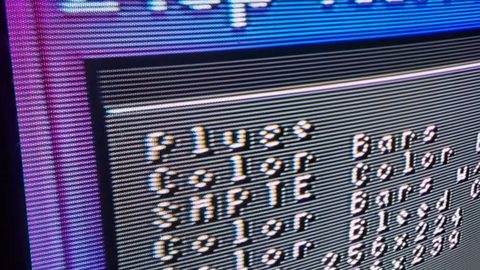 Shader presets (CRT-Royale, scanlines) vs a hardware upscaler
對比CRT-Royale等軟體Shader濾鏡與RetroTINK 4K等硬件升頻器在模擬CRT螢幕視覺效果時的精確度、延遲及調整彈性。
Shader presets (CRT-Royale, scanlines) vs a hardware upscaler
對比CRT-Royale等軟體Shader濾鏡與RetroTINK 4K等硬件升頻器在模擬CRT螢幕視覺效果時的精確度、延遲及調整彈性。
-
 When an mClassic helps emulated output (PC, Android TV boxes)
分析mClassic後處理反鋸齒對PC模擬器及Android TV盒輸出畫面的實際改善效果、適用場景與對2D像素藝術的柔化影響。
When an mClassic helps emulated output (PC, Android TV boxes)
分析mClassic後處理反鋸齒對PC模擬器及Android TV盒輸出畫面的實際改善效果、適用場景與對2D像素藝術的柔化影響。
Common Questions
Can I use a RetroTINK 5X Pro with a Raspberry Pi?
Yes, but it is redundant. The RetroTINK 5X Pro scales analogue video. The Raspberry Pi outputs HDMI digital video. You would be scaling an already digital signal, adding a conversion step with no benefit. Use the Pi's own scaler or a direct HDMI connection.
Does the OSSC work with composite video from a NES?
No. The OSSC accepts only RGB and component video via SCART or VGA. A stock NES outputs composite video only. You need an RGB mod kit installed in the NES, then an RGB SCART cable, then the OSSC. The RetroTINK 5X Pro accepts composite directly.
Is the mClassic worth it for retro gaming?
Only if you already have a clean 480p or 1080p signal and want mild anti aliasing. The mClassic adds 1 to 2ms of lag and its 1440p output is a 1080p active image area upscaled, not native 1440p. It cannot fix a bad signal from a cheap converter.
Will a Japanese Super Famicom work in Hong Kong?
The console itself will work, but the power supply expects 100V. Plugging it into 220V Hong Kong mains will destroy it. You need a step down transformer rated for at least 10W. The video output is NTSC 60Hz, which all modern Hong Kong televisions accept.
Read next
-
MiSTer FPGA with a CRT or scaler
分析MiSTer FPGA直接接駁CRT螢幕與透過外置升頻器接駁現代屏幕兩種方案的延遲、畫質及空間需求取捨。
-
Official re-releases (Nintendo Switch Online, PlayStation Classics) and their visual filters
分析Nintendo Switch Online與PlayStation Classics等官方復刻版懷舊遊戲的內置視覺濾鏡,與原裝主機經升頻器輸出的畫面還原度差距。
-
Input lag
解釋軟體模擬器Run-Ahead功能的延遲補償原理,並與原裝主機及FPGA硬體模擬的輸入延遲進行客觀比較。
-
Emulation, FPGA (MiSTer, Analogue) or original hardware
比較軟體模擬器、FPGA硬體模擬與原裝主機在輸入延遲、時序準確度及顯示選項上的根本差異,協助香港玩家選擇最適合的懷舊遊戲方案。
-
When an mClassic helps emulated output (PC, Android TV boxes)
分析mClassic後處理反鋸齒對PC模擬器及Android TV盒輸出畫面的實際改善效果、適用場景與對2D像素藝術的柔化影響。
-
Handheld emulation devices vs a console on a TV
比較Analogue Pocket、Retro Freak等掌上模擬裝置與原裝掌機畫面輸出方案,在接駁電視時的畫質、延遲及幀率兼容性差異。