HDMI, Cables and the Signal Chain Standards That Affect Retro Gaming
You plug a SNES into a scaler you bought because a forum thread said it was the one, and the screen stays black. That is the moment the real subject of retro gaming reveals itself. The signal chain is not a wire. It is a negotiation, and every cable and connector in it has a vote. This hub routes you to the guide that answers your specific failure, whether that is a no-signal error, a cable buying decision, a switch setup, or a SCART variant you did not know existed. Each child guide explains what a standard or cable actually changes in the signal, and where spending more money does nothing. The honest version of HDMI cables retro gaming signal chain work is that you are converting a low-resolution, often interlaced analogue signal into a digital one your TV understands. Every step adds a potential delay or visual artifact.
Before you click through, learn to read a specification table in the order the fields actually matter, not the order they are printed. The first thing to check is input signal compatibility, the categorical list of what the device accepts: composite, S-Video, component, RGB SCART, VGA, HDMI. More types means fewer external transcoders. Fewer transcoders means fewer places for signal to degrade or for a ground loop hum to enter. The second field is the latency figure, and you want the number that includes the scaler's processing, not just the HDMI output stage. A single scanline of latency is the theoretical minimum for a digital scaler. Anything claiming less than that is advertising, not evidence. The third field is chroma subsampling support. You want 4:4:4 for text and sharp pixels. 4:2:2 is a compromise. 4:2:0 is for video, not for a Sonic sprite.
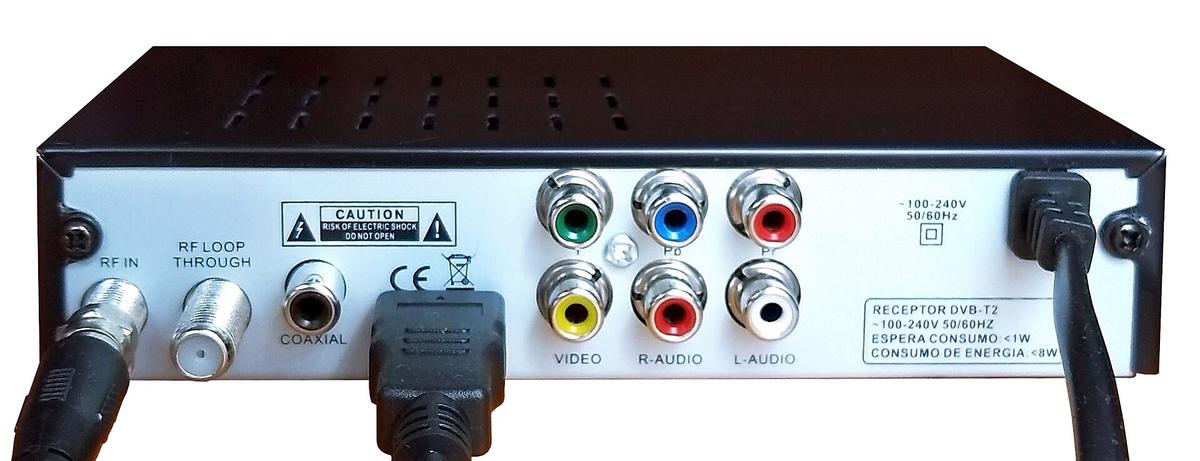

Sync tolerance is the fourth field, and it is the one that separates a usable device from a paperweight. It measures how jittery or off-spec a sync signal the scaler accepts. A scaler with tight tolerance will drop sync during SNES white flashes, a real failure you will hit within an hour of setting up. The fifth field is analogue-to-digital sampling quality, measured in bit depth and sampling rate. The sixth is frame lock speed, the time in seconds to re-sync after a resolution change. The last fields to check are HDMI-CEC passthrough and audio embedding. A scaler with broken CEC passthrough can cause a Hong Kong set-top box to change inputs unexpectedly. One without audio embedding requires a separate audio extractor for capture setups.
Here is the route. If you have a no-signal error or a sync drop on white flash, you need the scaler guide. If you are deciding between cable brands, you need the cable guide. If you have an HDMI switch that keeps dropping, you need the switch guide. If you are staring at a 21-pin connector and wondering if it is SCART or JP-21, you need the SCART guide. The rest of this page tells you which child page to open, and what each one will not tell you.
Retro Gaming HDMI Standards: What Each Version Actually Changes
The HDMI version number on your console or scaler is the least interesting number in the chain. The Nintendo Switch (2017 launch, V2 2019, and OLED model) all output over HDMI 1.4b, which carries 1080p at 60Hz with 4:4:4 colour subsampling at RGB limited or full range, selectable in the system menu. The Analogue Pocket Dock, Super Nt, Mega Sg, and Duo are also HDMI 1.4b devices. What that means for a retro setup is that a cable certified beyond High Speed is irrelevant. HDMI 1.4 has a bandwidth of 10.2 Gbps, and 1080p at 4:4:4 fits comfortably inside it.
Certification Tiers That Matter
The certification tiers that matter are High Speed HDMI Cable, Premium High Speed HDMI Cable, and Ultra High Speed HDMI Cable. The first is the baseline Category 2 compliance test. The second adds an EMI scan. The third is for HDMI 2.1's 48 Gbps and requires a Category 3 compliance test that measures the eye diagram, crosstalk, and return loss. You do not need any of that for a SNES through a RetroTINK. Paying for it changes nothing in the signal.
What the Scaler's Output Stage Changes
What does change the signal is the scaler's output stage. The RetroTINK-5X Pro outputs 1080p over HDMI, but some capture cards report the EDID incorrectly and record a 1080i file. That is a handshake problem, not a cable problem. No certified cable fixes it. The OSSC outputs over DVI-D, so you need a passive adapter to HDMI. Its maximum input resolution is 720p or 1080i via component, and 480p or 576p via SCART or RGB. The mClassic, which is a signal processor rather than a scaler, passes through at 4K when it has nothing to process, and it negotiates HDCP 1.4. The HDMI handshake itself, the EDID and HDCP negotiation, is a mandatory part of the specification. A mismatch produces a blinking black screen every few seconds. That is the handshake loop, and it is almost never the cable.
SCART Cable Retro Setup: The European Standard That Is Not One Standard
SCART looks like one connector, and it is not. The physical 21-pin standard is frozen. New cables must conform to the same pinout that a 1990s TV expected, but the signal carried on those pins is not standardised. The most common confusion is RGB SCART vs JP-21. Both use the same physical connector, but the pinout is completely different. Plugging one into the other can damage equipment. JP-21 is the Japanese standard with a different voltage on a different pin, and it is rare outside Japan. If you are in Hong Kong and buying a SCART cable from Golden Computer Centre in Sham Shui Po, you need to know which one you are getting. A JP-21 cable plugged into an RGB SCART scaler input will not just fail. It can short the sync line.
Sync Types and Buying Rules
The RGB SCART pinout also carries sync in different forms: csync, which is clean sync on its own pin, composite video, or sync-on-luma. Sync-on-luma is used by some consoles and is jitterier. The RetroRGB cable specification, maintained by Bob Neal, is the de facto standard for which console outputs which sync type. Check it before you buy. Insurrection Industries makes the SCART and component cables commonly used in high-end North American and export setups. HD Retrovision produces component video cables with integrated transcoders for consoles that lack native component output, like the Genesis and SNES. For a SCART cable retro setup, the rule is simple: buy from a maker who publishes the pinout. Avoid the unlabelled cables in the market stalls. The voltage differences between SCART variants can kill a scaler input.
HDCP Retro Scaler Error: When the Copy Protection Breaks the Signal
HDCP is the copy protection on HDMI, and it is the most common cause of a black screen that is not a cable problem. When a scaler outputs HDMI, it must handshake with the display and any device in the chain, including a capture card. If the capture card reports HDCP 2.2 and the scaler only negotiates HDCP 1.4, the chain fails. You get the handshake loop. The fix is not a better cable. It is a scaler with a toggle to disable HDCP on its output, or a capture card that does not demand it. The mClassic negotiates HDCP 1.4, which is fine for a RetroTINK's 1080p output. Put it between a 4K Blu-ray player and a TV, and it will fail, because the player demands HDCP 2.2. For retro gaming, the HDCP retro scaler error is a symptom of the chain having too many links. The honest answer is to remove the capture card from the loop when you are playing, and record through a splitter that strips HDCP after the scaler.
HDMI Switch Retro Console: Why the Switch Is the Weakest Link
An HDMI switch for a retro console setup is where most people lose the signal. It is rarely the switch's fault. The problem is that a scaler like the RetroTINK-5X Pro outputs a single resolution, but different consoles connected to it will negotiate different EDIDs. A cheap switch will not remember the handshake. You switch back and forth, the switch re-runs the negotiation, and one of the devices reports a resolution it cannot actually display. The result is a black screen until you power-cycle the scaler. The solution is to buy a switch that supports HDCP 1.4 and 2.2 on different inputs. Test it with the exact scaler and capture card you own before you trust it. A switch that works with one RetroTINK firmware may fail on the next, because the scaler changes its EDID behaviour.
Ground Loop Hum in Hong Kong
The other switch failure is ground loop hum, an audible 50Hz or 60Hz buzz through the speakers when using analogue audio from a console into a scaler. This is not a switch problem. It is a ground potential difference between the console and the display. A switch with a ground lift on its audio input is the practical fix. The hum is worse in Hong Kong because the mains is 220V at 50Hz, and the broadcast refresh rate is 50Hz. The buzz sits on top of the PAL games that run at the same frequency.
What Each Standard Actually Changes, and Where Spending More Does Nothing
The signal chain hierarchy is fixed: RF is worst, composite is better, S-Video is better, RGB and component are best. No cable changes that order. The 15kHz analogue video standard means 240p and 480i are fixed historical formats. No console from the pre-HDMI era will ever output anything else natively. The math of pixel grids does not change. The RGB colour space from a console is a fixed analogue voltage range. The conversion to digital YCbCr and the chroma subsampling that follows is a defined, unchanging pipeline. A cable that costs ten times more does not carry a better RGB signal. It carries the same voltage, with better shielding against interference. The shielding is the only part that changes the result, and only if you have interference.
Line Doubling vs Framebuffer Scaling
Line doubling vs framebuffer scaling is the other place the spending decision matters. Line doubling repeats each line exactly with no processing, which gives zero lag but cannot do non-integer scales. Framebuffer scaling captures a full frame and resamples it, which allows any output resolution but adds latency. The OSSC is a line multiplier with no framebuffer. Its lag is measured in microseconds, not milliseconds, which is why it is called zero-lag. That claim is real, but it means the OSSC cannot do the non-integer scaling a modern TV needs to fill the screen without uneven pixel sizes. The RetroTINK-5X Pro uses framebuffer scaling and still gets to a single scanline of latency, the theoretical minimum for a digital scaler that does a real job.
Advertising vs Evidence in the Spec Table
A generic HDMI converter from Sham Shui Po's Golden Computer Centre claims 1080p output. What it actually does is treat 240p as 480i, applying a destructive deinterlace that discards half the vertical resolution and adds 2 to 4 frames of lag. That is advertising. The evidence is that the 240p test pattern from the 240p Test Suite will show shimmering and interlace artifacting. The RetroTINK-5X Pro's 1080p over HDMI claim is evidence, but the page that says it also notes that some capture cards report the EDID incorrectly and record a 1080i file. The Analogue Pocket Dock's 1080p claim is evidence, but the default scaling is not integer, causing uneven pixel sizes on some cores. The GBS-Control's motion adaptive deinterlacing claim is evidence, but it exhibits chroma artifacts on fast-moving red objects.
Where to Start, and the One Honest Caveat
Start with the RetroTINK-5X Pro if you want a plug-and-play result. It accepts composite, S-Video, component, and RGB SCART, and it has profile saving so you can set it once per console. Start with the OSSC if you are comfortable with a menu system and you want the absolute zero-lag line doubling. Start with a MiSTer FPGA if you want to stop buying consoles. It supports dozens of consoles and arcade cores, and it outputs direct digital video without any analogue-to-digital conversion. The Analogue Pocket is the travel option, but its Dock is HDMI 1.4b and its default scaling is not integer. You will spend time in the settings menu. The Wii Dual and PS1Digital are internal HDMI mods that tap pure digital video before the analogue encoder, which is the cleanest possible signal, but they require soldering and they are irreversible.
The honest caveat is that the Shmups Forum and RetroRGB, the places where the OSSC, lag testing methodology, and RGB cable specifications were collectively developed, are the real authorities. They will change your mind about what to buy. The single most useful habit is to check RetroRGB before any cable purchase. The de facto standard for signal path documentation lives there, and Bob Neal publishes the pinouts and the test results. The second most useful habit is to buy from Insurrection Industries or HD Retrovision and stop there. The unlabelled cables in the Sham Shui Po market are a lottery you do not need to enter. The third is to accept that a scaler with board-mounted jacks that wiggle will fail within a year of cable changes. A low-cost converter from Golden will do more damage to your picture than a cheap cable ever could.
Hong Kong Specifics
For the specific case of Hong Kong, the Golden Computer Centre in Sham Shui Po is the physical retail hub, and Ap Liu Street is the flea market adjacent to it. Shops move floors, close, or change focus. Treat any specific location as provisional. The typical Hong Kong TV runs at a 50Hz broadcast refresh, but gaming content via HDMI runs at 60Hz. A scaler that outputs 60Hz is mandatory for NTSC games, and a 50Hz output for PAL games is a feature you want. The HDMI audio return channel on HDMI 1.4 is ARC, which carries 1 Mbps of compressed 5.1 audio. On HDMI 2.1 it is eARC, which carries 37 Mbps of uncompressed 7.1 and Dolby Atmos passthrough. Neither matters for retro gaming. You are embedding analogue audio into the HDMI stream at the scaler, and that audio embedding is a categorical feature.
Cable Length and Certification
The one thing that a longer cable will not fix is the gap between the scaler's output and the TV's panel. That gap is caused by the scaler inside the TV still being active. Even with a perfect scaler feeding 1080p, the TV's own processing adds latency. The only way to reduce it is to enable game mode on the TV input. A certified Ultra High Speed HDMI Cable with a passive copper core is rated for 3 metres typical maximum. Beyond that length you need an active cable with a chipset, which adds under 0.1 ms of latency, which is negligible. A passive cable that is not certified will either work or not. The certification does not change the signal. It changes the confidence you can have that the cable is not the failure point. The HDMI Licensing Administrator, Inc. runs the certification tiers. A cable that meets today's spec may not meet tomorrow's. Buy the certification that matches what you have, not what you might buy next year.
DVI-D and Input Resolution Limits
The last thing to check before you buy any cable is whether your scaler outputs DVI-D, like the OSSC does. The OSSC's maximum input resolution is 720p or 1080i via component, and 480p or 576p via SCART or RGB. Its HDMI output connector is DVI-D, which is HDMI-compatible via a passive adapter. A DVI-to-HDMI adapter is not a downgrade. A fancy HDMI cable into a DVI adapter is wasted money. The RetroTINK-5X Pro's maximum input resolution is 720p or 1080i via component, 480p or 576p via RGB or SCART, and 1080p via HDMI passthrough. That is enough for a Wii in 480p or a GameCube with component cables. Neither scaler accepts composite or S-Video at a quality worth looking at. If that is all you have, spend the money on an HD Retrovision cable before you buy a scaler.
Frequently Asked Questions
Why does my scaler lose sync on a white flash? The console's sync signal dips in voltage during full-white frames, and the scaler's sync tolerance is too tight. The OSSC and RetroTINK both have a sync threshold setting. The fix is to lower the threshold, not to change the cable. A csync cable from Insurrection Industries reduces the problem because it carries clean sync.
Is a more expensive HDMI cable better than a baseline certified one? For 1080p from a retro scaler, no. High Speed certification is the baseline, and it is a pass-fail test. The pricier cable is the same signal with better shielding, which matters only if you have interference. If you do not have hum or sparkle, the cheap certified cable is identical.
Can I use a SCART cable in a JP-21 input? No, and do not try. The pinout is different, and the voltage on one pin is wrong. It will not damage a TV, but it can damage a scaler input. Check the RetroRGB pinout page before plugging in any 21-pin cable.
Why does my capture card record in 1080i from a RetroTINK? The capture card reports an EDID that the scaler does not understand, so the scaler falls back to interlaced. Set the capture card to force 1080p, or use a splitter that presents a fixed EDID to the scaler. The RetroTINK does not fix this because it is not a scaler failure.
The practical takeaway is that the only cable that matters is the one that does not fail. The only way to know is to test it. Buy one certified High Speed cable, test it with your exact scaler, switch, and capture card, and then buy a second one as a spare. If it fails, it is not the cable. It is the handshake. No cable fixes a handshake loop.
More in this guide
UK vs HK plugs, voltage and step-down transformers for Japanese consolesPowering donglesAre Expensive HDMI Cables Worth It for a Retro Scaler Setup: Certified Ultra High Speed vs Generic.
More in HDMI, cables and signal chain
-
 Are expensive HDMI cables worth it? Certified Ultra High Speed vs generic
-
 Component vs S-Video vs composite
比較色差、S-Video與複合視訊三種類比影像規格的訊號分離方式、畫質差異,以及在不同舊主機上選擇線材的實用指引。
Component vs S-Video vs composite
比較色差、S-Video與複合視訊三種類比影像規格的訊號分離方式、畫質差異,以及在不同舊主機上選擇線材的實用指引。
-
 HDCP and "no signal" errors
-
 HDMI 2.0 vs 2.1 for gaming
-
 HDMI splitters, switches and AV receivers in a retro setup
-
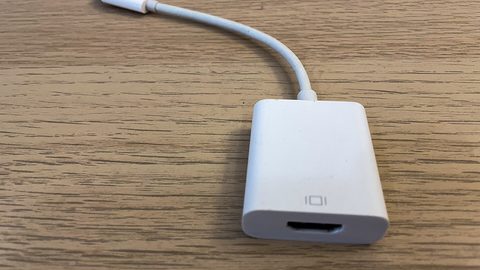 Long HDMI runs and fibre HDMI for projectors
比較銅線與光纖HDMI線材在長距離傳輸4K60 HDR訊號時的衰減差異,以及接駁RetroTINK 4K或投影機時的線材選擇指引。
Long HDMI runs and fibre HDMI for projectors
比較銅線與光纖HDMI線材在長距離傳輸4K60 HDR訊號時的衰減差異,以及接駁RetroTINK 4K或投影機時的線材選擇指引。
-
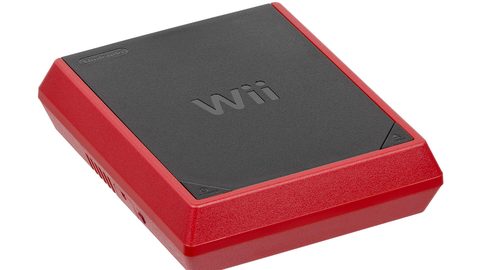 Powering dongles
分析USB供電升頻轉接器使用電視USB埠與獨立電源適配器的穩定性差異,以及供電不足導致畫面閃爍的判斷與解決方法。
Powering dongles
分析USB供電升頻轉接器使用電視USB埠與獨立電源適配器的穩定性差異,以及供電不足導致畫面閃爍的判斷與解決方法。
-
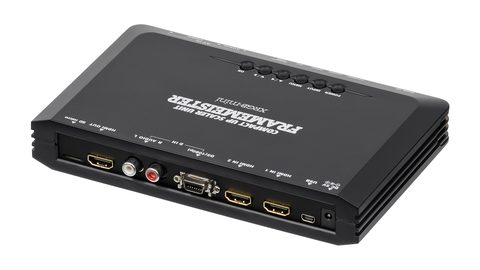 RGB SCART cables
-
 UK vs HK plugs, voltage and step-down transformers for Japanese consoles
說明在香港220V電壓環境下使用日規100V或美規110V舊遊戲主機與CRT螢幕時,降壓變壓器的選擇原則與功率計算方法。
UK vs HK plugs, voltage and step-down transformers for Japanese consoles
說明在香港220V電壓環境下使用日規100V或美規110V舊遊戲主機與CRT螢幕時,降壓變壓器的選擇原則與功率計算方法。
Read next
-
UK vs HK plugs, voltage and step-down transformers for Japanese consoles
說明在香港220V電壓環境下使用日規100V或美規110V舊遊戲主機與CRT螢幕時,降壓變壓器的選擇原則與功率計算方法。
-
Powering dongles
分析USB供電升頻轉接器使用電視USB埠與獨立電源適配器的穩定性差異,以及供電不足導致畫面閃爍的判斷與解決方法。
-
HDCP and "no signal" errors
-
Component vs S-Video vs composite
比較色差、S-Video與複合視訊三種類比影像規格的訊號分離方式、畫質差異,以及在不同舊主機上選擇線材的實用指引。
-
RGB SCART cables
-
Long HDMI runs and fibre HDMI for projectors
比較銅線與光纖HDMI線材在長距離傳輸4K60 HDR訊號時的衰減差異,以及接駁RetroTINK 4K或投影機時的線材選擇指引。