How HDCP Causes No Signal Errors and Blocks Retro Scalers and Capture Cards
The Usual Suspect Is Not the Problem
Most people blame the scaler when a retro console throws an HDCP no-signal error. That is wrong. The scaler is almost never the culprit. The chain fails at the digital conversation every HDMI device must complete before it shows a single pixel. HDCP, or High-bandwidth Digital Content Protection, is the copy-protection layer baked into the HDMI spec by the HDMI Licensing Administrator. It is not optional. When a display, a capture card, or a scaler in the middle refuses to complete that negotiation, the whole signal drops. The screen goes black, blinks, or reports 'No Signal' in a loop that never resolves on its own. Understanding why that loop happens is the only way to stop it.
What a Handshake Actually Is
The HDMI handshake is two separate negotiations happening simultaneously. The first is EDID, Extended Display Identification Data. This is a small block of metadata the screen sends back to the source, telling it what resolutions, refresh rates, and colour spaces it can accept. The second is HDCP, an encrypted key exchange that authenticates the source and the sink. If either fails, the chain goes dark.
Why the Scaler Sits in the Middle
The scaler reads the EDID from the display, reprocesses the signal, and re-transmits its own HDCP. A retro scaler like the OSSC or RetroTINK 5X is not built to talk to a capture card. It is built to talk to a TV. When you insert a capture card into the chain, you are asking the scaler to hand its signal to a device that reports a different EDID and an HDCP version the scaler may not support. The result is an EDID negotiation that never completes. This mismatch loops forever and blinks the screen.
Why the RetroTINK 5X 1080i Misreport Is a Metadata Problem
The RetroTINK 5X has been unfairly blamed for a specific failure mode. A capture card reports the scaler's 1080p output as 1080i, producing a file that looks interlaced or refusing to record at all. This is not a scaler fault. The RetroTINK 5X outputs a clean, progressive 1080p signal that passes every test on a proper display. The problem is the capture card. Its EDID misreports its own capabilities. It tells the scaler it can accept 1080p, but its internal capture pipeline is locked to 1080i. The metadata negotiation between the two devices fails to correct the mismatch. The scaler sends what it is told to send. The capture card lies about what it can handle. Fix the capture card. Get it to speak honestly about its EDID. Update its firmware or use an EDID emulator that forces a known-good report.
HDCP Blocks Capture Card Retro Setups
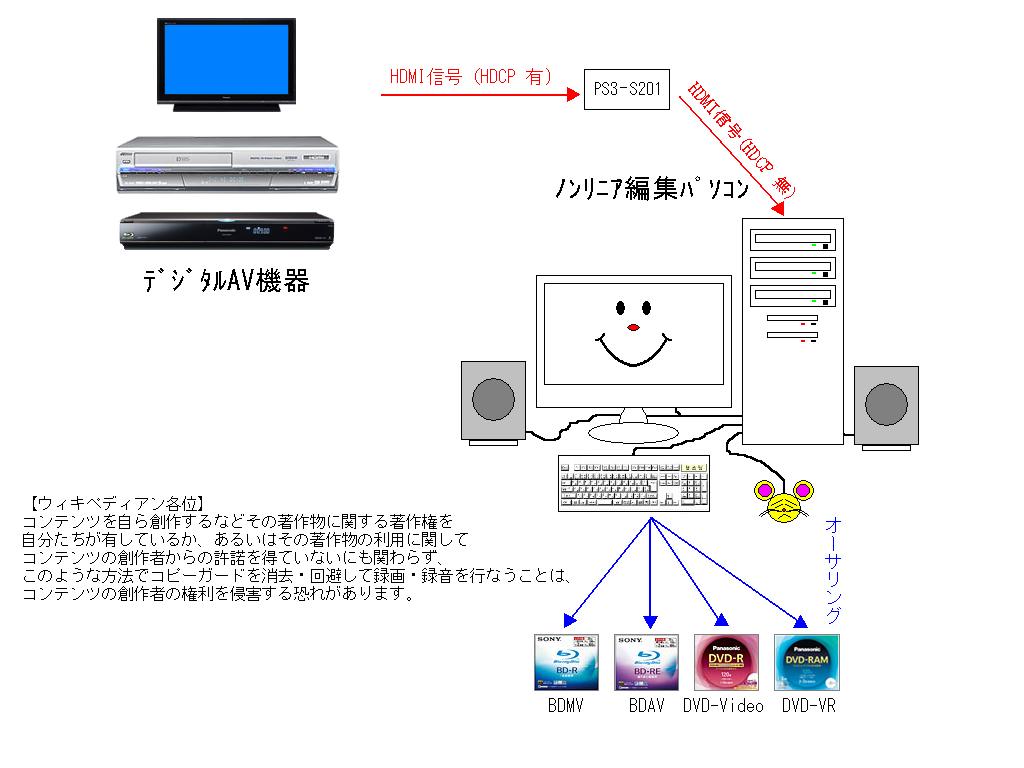
Plug a PS3 or PS4 into a capture card through a retro scaler and HDCP blocks the workflow unless you first disable HDCP in the console's system settings. This is a documented failure mode. The PS3, when HDCP is enabled, refuses to output anything to a sink that does not support HDCP 1.4. Most capture cards do not implement HDCP at all. They do not pay the licensing fee. The OSSC has HDCP support always on via its IT66121E transmitter, but that only means it can accept an HDCP-encrypted signal. It cannot hand that signal to a capture card that cannot decrypt it. You get a no-signal error that persists until you either disable HDCP on the console or bypass the capture card entirely. For a PS4, go to Settings > System > Enable HDCP. Turn it off. That step is mandatory for any retro capture chain.
The HDMI Handshake Loop Fix That Actually Works
A blinking black screen every few seconds means you are in a handshake loop. The display, the scaler, and the source continuously re-negotiate the connection, fail, and start over.
Strip the Chain to Its Minimum
Begin by stripping the chain down to its minimum viable parts. Connect the source directly to the display. No scaler, no capture card, no splitter. If that works, add one device at a time. The most common offender is a cheap HDMI splitter or a capture card that does not pass HDCP. That forces the scaler to re-negotiate with a sink that keeps changing its mind. The second most common is a cable longer than five metres. A long cable degrades the signal and breaks the EDID exchange. Replace it with a certified one. If the loop persists, the issue is an HDCP version mismatch. The source wants HDCP 2.2, the scaler only supports 1.4, and the display cannot bridge the gap. At that point you need an EDID emulator.
More in this guide
HDMI Cables and Signal Chain Standards for Retro Gaming SetupsWhat HDMI 2.0 and HDMI 2.1 Actually Change for Retro Gaming: 4K120, VRR, and ALLMThe Retro Console Analogue Video Quality Ladder: Component, S-Video, and Composite Explained.