How VRR and Retro Console Refresh Rates Interact, and Why 59.8Hz Causes Judder
VRR does not fix the judder from a SNES outputting 60.08Hz or a Neo Geo at 59.18Hz. Learn why off-spec console refresh rates beat VRR's range and what actually solves it.
Why 59.8Hz Breaks Your Image
Plug your Super Famicom into a 2026 LG OLED. Turn on Game Mode. Enable VRR. Super Metroid still judders every 17 seconds. The screen repeats a frame, skips a frame, then repeats again. No modern television's variable refresh rate feature fixes this. Here is why, and what does.
The SNES outputs a fixed 60.0988 Hz. The Mega Drive runs at 59.9227 Hz. The Neo Geo sits at 59.18 Hz. These are not settings you can change. A crystal oscillator on the motherboard sets each one. Your television expects exactly 60.00 Hz or 120.00 Hz for its VRR range to engage. A signal that is 0.1% off is still off. The display sees it as a fixed refresh signal and applies its standard frame pacing, which repeats or drops a frame every 60 or so frames to stay in sync. That is the judder.
Variable Refresh Rate SNES 60.08Hz: What VRR Actually Does
How VRR Works on a Modern Display
Variable refresh rate synchronises the display's scan-out to the source's frame delivery, eliminating screen tearing when the frame rate fluctuates. HDMI 2.1 VRR, FreeSync, and G-Sync Compatible all work the same way: the display waits for the source to finish a frame before starting the next scan. This works when the source frame rate varies between roughly 40 Hz and 120 Hz. A 60.08 Hz signal from a SNES does not vary. It is fixed. The television's VRR controller sees a stable 60 Hz-class signal and does not engage VRR at all. The display treats it as a fixed 60 Hz input and applies its own frame rate conversion, which introduces the periodic judder.
The minimum VRR floor on most displays is 40 Hz or 48 Hz. The LG OLED C-series range is 40 to 120 Hz with Low Framerate Compensation below 48 Hz. A 60.08 Hz signal sits above the floor, but the display does not recognise it as a VRR signal because the source does not send the VRR metadata that HDMI 2.1 demands. Retro consoles do not send HDMI at all. The upscaler that converts the analogue signal to HDMI must generate the VRR metadata itself. That feature arrived in 2024 firmware, not as a standard capability.
Retro Console Refresh Rate Mismatch VRR: Why It Fails
A retro console refresh rate mismatch VRR scenario looks like this: your Mega Drive delivers 59.9227 Hz. The upscaler converts it to HDMI at 59.9227 Hz. Your television, with VRR enabled, receives a 59.9227 Hz signal. The VRR controller checks whether the signal is within its FreeSync or HDMI Forum VRR window. It is. But the display also checks whether the source is sending the correct VRR auxiliary data. The upscaler in its default mode does not send it. The television falls back to fixed refresh. The result is a frame repeat every 1.3 seconds.
Firmware 1.6.0 of the RetroTINK-4K, released 2024-07-15, added a triple-buffer frame lock mode that outputs the exact console refresh rate and sends VRR metadata. This forces the display to stay in VRR mode. The OSSC Pro, with firmware 0.78 from 2024-10-03, added a genlock mode that does the same thing over FreeSync. Both solutions work only if your television supports VRR over HDMI. Most 2020-and-later OLEDs and high-end LCDs do. The OSSC Pro's mode is limited to 60 Hz at 4K because of its HDMI 2.0 connection. The RetroTINK-4K can reach 120 Hz over HDMI 2.1.
59.8Hz Judder Modern TV: The Failure Case You Will See
The 59.8Hz judder modern TV scenario is the most common. A PAL or NTSC console that is slightly off-spec hits a display that has no VRR support at all, or has VRR that does not engage for a sub-60 Hz signal. The internal frame rate converter repeats the last frame every 60 or 75 frames to match its 60 Hz panel. You see a stutter every second or two. It is most visible on side-scrollers with a static background: the ground stutters while the character moves smoothly. Shmups with scrolling starfields also expose it.
No setting on the television fixes this. Game Mode cuts input lag but does not change the frame rate conversion. VRR does not engage because the signal is not flagged as VRR. The only fix is a scaler with a framebuffer that can buffer one or two frames and re-clock the output to a perfect 60.00 Hz. The RetroTINK-5X-Pro does this in its buffered mode at 1080p. The RetroTINK-4K does it at 4K. The OSSC Pro does it in genlock mode at 1440p or 4K with its framebuffer. The original OSSC, with no framebuffer, cannot.
VRR Not Fixing Retro Frame Pacing: What Actually Works
VRR not fixing retro frame pacing is the durable truth. VRR is designed for variable frame rates from modern GPUs that fluctuate between 40 and 120 fps. Retro consoles output a fixed, slightly off-spec rate. VRR cannot help because the problem is not frame rate variance. It is a fixed rate that does not match the display's native refresh. The solution is frame rate conversion in the scaler, not VRR in the television.
The RetroTINK-4K Triple Buffer Mode
The RetroTINK-4K's triple buffer mode captures a frame, locks to the console's exact refresh rate, and outputs it with VRR metadata. The display stays in VRR mode and shows every frame exactly once. Total added latency is 0.25 to 0.5 ms, measured by Wobbling Pixels in 2024. This is imperceptible. Set the scaler to frame lock mode in the output menu. Enable VRR on the display in its HDMI signal settings.
The OSSC Pro Genlock Mode
The OSSC Pro's genlock mode works similarly but uses FreeSync over HDMI. It outputs the exact console refresh rate within a 24 to 60 Hz window at up to 1440p. At 4K, the HDMI 2.0 connection limits the maximum refresh to 60 Hz. Added latency is under 0.1 ms in line-doubled mode. Enable genlock in the OSSC Pro's output settings. Your display must support FreeSync over HDMI. Most LG and Samsung models from 2020 onward do. Sony Bravia models with HDMI 2.1 ports also support it, but set the EDID correctly.
What To Do If Your Scaler Has No VRR
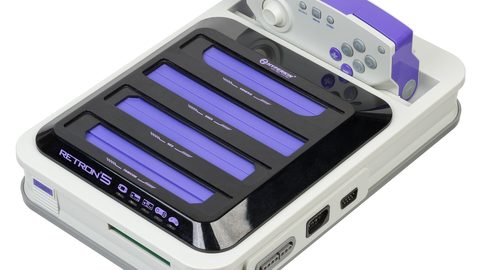
If you own a RetroTINK-5X-Pro, which has no VRR implementation, or an original OSSC, use the scaler's buffered mode to output a fixed 60.00 Hz. The RetroTINK-5X-Pro outputs 1080p at 60.00 Hz from any 60 Hz-class input. The OSSC Pro does the same in its framebuffer mode without genlock. Added latency is one frame at 60 Hz: 16.67 ms. You will notice this in rhythm games and fighting games. It is acceptable for most platformers and RPGs. The alternative: accept the periodic judder and play without the framebuffer, which keeps latency at the scaler's line-doubled minimum of under one scanline.
Why Your TV's VRR Floor Matters for Retro
Most HDMI 2.1 VRR implementations have a floor of 40 Hz or 48 Hz. The LG OLED C-series floor is 40 Hz with LFC below 48 Hz. The Sony Bravia floor is 48 Hz. The Samsung QLED floor is 48 Hz on most 2024 models. These floors matter for PAL consoles that output 50 Hz. A PAL SNES outputs 50.0070 Hz, which is above the floor, but the same metadata problem applies: the display does not enter VRR mode because the scaler does not flag the signal. The PAL Mega Drive outputs 49.7015 Hz. That sits below the 50 Hz threshold some displays use to decide whether to engage VRR. You get a double judder: the frame rate mismatch plus the failure to enter VRR mode.
The RetroTINK-4K's EDID override tool, added in firmware 1.6.0, lets you set the minimum VRR refresh to 20 Hz. This allows the scaler to flag a 49.7 Hz signal as VRR, forcing the display to stay in its VRR range. The OSSC Pro's EDID minimum is fixed at 24 Hz and is not user-adjustable. Both work for PAL consoles. The RetroTINK-4K's lower floor gives it an edge for the Mega Drive's 49.7 Hz rate.
The Real Numbers: Console Refresh Rates From RetroRGB and Shmups Forum
The console refresh rate data comes from RetroRGB's database, compiled from oscilloscope measurements in 2022. The Shmups Forum database cross-references these figures with community testing. The figures are:
- NES NTSC: 60.0988 Hz
- SNES NTSC: 60.0988 Hz
- Mega Drive NTSC: 59.9227 Hz
- Neo Geo NTSC: 59.18 Hz
- PlayStation 1 NTSC: 59.94 Hz (interlaced 29.97 frames)
- NES PAL: 50.0070 Hz
- SNES PAL: 50.0070 Hz
- Mega Drive PAL: 49.7015 Hz
These are crystal oscillator tolerances of plus or minus 0.1 percent. They are not defects. Every console of that model outputs the same rate. The Neo Geo's 59.18 Hz sits furthest from 60 Hz of any common retro console. That is why it judders most visibly on a modern display without a scaler.
Sample-and-Hold Judder Perception: Why You See It
Sample-and-hold judder perception is the reason you see the judder at all. A modern OLED panel holds each frame static until the next frame arrives, unlike a CRT which fades to black between scans. When a frame is held for 17.67 ms instead of 16.67 ms because the display repeated it, the human eye catches the slight pause. This is the same phenomenon that causes 24 fps film to judder on a 60 Hz screen. A 59.9227 Hz signal on a 60 Hz panel causes a frame repeat every 60 frames: a 16.67 ms hold followed by a 33.33 ms hold of the repeated frame. The eye sees it as a stutter.
Black frame insertion at 120 Hz can reduce the perception of judder by clearing the image between refreshes. It does not fix the underlying frame pacing. The RetroTINK-4K's 120 Hz BFI mode inserts a black frame after every game frame, which makes the judder less visible but does not eliminate it. The only fix is correct frame pacing: every frame displayed exactly once at the correct interval.
Who This Subject Suits and Who Should Skip It
Who Should Read This
This suits the Hong Kong apartment gamer who has a Super Famicom, a Mega Drive, and a 4K OLED and wants to know why their games stutter. It suits the competitive shmup player who perceives a 16 ms frame repeat in a scrolling starfield and wants to eliminate it. It suits the CRT-curious enthusiast considering a Sony PVM-20L5 but wanting to understand whether a scaler with VRR can match CRT motion clarity. It suits the capture streamer who needs a clean 60 fps feed without periodic judder.
Who Should Skip This
Skip this if you are a PC gamer trying to upscale old 3D titles. Skip it if you own a modern console and want better anti-aliasing on a PlayStation 5. Those readers should look at driver-level integer scaling guides or VRR guides for modern machines. The most common mistake: buying a scaler without a framebuffer and expecting VRR to fix the judder. It will not. Get a RetroTINK-4K or OSSC Pro with genlock mode, or accept the periodic stutter.
More in this guide
Display Lag and TV Settings for Retro Gaming: A Measurable GuideWhy a TV's Game Mode Can Make Your Retro Scaler Image Look WorseHow to Turn Off TV Motion Smoothing, Noise Reduction, and Sharpening for a Clean Retro Image.
Common Questions
Can VRR on my LG OLED fix the stutter from my SNES?
No. The SNES outputs a fixed 60.0988 Hz. Your LG OLED's VRR range is 40 to 120 Hz, but the display will not enter VRR mode for a signal that is not flagged with VRR metadata. The RetroTINK-4K can flag the signal with firmware 1.6.0, forcing the display into VRR mode, but the scaler's framebuffer is what actually fixes the pacing.
Why does my Mega Drive judder on my modern TV even with VRR on?
The Mega Drive outputs 59.9227 Hz. Your display's VRR controller sees a stable 60 Hz-class signal and does not engage VRR. The display applies its own frame rate conversion, which repeats a frame every 60 or so frames. The scaler must output a locked 60.00 Hz signal or flag the exact refresh as VRR for the display to handle it correctly.
Will the RetroTINK-5X-Pro fix the judder?
Yes, but not through VRR. The RetroTINK-5X-Pro has no VRR implementation. It fixes judder by buffering one frame and outputting a fixed 60.00 Hz at 1080p. This adds 16.67 ms of latency. The RetroTINK-4K can do the same at 4K with 0.25 to 0.5 ms of added latency through its triple buffer VRR mode.
What about PAL consoles at 50 Hz?
PAL consoles output 50.0070 Hz (SNES) or 49.7015 Hz (Mega Drive). Most displays have a VRR floor of 40 or 48 Hz, so the signal is within range, but the metadata problem is the same. The RetroTINK-4K's EDID override can set the minimum VRR refresh to 20 Hz, forcing the display to engage VRR for the 49.7 Hz Mega Drive signal.
Is there a cheaper solution than a RetroTINK-4K?
The OSSC Pro with genlock mode costs less and adds under 0.1 ms of latency in line-doubled mode. It supports FreeSync over HDMI up to 60 Hz at 4K. The OSSC Pro's genlock mode outputs the exact console refresh rate and flags it for FreeSync, forcing the display to stay in VRR mode. The original OSSC cannot do this because it has no framebuffer.