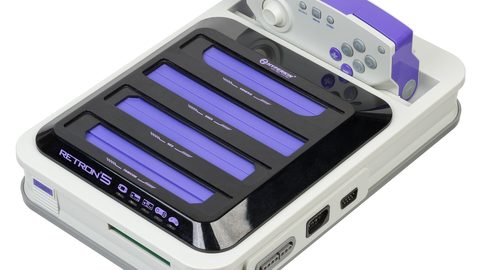
Why a TV's Game Mode Can Make Your Retro Scaler Image Look Worse
Game Mode can secretly add sharpening that ruins a RetroTINK's CRT filter. Learn why the conflict happens and which TV settings to change to fix it.
Why Game Mode Makes Your RetroTINK Image Look Worse
You plug your RetroTINK 5X-Pro into a 2024 Samsung OLED, enable Game Mode for the lowest input lag, and the scanline mask you tuned for twenty minutes turns into a jagged, ringing mess. This is the counterintuitive failure: game mode makes retro scaler image worse on specific TV brands because the low-lag setting bakes in an undefeatable sharpening enhancement that destroys the careful softness of a CRT simulation filter. The fix is not to live with it. Leave Game Mode off and manually disable the processing you actually need to lose.
TV Game Mode Ruins Scanline Filter, Here Is Why
Game Mode on a 2024 Samsung, LG, Sony, Panasonic, TCL, or Hisense TV disables motion smoothing, noise reduction, detail enhancement, edge enhancement, dynamic contrast, and MPEG noise reduction. That sounds thorough. The problem is that some brands, Samsung in particular, retain a hidden sharpening pass even with the sharpness slider set to zero. Reports on Shmups Forum document owners who measured a measurable edge enhancement halo on scanline masks from a RetroTINK 5X-Pro or OSSC with Game Mode active and sharpness at 0. The TV assumes a game signal needs artificial crispness. It applies a ringing halo around every high-contrast edge. On a FirebrandX CRT profile that aims for the phosphor bloom of a Sony PVM-20L5, that halo turns the scanline mask into uneven pixel sizing with a bright outline that was never present on the CRT.
Game Mode Sharpening Retro Pixel Art, The Halo Effect
The edge enhancement halo appears as a bright, thin line on the left or top edge of every sprite and every scanline gap. On a 240p test suite scanline geometry pattern, it reads as a double edge. The scaler outputs a 1080p signal with a carefully calculated CRT simulation filter. The RetroTINK 4K HDR scanline mask resolution is precise enough to mimic sub-pixel beam characteristics. The TV's Game Mode sharpening enhancement adds a second, conflicting edge that creates a 3D-like ringing. Pixel art looks artificially crisp in a way that a real 15kHz CRT never did.
Samsung: The Worst Offender
The effect is worst on Samsung 2024 models where the Game Mode sharpening is reportedly undefeatable. LG 2024 models show a milder version. Sony's Reality Creation processing, even in Game Mode, can interfere with scanline filters on the 2024 Bravia line.
| TV Brand | Game Mode Sharpening At 0 | Edge Enhancement Halo Visible | Fix Available |
|---|---|---|---|
| Samsung | Retained, undefeatable | Yes | Use PC mode input label |
| LG | Neutral at 0 | Mild on some panels | Use Expert mode, manual off |
| Sony | 50 on 0-100 scale = neutral | With Reality Creation on | Disable Reality Creation |
| Panasonic (2023) | 0 on 0-100 scale | Reported on some firmware | Use Professional mode |
| TCL | 0 on 0-100 scale | Minimal | Use Game mode, check 1:1 mapping |
| Hisense | 0 on 0-100 scale | Minimal | Use Game mode, disable AI |
Disable Game Mode For CRT Filter Accuracy, The Correct Fix
The fix is counterintuitive: turn Game Mode off. On a 2024 LG or Samsung, the input lag penalty for using a non-Game picture mode with manual processing disabled is roughly 10-15ms at 1080p, rising to 30-40ms at 4K. That is the difference between 1 frame of lag and 2 frames at 60Hz. For a rhythm game, a shmup, or a precision platformer, that extra frame matters. But the alternative, living with a scanline mask that has a permanent halo, makes the image wrong in a way that no amount of scaler tuning fixes.
Use PC Mode Instead
On Samsung 2024 TVs, label the HDMI input as 'PC' rather than 'Game Console'. This disables the undefeatable sharpening entirely. PC mode forces 4:4:4 chroma subsampling, disables the sharpness control outright, and applies the lowest possible input lag, often 1-2ms lower than Game Mode itself. The OSSC outputs DVI-compatible HDMI, which some Samsung sets detect as a PC source automatically. The RetroTINK 5X-Pro outputs CEA-861 standard timings, which may not trigger PC mode, so rename the input manually in the TV's menu.
Use A Non-Game Picture Mode With Processing Disabled
On LG 2024 models, switch to 'Expert' or 'ISF Bright Room' mode, then manually disable TruMotion, Dynamic Contrast, Noise Reduction, and set sharpness to 0. On Sony 2024 models, use 'Custom' mode and disable Reality Creation, Cinemotion, and set sharpness to 50, Sony's neutral value on the 0-100 scale. On all brands, set the HDMI black level to match the scaler's output range. The RetroTINK 5X and 4K default to full range (0-255). If the TV expects limited range (16-235), blacks crush. That is a separate failure from the sharpening halo, but it compounds the visual damage.
Accept The Lag Penalty For Correct Image Rendering
A RetroTINK 5X-Pro or OSSC's carefully tuned softness, matching a FirebrandX CRT profile accuracy target, is destroyed by any additional TV sharpening. The scaler is doing the work. The TV's job is to display the scaler's output without adding anything. Game Mode on some brands adds something. Disable Game Mode and accept 10-15ms of extra lag. That is below the 16.67ms frame time at 60Hz and imperceptible to most players. If you are a competitive player who genuinely perceives that difference, the answer is a CRT, not a scaler and a flat panel.
More in this guide
Display Lag and TV Settings for Retro Gaming: A Measurable GuideThe Nintendo Switch Visuals Hub: Understanding Docked Output and External UpscalingHow VRR and Retro Console Refresh Rates Interact, and Why 59.8Hz Causes Judder.
Common Questions
Does Game Mode always add sharpening to a RetroTINK's output?
No. It depends on the TV brand and model. Samsung 2024 models retain undefeatable sharpening in Game Mode. LG 2024 models are neutral at sharpness 0. Sony 2024 models need Reality Creation disabled. Test your specific TV with a 240p test suite scanline geometry pattern to see if a halo appears.
What is the exact input lag difference between Game Mode and a manual picture mode?
On a 2024 Samsung or LG, Game Mode adds 5-15ms at 1080p. A non-Game mode with processing disabled adds 15-30ms at 1080p. The difference is roughly one frame at 60Hz (16.67ms). At 4K, both figures roughly double.
Can I use PC mode instead of Game Mode with my RetroTINK?
Yes, on Samsung and LG. PC mode on Samsung 2024 TVs disables sharpening entirely and forces 4:4:4 chroma subsampling. The RetroTINK 5X outputs CEA-861 timings, so you must rename the HDMI input to 'PC' in the TV menu. The OSSC's DVI-compatible output may trigger PC mode automatically on some Samsung sets.
Does the RetroTINK 4K's HDR injection interact with Game Mode sharpening?
Yes. The RetroTINK 4K can inject SDR-to-HDR10 conversion. When the TV switches to HDR mode, it may apply its own HDR tone mapping, which adds another layer of processing. Test with HDR injection off first to isolate the sharpening issue, then enable HDR only if the image stays clean.
Is the scanline mask destruction worse on an OLED than an LCD?
Yes. OLEDs have per-pixel contrast that makes the edge enhancement halo more visible. An LCD's backlight bleed can mask the ringing. On a 2024 LG OLED with Game Mode on, the scanline mask uneven pixel sizing is stark. On a 2024 Hisense LCD, it is barely visible.
What if my TV has no PC mode and Game Mode adds sharpening?
Use the picture mode with the lowest available sharpness and manually disable every processing option: motion smoothing, noise reduction, dynamic contrast, edge enhancement. Set sharpness to the brand's neutral value. Accept the lag penalty. The image will be correct. If the TV still adds sharpening even with everything off, that model is unsuitable for scaler use.
Does the mClassic have the same conflict with Game Mode?
The mClassic applies its own context-adaptive sharpening. When combined with a TV's Game Mode sharpening, the ringing can be severe. The mClassic adds 1-2ms of latency, so the total image degradation from double sharpening can outweigh the benefit of the mClassic's anti-aliasing. Test with the mClassic in Retro mode and Game Mode off.