Shader Presets Like CRT-Royale vs a Hardware Upscaler: Comparing Lag and CRT Simulation Accuracy
Comparing CRT-Royale and other RetroArch shader presets against the RetroTINK 5X-Pro and 4K hardware upscalers for input lag and CRT simulation accuracy.
CRT Shader Presets vs Hardware Upscaler Retro Gaming: Which Gives You The Real CRT Look And The Lowest Lag?
You are choosing between a software shader preset like CRT-Royale running in RetroArch and a dedicated hardware upscaler such as the RetroTINK 5X-Pro or the 4K model. Can a shader match the CRT simulation accuracy and low lag of dedicated hardware? No. But the gap is narrower than you expect. The right choice turns on whether you prioritize mask resolution or zero-lag responsiveness.
A GPU shader like CRT-Royale simulates a sub-pixel phosphor mask at the source resolution. A 1080p scaler cannot match that. But CRT-Royale adds a full frame or two of GPU processing lag at 60Hz unless you use RetroArch run-ahead. The RetroTINK 4K uses an FPGA framebuffer to generate 4K scanline masks and HDR brightness headroom that approaches the look of a Sony PVM-20L5, with less than one millisecond of lag and no software overhead.
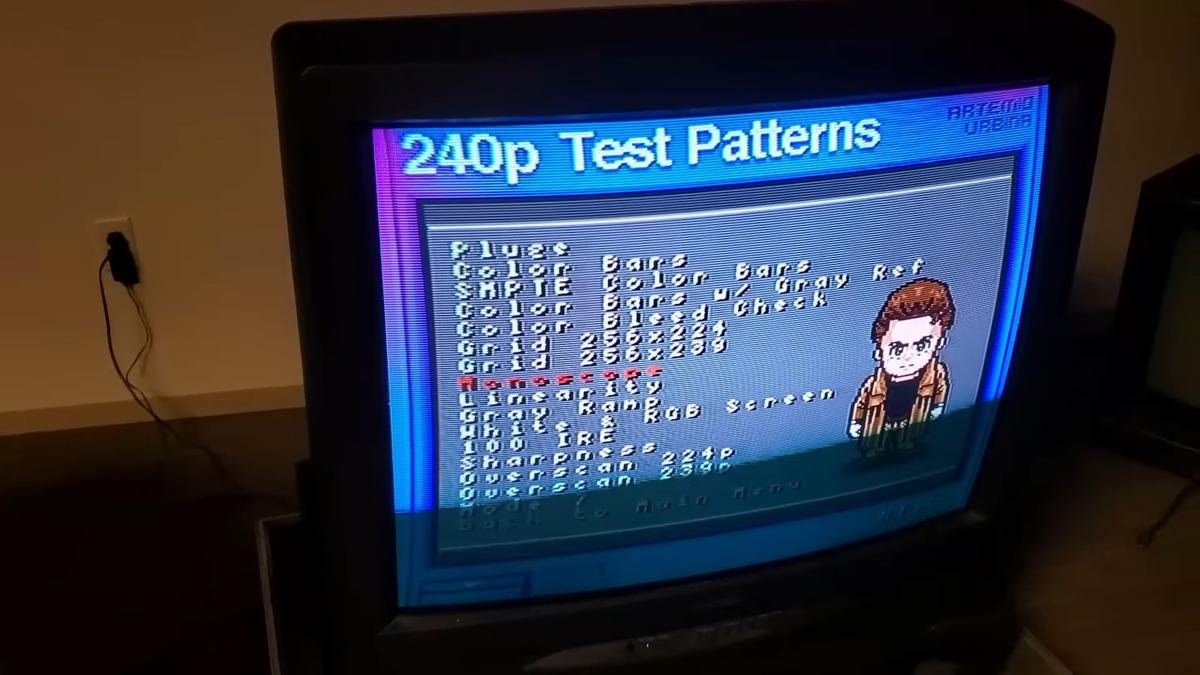
What CRT-Royale And Scanline Shaders Actually Simulate
CRT-Royale: Mask, Beam And Bloom
CRT-Royale was first released in 2013 by an author known as TroggleMonkey. It was originally written in Cg and later ported to GLSL, Slang, and HLSL. The shader simulates aperture grille, shadow mask, and slot mask patterns, plus beam dynamics, scanline bloom, signal noise, and deconvergence. You select the phosphor mask pattern and adjust scanline intensity through the mask_sample_mode_display parameter, which ranges from 0 to 2. The shader is multi-pass. It requires a GPU that supports OpenGL 3.2 or Direct3D 11, so it will not run on integrated graphics in a low-power device.
CRT-Royale requires an integer scale from the source resolution to align the mask correctly. That means your source must be scaled by a whole-number factor, for example 4x for 240p to 960p, with black borders above and below on a 1080p display. Skip integer scaling and the mask misaligns. The effect breaks.
Basic Scanline Shaders
A basic scanline shader is a single-pass overlay that draws horizontal dark lines at every nth pixel row. It simulates nothing beyond the dark lines. No phosphor simulation, no beam simulation, no noise. It runs on integrated graphics and ARM devices, and it works at any output resolution without requiring an integer scale. The trade-off: it does not produce the look of a real CRT. It produces a striped image.
CRT-Royale vs RetroTINK 5X Filter: What Each Does To The Image
The Hardware Approach
The RetroTINK 5X-Pro outputs up to 1440p at 60Hz. It generates scanlines in hardware, with adjustable intensity and thickness. It does not simulate a phosphor mask or a CRT beam. The 5X-Pro's CRT simulation is limited to scanlines only. That is a deliberate design choice: the hardware is fast and the scanlines are clean, but the image does not have the sub-pixel structure of a real Sony Trinitron aperture grille.
If you are comparing CRT-Royale against the 5X filter for accuracy, the shader wins on mask simulation but loses on lag. The 5X-Pro adds less than one millisecond of lag. CRT-Royale adds a full frame or two unless you use RetroArch run-ahead to subtract a frame of emulation latency. Run-ahead works by running the emulator one or two frames ahead, discarding the visual output, then displaying the earlier frame. It eliminates the shader's added lag but increases CPU load and can cause audio crackling on lower-end hardware.
The Resolution Ceiling
CRT-Royale, running on a PC or a MiSTer FPGA, can simulate sub-pixel structure at the source resolution. At 240p, the shader renders a mask that is physically finer than what a 1080p scaler can display, because the mask is drawn at the source pixel level before scaling. On a 4K display, the RetroTINK 4K generates a mask at the output resolution, 3840 by 2160. That approaches the same level of detail. The 5X-Pro at 1440p cannot match either.
Software Scanline Shader Input Lag: Measured And Explained
Where The Lag Comes From
The input lag added by a software scanline shader depends on your GPU backend and driver. A shader like CRT-Royale is multi-pass. The GPU renders the frame multiple times per output frame. Each pass adds processing time, and on a GPU with a slow shader compiler or high driver overhead, the total can exceed a full frame at 60Hz, which is 16.67 milliseconds. Independent testing from the Shmups Forum community has measured CRT-Royale adding between one and two frames on typical mid-range GPUs.
Hardware upscalers like the 5X-Pro and the 4K add less than one millisecond. The OSSC, a line multiplier with no framebuffer, adds less than 0.1 milliseconds. That is the theoretical minimum for any digital scaler: one scanline of latency. The difference between sub-millisecond hardware lag and multi-millisecond shader lag is the difference between a game that feels responsive and one that feels slightly delayed in rhythm games, shmups, and platformers.
Fixing It With Run-Ahead
Mitigate the shader lag by using RetroArch run-ahead. Set run-ahead to 1 frame at 60Hz and you subtract 16.67 milliseconds of lag, effectively cancelling the shader's delay. The cost is higher CPU usage and potential instability on less powerful devices.
| Attribute | CRT-Royale (RetroArch) | RetroTINK 5X-Pro | RetroTINK 4K |
|---|---|---|---|
| Input lag | 16–33 ms at 60Hz | <1 ms | <1 ms |
| Phosphor mask simulation | Sub-pixel at source resolution | None | 4K mask at output resolution |
| HDR support | Libretro HDR metadata (2023) | None | HDR10, 1000 nits peak |
| Scanline generation | Software, adjustable | Hardware, adjustable | Hardware, adjustable |
| Maximum output resolution | Depends on GPU | 1440p | 4K (3840×2160) |
| Required hardware | PC, MiSTer, or emulation device | Original console + cables | Original console + cables |
| Device compatibility | Emulated consoles only | Any analogue console | Any analogue or HDMI console |
RetroArch Shader Preset Accuracy: How Close Does Software Get To A Real CRT?
The Reference Standard
FirebrandX produces the reference CRT and HDR profiles used in the RetroTINK and MiSTer ecosystems. These profiles define the target look for accurate CRT emulation, and they are calibrated against a Sony PVM-20L5, the professional broadcast monitor that supports 240p to 1080i and is the benchmark for CRT image quality. CRT-Royale can be tuned to match a FirebrandX CRT profile, but the accuracy depends on your display's resolution and your willingness to dial in the mask_sample_mode_display parameter and the beam profile settings.
The Physical Gap
The limit of RetroArch shader preset accuracy is that the shader renders on a display that does not behave like a CRT. A modern flat-panel has sample-and-hold persistence, not a scanning electron beam. CRT-Royale simulates beam dynamics and scanline bloom. It cannot replicate the way a CRT's phosphor decays or the way the beam's intensity varies across the screen. The RetroTINK 4K addresses this by using HDR brightness headroom to simulate the beam's peak luminance, up to 1000 nits, and by generating scanline masks at 4K resolution that match the pitch of a real aperture grille.
Composite Blend Effects
For composite blend effects, such as the way Sonic the Hedgehog's waterfall dithering blends on a real CRT, neither a shader nor a hardware scaler fully replicates the analogue signal mixing that happens on a CRT's phosphor grid. A shader approximates it by blurring the 240p test suite's checkerboard patterns, but the result is not identical. The hardware scaler's advantage is that it processes the original analogue signal, including the composite and S-Video artifacts, before applying its CRT simulation. A shader works on a digital frame that has already been captured and deinterlaced, so the composite artifacts are either absent or already baked in.
FirebrandX CRT Profile Comparison: The Benchmark For Accuracy
FirebrandX profiles define the colour temperature, gamma, and phosphor characteristics of specific CRT monitors. The Sony PVM-20L5 profile is the most commonly referenced. FirebrandX also produces profiles for the Sony BVM-D24E1WU, the widescreen broadcast monitor that represents the ceiling of second-hand market pricing. Load these profiles into the RetroTINK 4K and MiSTer to set the HDR output's colour space and brightness curve.
When comparing FirebrandX CRT profile performance between a shader and a hardware scaler, the hardware scaler has the advantage. It operates on the original analogue signal with sub-millisecond scaling. The shader must work within the emulator's video pipeline, which adds GPU shader processing lag and requires integer scaling to maintain mask alignment. The RetroTINK 4K's HDR output at 1000 nits peak luminance can reproduce the beam's intensity range in a way that a standard dynamic range display cannot. That is the single biggest difference between a shader on an SDR screen and a hardware scaler on an HDR screen.
Why The RetroTINK 4K Approaches The Sony PVM-20L5 Look
Inputs, Scaling And HDR
The RetroTINK 4K accepts composite, S-Video, component, RGB SCART, VGA, and HDMI inputs. It outputs 4K at 60Hz. Its scaling method is integer scaling with polyphase interpolation, and it generates scanlines and phosphor masks in hardware. The HDR output reaches up to 1000 nits peak luminance, enough to simulate the beam's brightness on a real CRT. The unit also supports black frame insertion at 120Hz to reduce sample-and-hold blur.
Mask Density And Deinterlacing
The 4K's scanline mask resolution is 3840 by 2160 pixels. That is fine enough to match the pitch of a Sony Trinitron aperture grille at typical viewing distances. The 5X-Pro at 1440p cannot match that density, and CRT-Royale on a 1440p display cannot either. The 4K also handles motion-adaptive deinterlacing for 480i sources. This is critical for PS2 games that switch between 240p menus and 480i gameplay. A shader running on a captured digital frame cannot do motion-adaptive deinterlacing because the deinterlacing has already happened before the shader sees the frame.
Colour Fidelity And Compatibility
The RetroTINK 4K supports chroma subsampling 4:4:4, which preserves pixel-perfect colour from RGB sources. A scaler that downsamples to 4:2:2 or 4:2:0 blurs red and blue pixel edges. You will see this on text and sprite edges. The 4K also has HDMI-CEC passthrough, which can cause issues with some set-top boxes in Hong Kong. Check your TV's behaviour before relying on it.
More in this guide
Emulation vs Original Hardware for Retro Gaming on Modern DisplaysWhen an mClassic Helps Emulated Output: PC and Android TV Box Retro Gaming Signal ChainsOfficial Re-Releases: Nintendo Switch Online and PlayStation Classics Visual Filters vs Original Hardware.
Common Questions
Does CRT-Royale add more lag than a RetroTINK 5X-Pro?
Yes. CRT-Royale adds 16 to 33 milliseconds at 60Hz depending on your GPU. The RetroTINK 5X-Pro adds less than one millisecond. Reduce the shader lag to near zero by enabling RetroArch run-ahead by one frame.
Can a scanline shader simulate a Sony Trinitron aperture grille?
A basic scanline shader cannot. CRT-Royale can simulate aperture grille, shadow mask, and slot mask patterns, but it requires integer scaling and a GPU that supports OpenGL 3.2 or Direct3D 11. The RetroTINK 4K generates aperture grille masks at 4K resolution in hardware.
Is the RetroTINK 4K worth it over a RetroArch shader preset?
If you play original console hardware and want sub-millisecond lag with HDR CRT simulation, yes. If you already have a PC with a dedicated GPU and use RetroArch run-ahead, a shader preset like CRT-Royale can get close at a much lower cost.
What is the most common mistake when using CRT shader presets?
Skipping integer scaling. CRT-Royale requires an integer scale from the source resolution to align its phosphor mask. Without it, the mask misaligns and the effect looks like a striped mess instead of a CRT scanline pattern.