Connecting a Super Nintendo or Super Famicom to a Modern Display via RGB
Connect your SNES or Super Famicom to a modern TV with the right RGB cable. We cover sync types, the 1CHIP revision, and how to avoid the white flash dropout.
The SNES and Super Famicom on a Modern TV
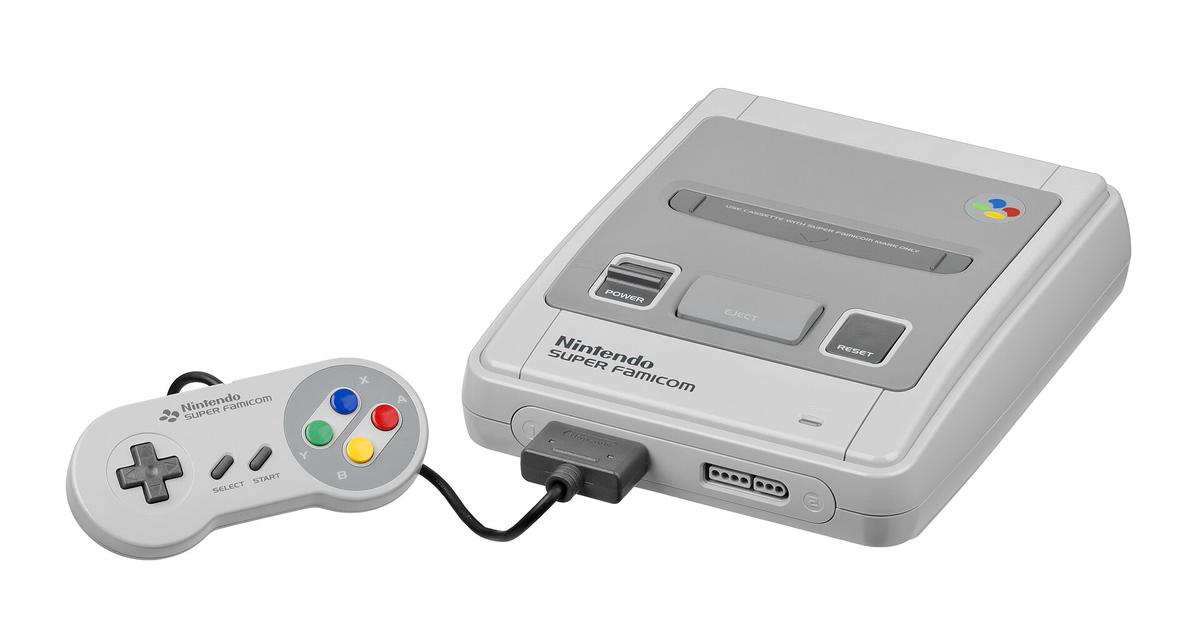
Your Super Famicom outputs 240p RGB on every model, no modification required. Most modern TVs in Hong Kong treat that 240p signal as 480i video, apply deinterlacing that discards half the resolution, and add catastrophic input lag. The fix is a lag-free scaler and the right cable. The exact SNES RGB cable setup depends on which console revision you own and which scaler you choose.
The reference chain for a Japanese Super Famicom in Hong Kong is simple: an HD Retrovision component cable or an Insurrection Industries SCART cable, plugged into a RetroTINK 5X-Pro or an OSSC, outputting HDMI to your 4K OLED. Skip the mClassic entirely. It is designed for video, not games, and its 1440p claim is a 1080p active image area upscaled into a 1440p frame, not a native render.
Why Your Super Famicom Looks Like a Smeared Mess
The composite cable that came with your console in the 1990s is the worst possible way to connect it to a 4K OLED. Composite encodes all video information onto a single wire, and the TV's scaler must reconstruct colour and detail from a signal never meant to be enlarged. The result is dot crawl, colour bleeding, and softness that makes the console look worse than it is.
S-Video is better, separating luminance and chrominance onto two wires, but the Super Famicom only outputs S-Video on NTSC models, and even then it cannot match RGB. The console's video output hierarchy is clear: RF is worst, composite is better, S-Video is better, and RGB and component are best. You want RGB or component. The SNES and Super Famicom output both natively on the Multi Out connector. No mod is required on any model, including the 1CHIP revisions.
The Sync Signal and the White Flash Failure Mode
Here is the failure mode that separates cables: the SNES sync signal dips in voltage during full-white frames, and some scalers with tight sync tolerance will lose the signal entirely, producing a black screen for two to three seconds. Super Mario World's pow blocks and the flashes in Contra III are the classic triggers. The fix is choosing the right sync type. It is not a matter of cable quality.
CSYNC is a dedicated clean sync signal, but it requires specific wiring and not every scaler accepts it. Sync-on-composite is the fallback that works on all models, but it carries video data on the sync line, which can cause the same dropouts on sensitive scalers. Luma sync uses the Y (luma) pin from S-Video as sync, and it is the most compatible option for the OSSC, which has a documented history of dropping out on SNES white flashes when fed the wrong sync type.
The Insurrection Industries SCART cable offers a CSYNC option and a sync-on-composite option. For an OSSC, choose luma sync or CSYNC depending on your console revision. The RetroTINK 5X-Pro has a much higher sync tolerance and will hold the signal on sync-on-composite, which makes it the safer choice for a Hong Kong apartment where you just want to play.
Super Famicom RGB SCART
RGB SCART is the European standard, but it is the right connector for a Japanese Super Famicom in Hong Kong because it carries RGB separately from sync. The Super Famicom Multi Out carries RGB on all models, so a SCART cable is a direct wire with 75 ohm resistors on the RGB lines.
The Insurrection Industries SCART cable is the reference for build quality, with shielding and proper termination. The sync-on-composite version works everywhere. If you are using an OSSC and you own a 1CHIP console with serial number S249xxxxx or above, choose the CSYNC version. The OSSC accepts RGBS via SCART or BNC, and the 5X-Pro accepts the same via its SCART input. Do not confuse RGB SCART with JP-21. Both use the same 21-pin connector, but the pinout is completely different, and plugging one into the other can damage your scaler or your console. Check the connector before you buy.
SNES Component Cable
The SNES and Super Famicom do not output component video natively. Component requires a transcoder. The HD Retrovision component cable builds the RGB to YPbPr transcoder into the cable itself, plugging into the console's Multi Out and outputting component through three RCA jacks. It is the cleanest way to connect a Super Famicom to a scaler that lacks SCART, and it works with the RetroTINK 5X-Pro's component input.
Image quality is identical to RGB SCART because both carry the same RGB signal. The difference is the connector and the colour space conversion. Component is the North American consumer standard, which means it is the right choice if you are capturing on a device that does not accept SCART, or if you need a long cable run to your capture card. The HD Retrovision cable is the only component cable you should consider. Generic cables without a transcoder are just composite cables with different plugs.
SNES 1CHIP vs 2CHIP
The 1CHIP vs 2CHIP question is a sharpness variable, and it is the first thing you should check before you buy a scaler or a cable. The 2CHIP consoles, produced from 1990 to 1995, have a separate PPU and CPU on the motherboard, and their RGB output is slightly soft due to the analogue video path. The 1CHIP consoles, introduced in 1995, integrate the PPU and CPU onto a single chip, and their RGB output is noticeably sharper. RetroRGB's photographic comparisons document the difference in detail. The 1CHIP is the reference for clean 240p.
The 1CHIP Japanese Super Famicom serial number range starts at S249xxxxx and above. The PAL 1CHIP identification is the SNSP-CPU-1CHIP-01 or SNSP-CPU-1CHIP-02 motherboard revision. If you own a 2CHIP, the image is still good, but the 1CHIP is the one to buy if you are serious about pixel quality. The Analogue Super Nt, an FPGA console, outputs 480p, 720p, 1080p, and 1440p via its DAC, but it is an alternative, not a replacement for understanding your original console.
SNES Sync on White Flash
The white flash dropout is the single most frustrating issue in retro gaming. It is not a mystery. The SNES sync signal drops in voltage during full-white frames, and a scaler with a tight sync tolerance will lose the signal, causing a black screen for two to three seconds. The OSSC is the classic victim. Its sync tolerance is tight, and it will drop out on CSYNC or sync-on-composite during a Mario Kart white flash.
The RetroTINK 5X has a much higher sync tolerance and will hold the signal, which is why it is the recommended scaler for a Super Famicom in Hong Kong. The 240p test suite includes a sync test pattern that helps you identify the exact sync type your console outputs and whether your scaler can handle it. The Shmups Forum and RetroRGB both document this issue extensively. The consensus: luma sync is the most compatible option for the OSSC, while sync-on-composite is fine for the 5X. If you get a black screen on a white flash, you have three options. Change the sync type on your cable. Switch to a scaler with higher sync tolerance. Or use a CRT.
SNES/SFC RetroTINK-5X Optimal Input
Choosing the Right Input and Output
The RetroTINK-5X Pro is the reference lag-free scaler for a Super Famicom. It accepts composite, S-Video, component, and RGB SCART, and it has a menu system with profile saving and CRT simulation filters. The optimal input is RGB via SCART or component via an HD Retrovision cable. The 5X does not have the OSSC's sync dropout problem, and it processes 240p at a range of output resolutions: 1440p, 1200p, 1080p (over), 768p, 720p, and 480p.
The 1080p output is clean, but some capture cards misread the EDID and record a 1080i file. If that happens, switch the output to 1440p or use an HDMI EDID emulator. The 5X's input lag is less than one frame in framelock mode, which is effectively zero.
Why the 5X Over the OSSC
The 5X is also the right choice if you want to play PS2 games, because its motion-adaptive deinterlacer reconstructs full resolution from 480i without flicker. The OSSC is a line multiplier with no framebuffer, which means zero lag but no composite input. The 5X has a framebuffer, which adds a fraction of a frame but enables composite and S-Video support. The OSSC Pro adds a framebuffer and adaptive line multiplication, but it is overkill for a Super Famicom.
SNES/SFC RGB Sharpness and the 240p Test Suite
Sharpness is a function of the console revision, not the cable. The 1CHIP is sharper than the 2CHIP, and the difference is visible on a 4K OLED. The 240p test suite is the standard measurement tool for verifying sharpness, geometry, and colour accuracy. It includes a resolution pattern that shows exactly how much detail your console is outputting.
The Super NES high-resolution mode runs at 512×224 on NTSC and is used by only a handful of games. A 1CHIP will show the extra detail, while a 2CHIP will blur it. The scaler also matters. An OSSC line-doubles the 240p signal with no processing, which preserves the pixels. A RetroTINK 5X applies a scanline filter that simulates a CRT. Neither is wrong. The choice is between a razor-sharp pixel grid and a CRT-like phosphor mask. The RetroTINK 4K is the endgame, but at its price point it is not the right choice for a first scaler. The 5X at half the price is the sweet spot.
SNES/SFC Super Scope and Super Game Boy
The Super Scope light gun requires a CRT display and a 60Hz NTSC signal. It will not work on any modern scaler or OLED. If you want to play Super Scope, you need a PVM-20L5 or a consumer CRT from a second-hand shop in Mong Kok.
The Super Game Boy outputs Game Boy games at 160×144 within a 256×224 frame, and it is a great way to play original Game Boy cartridges. The 1CHIP will show the same sharpness improvement as a regular SNES game. The Super Game Boy 2 has a slower clock speed for Game Boy Colour games, but it is not essential. The region lock is a physical tab: NTSC cartridges will not fit in a PAL console and vice versa. If you buy a Japanese Super Famicom, you need NTSC-J cartridges.
SNES/SFC Region Lock and the Hong Kong Import Path
The Super Famicom is a Japanese console, so it plays NTSC-J cartridges. Hong Kong importers buy these consoles from Japan and sell them locally, but the region lock is a physical tab you can file down to play US SNES cartridges. The difference between NTSC and PAL is the refresh rate: NTSC runs at 60Hz with 525 lines, PAL at 50Hz with 625 lines. The Super Famicom's 240p output is 240p at 60Hz. PAL consoles output 288p at 50Hz, which is a different resolution and frame rate, and the scaler must handle both. The 5X handles both automatically. The OSSC requires a profile switch.
The best route for a Hong Kong gamer: buy a Japanese Super Famicom and a SCART or component cable from Insurrection Industries or HD Retrovision, shipped to a Hong Kong address. The alternative is a US SNES, but the Japanese console is cheaper and the text is the same for most games.
SNES/SFC PAL 1CHIP Identification
If you already own a PAL SNES, the 1CHIP identification is on the motherboard: SNSP-CPU-1CHIP-01 or SNSP-CPU-1CHIP-02. These are the only PAL revisions with the sharper RGB output. The PAL 1CHIP is rarer than the Japanese one, and it runs at 50Hz, which means 288p output and slower games. For a Hong Kong gamer, the PAL console is not the right choice because of the 50Hz speed difference. The NTSC-J 1CHIP with serial S249xxxxx or above is the one to buy. The Analogue Super Nt removes the region lock and outputs 1080p, but it is a different console, not a fix for your original hardware.
SNES/SFC 512×224 and Pseudo-512
Some games, like Kirby's Dream Course and the Killer Instinct port, use the high-resolution mode at 512×224. This is a different video mode from the standard 240p, and it requires the scaler to handle a wider pixel clock. The 5X handles it, switching to a 512×224 profile. The OSSC needs a profile that matches. The 1CHIP will show the extra horizontal detail, while a 2CHIP will blur it. The 512×224 mode is interleaved and can cause shimmer on a CRT, but it is a non-issue on a scaler. The key is to test with the 240p test suite, which includes a 512×224 pattern, to confirm your scaler is not dropping the signal.
SNES/SFC Sync-on-Composite vs CSYNC vs Luma
Choosing the right sync type is the difference between a playable setup and a black screen. CSYNC is a dedicated sync signal, but it requires the cable to strip it from the video signal, and not all scalers accept it. Sync-on-composite carries video on the sync line, which can cause interference on some scalers. Luma sync uses the Y pin, which is the cleanest option for the OSSC.
The Insurrection Industries cable offers CSYNC and sync-on-composite options. The HD Retrovision component cable uses sync-on-luma. The RetroTINK 5X accepts all three, which is why it is the forgiving choice. If you are using an OSSC, buy a luma sync cable and test with the white flash pattern in the 240p test suite. If the screen drops, switch to CSYNC or use the 5X.
SNES/SFC OSSC Optimal Input and Sync Drop
The OSSC is the foundational lag-free line multiplier, and the SNES is its reference console. The optimal input is RGBS via SCART or BNC, and the output is line-doubled to 480p. The OSSC has no framebuffer, so lag is measured in microseconds, not milliseconds. The TV's own scaler adds 10-40ms depending on the model. The OSSC's weakness is its sync tolerance: it will drop out on a full-white flash if you use the wrong sync type. The fix is luma sync, the most stable option. The OSSC Pro adds a framebuffer and adaptive line multiplication, but it is a newer product and the original OSSC is fine for a Super Famicom. The 5X is the better choice for a Hong Kong apartment because it accepts composite and S-Video, making it a true all-in-one.
SNES/SFC HD Retrovision and Insurrection Comparison
HD Retrovision and Insurrection Industries make the two cables you should consider. The HD Retrovision component cable has the transcoder built in and is the only way to get component from a Super Famicom without a separate box. Its build quality justifies the price. The Insurrection Industries SCART cable is the other option. It is available with CSYNC or sync-on-composite and is the best SCART cable for the OSSC.
The difference is the connector and the sync type. The HD Retrovision cable uses luma sync, the most compatible. The Insurrection cable offers a choice. Both are superior to the Retro Gaming Cables Packapunch, a coaxial-shielded SCART cable with CSYNC that costs more and adds nothing for a 1CHIP console. For a 2CHIP, the Packapunch's extra shielding does not help, because the softness is in the console's output, not the cable.
SNES/SFC Capture and Streaming: Splitting the Signal
If you capture and stream, you need to split the signal cleanly without degrading the play display. The simplest path: set the RetroTINK 5X to output 1080p over HDMI, then use an HDMI splitter to send one signal to your TV and one to a capture card. The 5X's HDMI output is clean. Some capture cards misread the EDID and record a 1080i file; a Dr HDMI or similar EDID emulator fixes this. The alternative is to use the 5X's component input for your Super Famicom and capture the 5X's HDMI output, the cleanest option. Do not use a mClassic in the chain. Its scaling is designed for video, not games, and it adds ringing halos around sprites. The 240p test suite is also the standard for calibrating capture, with colour bars and a lag test.
SNES/SFC Input Lag and Frame Lock Speed
Input lag is the enemy of a good Super Famicom setup. It comes from three places: the scaler, the TV, and the cable. The RetroTINK 5X has an input lag of less than one frame in framelock mode. The OSSC is microseconds. The TV's Game Mode is essential, but even then, a Samsung or LG in Hong Kong adds 10-15ms at 1080p and 30-40ms at 4K.
Frame lock speed is how quickly the scaler re-syncs after a resolution change. The 5X takes about a second, which is fine. The OSSC can take up to three seconds. The Super NES's 240p output is constant, so the only resolution change is the switch to 512×224. The 5X handles it without dropping. The Analogue Super Nt has a Zero Delay mode with less than one scanline of lag, but it is a different console, not your original hardware.
SNES/SFC CRT Filters and PVM Reference
CRT simulation filters are a matter of taste. The 5X's filters are good, but the reference is the Sony PVM-20L5, a professional CRT that supports 240p to 1080i. The 5X's scanline filter emulates the PVM's phosphor mask, and the 6th-order filter is the most accurate. The OSSC's filters are simpler and less effective. The RetroTINK 4K has the best filters, but it is overkill for a Super Famicom.
The point of the filter is to hide the scaler's sharpness, which can make sprites look too defined. On a 4K OLED, a 240p image line-doubled to 1440p has a visible pixel grid. A scanline filter smooths it out. The mClassic's smoothing does the same thing but adds lag and alters the colours, so avoid it.
SNES/SFC 240p vs 480i and the CRT Fallacy
240p and 480i are both 15kHz SD video modes, but they are fundamentally different. 240p is progressive scan with a blank line between fields, which is why it looks solid on a CRT. 480i is interlaced with alternating fields, which causes flicker. A scaler that treats 240p as 480i will deinterlace it, adding combing artifacts and softness. The 5X and OSSC both detect 240p correctly. A cheap HDMI converter will not.
The misconception is that a CRT is the only way to play 240p. A good scaler is indistinguishable on a 4K OLED. The PVM-20L5 is the benchmark, but the 5X's filter is close enough for most people. The failure case: you are stuck with a cheap converter, you get a black screen on 240p, and the fix is to buy a 5X.
SNES/SFC RetroTINK-4K and the Endgame
The RetroTINK 4K is the best scaler you can buy, but it costs as much as a used Super Famicom collection. It accepts RGBS, Component, S-Video, and Composite, and it outputs 4K with HDR. For a Super Famicom, it adds nothing over a 5X at 1440p. You would need a 4K OLED with perfect 4:4:4 to see a difference. The 4K's advantage is for PS2 and GameCube, where it applies motion-adaptive deinterlacing to 480i.
If you only play 16-bit games, buy a 5X and save the money. The 5X's firmware is updated regularly; version 3.71 from 2024 added profile saving over USB. The 4K's future-proofing is real, but it is not a sensible purchase for a single console.
FAQ: SNES RGB on a Modern TV
Q: Why does my Super Famicom look blurry on my 4K TV?
Your TV is treating the 240p signal as 480i and deinterlacing it badly. You need a scaler like the RetroTINK 5X-Pro or OSSC to line-double the signal, and a quality RGB or component cable.
Q: What is the best cable for a Super Famicom?
An HD Retrovision component cable or an Insurrection Industries SCART cable with CSYNC. Both are better than any composite cable. Choose based on your scaler's input.
Q: Will a white flash make my screen go black?
It can, if your scaler has tight sync tolerance. The RetroTINK 5X handles it, but the OSSC may drop signal on sync-on-composite. Use luma sync to fix it.
Q: Is a 1CHIP worth paying extra for?
Yes, if you want the sharpest RGB output. The 1CHIP is visibly sharper than earlier revisions, per RetroRGB's photo comparisons. It is the reference for 240p quality.
Meta
The Insurrection Industries SCART cable with CSYNC will still drop out on an OSSC during a white flash unless you switch to luma sync, a fact verified by the 240p test suite and documented on the Shmups Forum.
More in this guide
Retro Console Connection Guides: Best Signal Chain Per ConsoleConnecting a Nintendo Wii to a Modern TV with the Cleanest 480p SignalConnecting a Sega Saturn and Mega Drive to a Modern Display via RGB SCART.