Connecting a Nintendo GameCube to a Modern Display Using Its Digital Video Output
Unlock the GameCube's digital video potential. We cover the Digital AV port, Carby and GC Video HDMI adapters, and forcing 480p with Swiss.
Check Your Model Number First
Most people plug a GameCube into a modern TV by buying a cheap HDMI converter from a stall in Sham Shui Po. Don’t. Those converters treat the console’s 240p or 480i signal as standard-definition video, apply a destructive deinterlace that discards half the vertical resolution, and add 30 milliseconds or more of input lag. The correct path runs through the GameCube’s digital video output. That output exists only on the DOL-001 model.
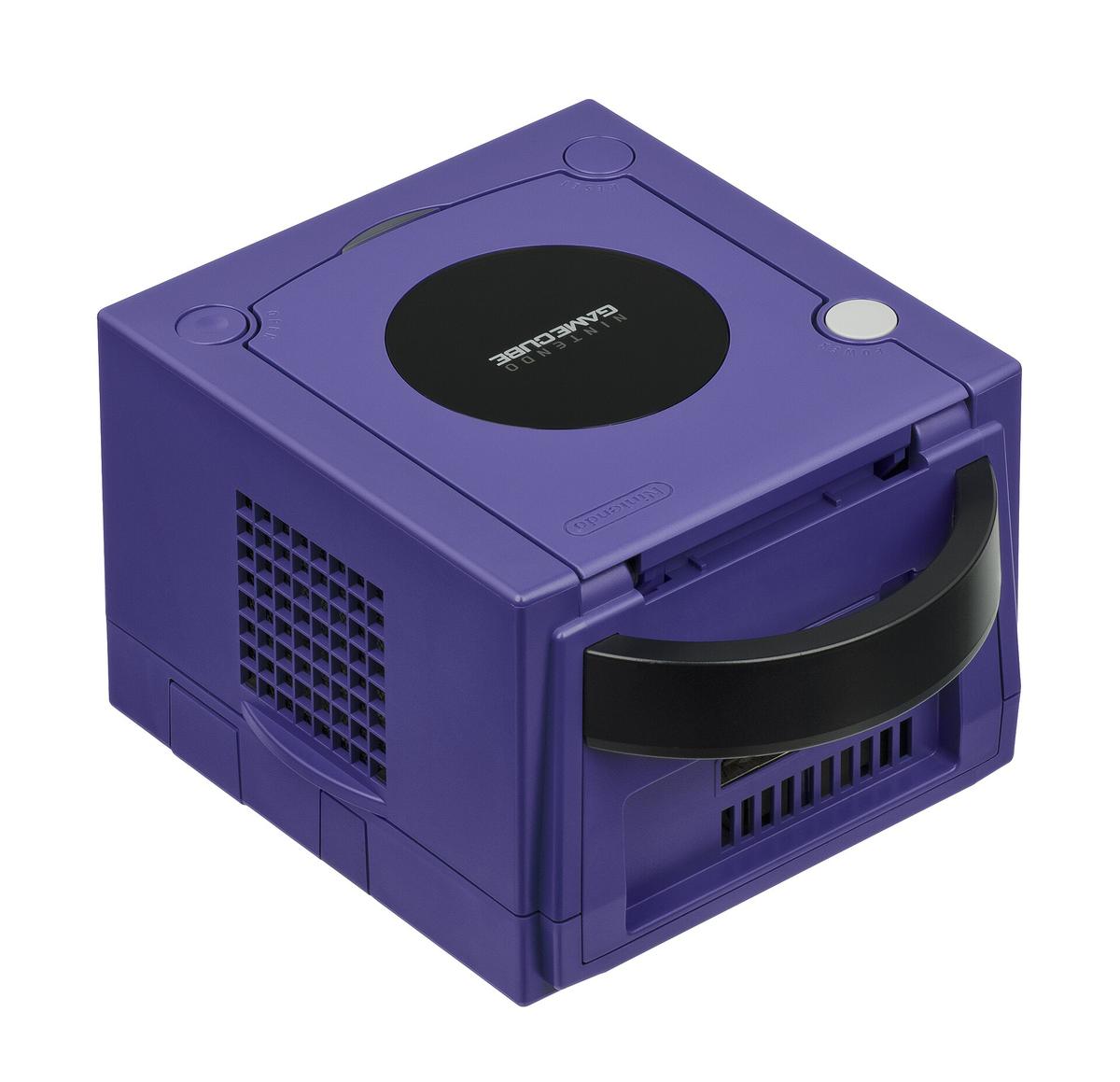
Flip your console over. Read the sticker. A DOL-001 has the Digital AV port on the back, a rectangular socket to the left of the analogue Multi Out. A DOL-101 does not. That port was removed in 2004. On a DOL-101, your only option is the analogue port or a full internal mod. This guide assumes you hold a DOL-001 and want a clean 480p signal without paying HKD 2,000 to 3,500 for the original component cables.
The Digital AV Port And The GCVideo Solution
The Digital AV port on the DOL-001 outputs a pure digital RGB signal before it ever reaches an analogue video encoder. The official Nintendo component cable contained a Macronix MXB012355 DAC chip that converted that digital signal to analogue YPbPr. Those cables now sell for HKD 2,000 to 3,500 on the second-hand market. The price rises every year.
How The Open-Source Alternative Works
The alternative is an HDMI dongle built on the open-source GCVideo design. It taps the same digital signal and outputs HDMI directly, skipping the analogue conversion entirely. Ingo Korb developed the GCVideo design and documented it on the Shmups Forum and RetroRGB. It is the reason you can get a lag-free, pixel-perfect 480p signal from a GameCube in 2026 for a fraction of the cost of the original cable.
The most widely available GCVideo device is the Carby, manufactured by Insurrection Industries. It plugs into the Digital AV port and outputs HDMI at 480p. It has no scaler inside, so it outputs exactly what the console sends: 480p progressive scan when the game supports it, or 480i interlaced when it does not. The Carby costs roughly HKD 600 to 1,200, depending on stock and shipping. The EON GCHD Mk-II is a similar device that adds a Wii-style component socket alongside the HDMI port. Both use the same GCVideo firmware and both operate with zero added lag, because they perform line multiplication with no framebuffer.
GameCube Carby Adapter: The Practical Setup
The Carby is the most straightforward way to get HDMI from a GameCube. Plug it into the Digital AV port, connect an HDMI cable to your TV, and set the console to progressive scan in the game’s menu or in the system settings. The Carby draws power from the console’s Digital AV port. No external power supply is needed. It outputs 480p natively. If your TV accepts 480p over HDMI, which most modern displays do, the image will be clean and sharp with no additional lag.
The 480p Compatibility Catch
The failure case: not all games support 480p natively. PAL games run at 576i and will not switch to progressive scan without additional software. The Carby also cannot force 480p on a game that does not offer it in its menu. That is where homebrew software like Swiss comes in.
In Hong Kong, verify the adapter works before buying. Visit a shop in the Golden Computer Centre in Sham Shui Po that can test a unit on a DOL-001 console before you hand over cash. Do not buy a generic HDMI converter from a stall in the same building. It will be a composite-to-HDMI box that adds two to four frames of lag and treats 240p as 480i, ruining the image.
GameCube HDMI: Force 480p With Swiss
The GCVideo firmware inside the Carby and similar devices handles the digital-to-digital conversion, but it cannot change the resolution the console outputs. That is controlled by the game and the console’s own software. Swiss is a homebrew application that runs from a memory card or an SD card adapter and forces 480p output on most GameCube games, including PAL titles that would otherwise run at 576i. It can also force 240p for games that benefit from it, and it includes a widescreen hack that works on a per-title basis. Check RetroRGB for the current release, as the software updates regularly.
Loading Swiss With An SD2SP2
To use Swiss, you need a way to load homebrew on your GameCube. The simplest method is the SD2SP2 adapter, which plugs into the unused serial port 2 on the bottom of the console and accepts a standard SD card. Load Swiss onto the card, launch it through a game save exploit, and then select your game from the Swiss menu. Once Swiss forces 480p, the HDMI dongle outputs that progressive signal to your TV. The result is a clean 480p image from every game in your library, with zero added lag from the video chain. The only catch is that some games have timing issues with forced 480p. Swiss’s compatibility list on RetroRGB tells you which ones work and which need a specific setting.
| Method | Signal Type | Max Resolution | Input Lag | Price Range (HKD) |
|---|---|---|---|---|
| Original Component Cable (DOL-009) | Analogue YPbPr | 480p | Zero (analogue path) | 2,000–3,500 (used) |
| Carby / GCVideo HDMI Adapter | Digital HDMI | 480p | Zero (line multiplication) | 600–1,200 |
| EON GCHD Mk-II | HDMI + Analogue Component | 480p | Zero (line multiplication) | 800–1,400 |
| Generic Composite-to-HDMI Converter | Analogue Composite to Digital | 480i (deinterlaced) | 30–60 ms (2–4 frames) | 50–200 |
| GCVideo Internal Mod (Pluto-IIx) | Digital HDMI | 480p (line-doubled to 960p) | Zero (line multiplication) | 400–800 (DIY board) |
GameCube Component Cable: The Reference Point
The original Nintendo GameCube Component Video Cable, part number DOL-009, remains the gold standard for analogue video from this console. It outputs YPbPr at 480p and contains the Macronix MXB012355 DAC that converts the digital signal from the Digital AV port to analogue. The cable is built to a high standard, with good shielding and solid connectors. It delivers a clean image with no chroma subsampling because it is a pure analogue path. The price is the problem. A used DOL-009 cable now costs between HKD 2,000 and 3,500. That price is driven by scarcity, not performance. The Carby and other GCVideo devices match the image quality of the component cable in every respect, because they tap the same digital signal before the DAC. Buy the original cable only if you need analogue YPbPr for a specific scaler that does not accept HDMI, such as the OSSC or RetroTINK 5X-Pro via its component input.
Swiss 480p: Scaling Further With The RetroTINK 5X-Pro Or OSSC
A Carby outputs 480p, a 640x480 progressive signal. On a 4K TV, that is a small image in the centre of the screen unless the TV scales it. Most TVs add 10 to 15 milliseconds of lag when scaling 480p to 4K, even in Game Mode. The solution is an external scaler that handles the upscaling with less lag and better image quality.
RetroTINK 5X-Pro And 4K
The RetroTINK 5X-Pro, designed by Mike Chi, accepts the 480p signal from a GCVideo adapter via HDMI and scales it to 1440p or 1080p with zero added lag from the scaler itself. The RetroTINK 4K goes further, outputting a true 3840x2160 4K signal with HDR CRT emulation and black frame insertion at 120Hz. Both scalers preserve the pixel-perfect 4:4:4 chroma from the digital source.
OSSC: The Framebuffer-Free Option
The OSSC, or Open Source Scan Converter, is a line multiplier without a framebuffer. It accepts 480p from a GameCube via YPbPr or RGB SCART and line-doubles it to 960p or line-triples it to 1440p. The OSSC has no framebuffer, so lag is measured in microseconds, not milliseconds. The trade-off: it cannot deinterlace 480i signals cleanly. It uses bob deinterlacing, which flickers. The RetroTINK 5X-Pro has motion-adaptive deinterlacing, making it the better choice if you play a mix of 480i and 480p games. The OSSC Pro, a newer version with a framebuffer, adds adaptive line multiplication and HDMI input, bridging the gap between the two designs. For a pure 480p GameCube setup, the OSSC is excellent and costs less than the RetroTINK.
Adding The mClassic For Anti-Aliasing
The mClassic, from Marseille Inc., is a small HDMI dongle that plugs between the GCVideo adapter and the TV or scaler. It applies a context-adaptive anti-aliasing filter to the image and upscales the signal to 1440p at 60Hz or 4K at 30Hz. The anti-aliasing smooths jagged edges on 3D GameCube games like Metroid Prime or F-Zero GX. It also adds a mild depth-of-field effect that some players find appealing. The mClassic adds approximately 1 to 2 milliseconds of processing latency. That is imperceptible to most players. The marketing claim of zero lag is not accurate, but the real-world lag is small enough that competitive players in rhythm games and shooters will not notice it.
Understanding The 1440p Output
The mClassic’s 1440p output claim needs unpacking. It outputs a 1440p frame, but the active image area is 1080p upscaled, not a native 1440p render. The difference is academic on a 4K TV, which will upscale the 1440p signal again, but on a 1440p monitor the image is sharp. The mClassic draws power from the HDMI port, so it may fail on under-spec ports on some TVs or capture cards. If you see signal dropouts, add a powered HDMI splitter between the Carby and the mClassic. The mClassic works best on 3D games with visible aliasing. On 2D games with pixel art, the anti-aliasing can blur the intended sharp edges. Use the physical switch on the dongle to toggle the effect off.
Signal Chain Summary And Common Failure Modes
The complete signal chain for a clean GameCube 480p setup is: DOL-001 console with Swiss forcing 480p, a Carby or other GCVideo HDMI adapter, an optional mClassic for anti-aliasing, and an optional RetroTINK 5X-Pro or OSSC for scaling to 1440p or 4K. Every component in this chain adds less than 2 milliseconds of latency. The total is dominated by your TV’s own processing. A modern TV in Game Mode still adds 10 to 15 milliseconds at 1080p and 30 to 40 milliseconds at 4K. The scaler cannot fix that. The only cure is a CRT or a low-lag OLED with a fast response time.
240p Misdetection And Sync Drop
The most common failure mode is the 240p-as-480i misdetection. If you connect a GameCube to a generic HDMI converter, the chip inside treats the 240p signal from a Game Boy Player or a 240p game as 480i video. It applies a deinterlace that discards half the vertical resolution and adds combing artifacts. Fix this by using a GCVideo adapter and Swiss to force 480p, or by using a scaler that correctly detects 240p, such as the RetroTINK 5X-Pro or OSSC. The second most common failure is sync drop on white flash. Some scalers lose sync during a full-white frame because the console’s sync signal dips in voltage. The RetroTINK 5X-Pro has a wider sync tolerance and handles this correctly. The OSSC may need its sync threshold adjusted in the menu.
HDMI Handshake And Ground Loop Hum
The third failure mode is an HDMI handshake loop, where the display and scaler continuously re-negotiate the connection. This is caused by an EDID mismatch when a capture card is in the chain. Fix it with an EDID emulator or a powered HDMI splitter between the scaler and the capture card. Ground loop hum, a 50Hz buzz through the speakers, occurs when using analogue audio from the console into a scaler. Bypass the analogue audio path entirely. Use HDMI audio from the GCVideo adapter.
Who The GameCube Digital Video Path Suits And Who Should Skip It
The GameCube digital video output path suits the Hong Kong apartment gamer who has a DOL-001 console, a 4K OLED or LCD display, and wants to play their library with the best possible image quality without paying collector prices for the original component cables. It also suits the competitive player who perceives milliseconds of input lag and needs a chain that adds less than 2 milliseconds from console to scaler. The capture and streaming hobbyist benefits from the clean HDMI output from a GCVideo adapter, which splits easily to a lag-free play display and a capture card without degrading either signal.
Skip this path if you want a plug-and-play solution with no settings menus. Buy a pre-modded console from a Hong Kong retro shop in Golden Computer Centre and pay for a configured solution. Skip it if you are a PC gamer trying to upscale old 3D PC titles; you need dgVoodoo2 or DXVK, not a GameCube scaler. Skip it if you only want better anti-aliasing on a PlayStation 5 or Xbox Series X; you need display-side motion blur and VRR guides, not a GCVideo adapter.
More in this guide
Retro Console Connection Guides: Best Signal Chain Per ConsolemClassic Console Compatibility and the Required Signal Chain for Each SystemPlaying Game Boy and Handheld Consoles on a TV Using the Analogue Pocket Dock and GB Interface.
Common Questions
Do I need the original component cables, or can I use a Carby?
Use a Carby. The original component cables cost HKD 2,000 to 3,500 and offer no advantage over a GCVideo HDMI adapter. Both tap the same digital signal from the Digital AV port. The Carby costs HKD 600 to 1,200 and outputs 480p with zero added lag.
What if my GameCube is a DOL-101 model?
You cannot use a Carby or any Digital AV port adapter. Your only option for a clean signal is the analogue Multi Out port with an RGB SCART cable (for 480i) or an internal GCVideo mod that replaces the analogue encoder. The mod requires soldering.
Will Swiss force 480p on every game?
No. Swiss forces 480p on most games, but some titles have timing issues or graphical glitches. Check the compatibility list on RetroRGB for the current status. PAL games that do not support 480p natively benefit the most from Swiss.
Does the mClassic work with a RetroTINK or OSSC?
Yes. Place the mClassic between the GCVideo adapter and the scaler. The mClassic outputs 1440p, which the scaler then processes. The anti-aliasing effect is applied before the scaler, so the scaler sees a smoothed image. This chain adds about 1 to 2 ms of total latency.