Connecting a Nintendo Wii to a Modern TV with the Cleanest 480p Signal
Get the best 480p picture from your Nintendo Wii. We compare component cables, the Wii Dual HDMI mod, and why cheap Wii2HDMI dongles degrade the image.
Connecting a Nintendo Wii to a Modern TV with the Cleanest 480p Signal
The single most common question about the Wii on a modern TV is also the one with the most wrong answers online: what is the best way to get a clean 480p signal into a 4K display? The baseline, and the thing you already own, is the Wii's component video output. Three RCA jacks carrying YPbPr analogue video at 480p. That is the floor. The question is what sits between those jacks and your TV's HDMI port. The market splits into three real tiers: the cheap Wii2HDMI dongles sold for pocket change, quality component cables feeding a line-multiplying scaler like the RetroTINK 5X-Pro or OSSC, and the Wii Dual internal HDMI mod that taps pure digital video before the console's own DAC. The cheap dongle works, but it is the worst of the working options, and the difference is measurable. The phrase Wii component vs Wii2HDMI is not a marketing question. It is a signal-chain question, and the answer changes what you see on screen.
Wii 480p Setup: What You Are Actually Feeding
Understand the Console's Output
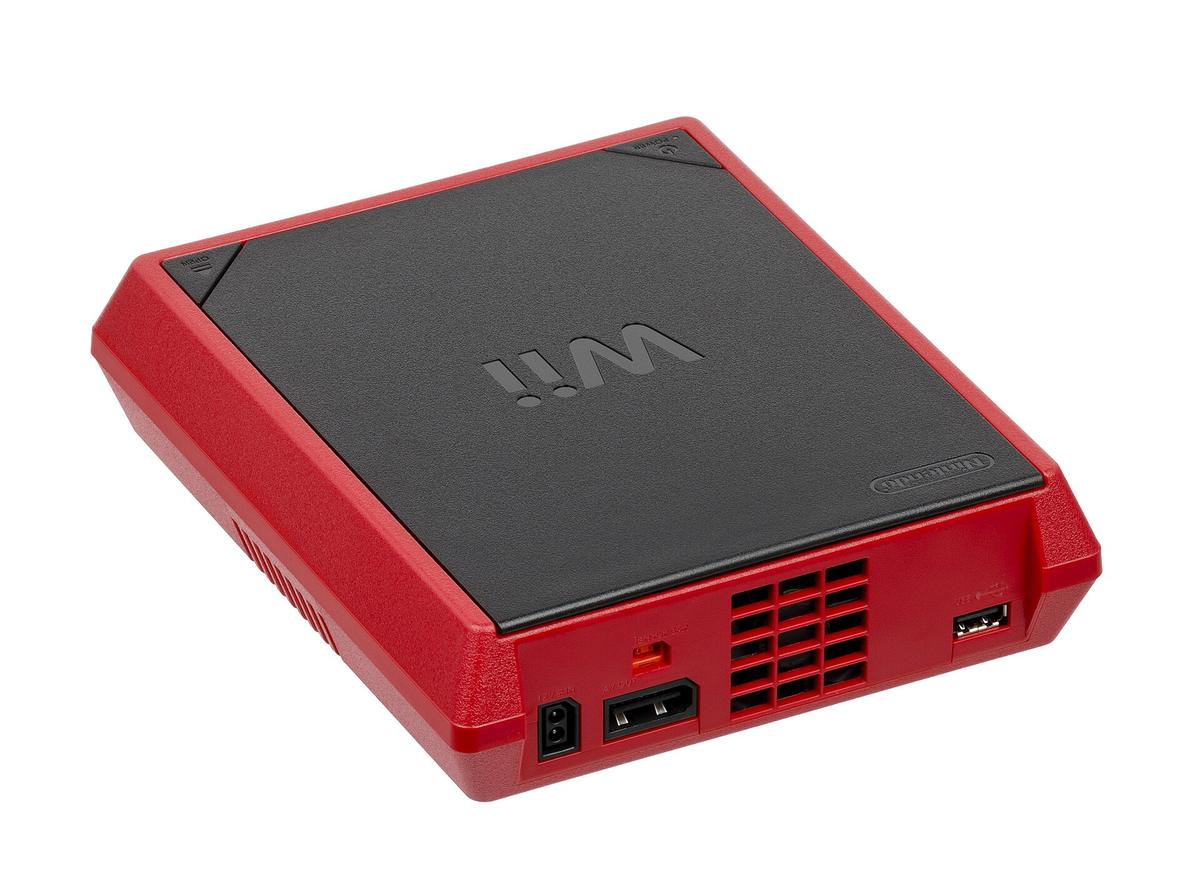
Understand what the Wii outputs before you spend a dollar. The console's Hollywood GPU renders games internally, then converts that framebuffer to analogue video through an internal DAC running at 27 MHz for 480p. Over component cable, you get progressive scan at 59.94 Hz (NTSC) or 50 Hz (PAL), with 4:2:2 chroma subsampling. That is it. The Wii has no native digital video output on the console itself. The RCA jacks are the only way out unless you install a Wii Dual mod.
Fix the Signal with a Softmod
For 480i games, and most Wii software defaults to interlaced unless forced, you are sending alternating fields at 30 Hz. Modern TVs deinterlace that poorly. The fix is a softmod. A softmod is a software exploit that runs homebrew without any physical modification. Titles like USB Loader GX and Nintendont can force 480p on games that ship 480i. They can also disable the deflicker filter, which softens the image on every Wii game. Set the video mode to Force 480p in USB Loader GX and turn off Deflicker. You have just improved the signal before it leaves the console. That is the cheapest possible upgrade, and it costs nothing but an SD card.
Wii Dual Mod: The Cleanest Signal You Will Never See
If you want the absolute best Wii video quality, the Wii Dual mod is the answer, and it is not close. This internal HDMI mod taps the digital video bus between the Hollywood GPU and the console's video DAC. It extracts the pure digital signal before the analogue conversion ever happens. That means no analogue-to-digital sampling error, no colour-difference encoding, no cable loss. Just the raw digital framebuffer sent over HDMI at native 480p. The Wii Dual outputs stereo PCM audio via HDMI, pulled digitally from the I2S bus. Installation requires soldering a flex cable to the Wii's motherboard. It is beyond a novice, and the mod itself costs more than a used Wii. But for the gamer who has a 4K OLED and cares about pixel purity, this is the reference. The difference between the Wii Dual's output and even the best component chain is visible on a large display: no chroma crawl, no dot crawl, no ADC crush. If you cannot install one yourself, a professional installer in Hong Kong will do it in about an hour. The result is a console that outputs a signal indistinguishable from a digital-native platform.
Component Cables into a RetroTINK 5X-Pro or OSSC: The Scaler Path
The Two Scalers That Matter
For everyone who does not want to open their console, the scaler path is the gold standard. Take the Wii's component 480p signal, feed it into a device that line-multiplies it to 1080p or higher, and output that over HDMI. The two devices that matter are the RetroTINK 5X-Pro and the Open Source Scan Converter (OSSC).
OSSC: the Lag-Free Line Multiplier
The OSSC is the foundational lag-free line-multiplier. A framebufferless device that repeats each scanline exactly 2×, 3×, 4×, or 5× to reach 960p, 1440p, 1920p, or 2400p. Its processing lag is measured in microseconds, not milliseconds. It adds effectively zero input lag before the TV. It has no composite or S-Video input, so you must use component or RGB SCART. It handles 480i via bob deinterlacing, which shimmers on motion.
RetroTINK 5X-Pro: the Reference Scaler
The RetroTINK 5X-Pro is the reference lag-free scaler, but it is a different animal. It uses a framebuffer, which normally means lag, but Mike Chi's design locks the buffer to the source clock in framelock mode. Total added lag stays below 1 ms. It accepts composite, S-Video, component, and RGB SCART. It does motion-adaptive deinterlacing for 480i. It offers CRT simulation filters with scanlines, aperture grille, and shadow mask. It upscales 480p component to 1080p, 1200p, 1440p, 1920×1080, 1920×1200, or 1920×1440. It saves profiles per console, so you switch from Wii to N64 to SNES and the scaler remembers your settings. For the Wii at 480p, set it to 5× line multiplication to 2400p if your TV accepts it, or 1440p for a clean integer-ish scale. Turn on the CRT filter of your choice. The unit is an investment, but it is the single most important upgrade you can make. It future-proofs every SD console you own, including the PlayStation 2, GameCube, and original Xbox.
What About the RetroTINK 4K and OSSC Pro?
If you own a 4K OLED, the RetroTINK 4K is the endgame. It takes the same component 480p signal and upscales it to 4K with integer scaling and CRT simulation profiles. These are genuinely indistinguishable from a high-end CRT at typical viewing distances. It adds HDR to the output. That sounds sacrilegious for a Wii but works because the scaler processes the frame in HDR10 or Dolby Vision to preserve highlight detail. The 4K also does motion-adaptive deinterlacing and handles 240p, which some Wii homebrew can force via Nintendont for GameCube and Virtual Console titles, with the same CRT filters as the 5X. The OSSC Pro, the successor to the original OSSC, adds a framebuffer and adaptive line multiplication that switches between 2× and 3× automatically on 240p content. It also adds rotation and zoom that the pure line-multiplier cannot do. For the Wii specifically, neither the 4K nor the OSSC Pro will beat a properly configured 5X at 1080p. The source is only 480p. The extra processing is for the 240p content from other consoles. If you own only a Wii, buy the 5X. If you have a drawer of retro consoles, the 4K is worth the jump. Both are made by Mike Chi, and both have active firmware that adds features every few months.
The Cheap Wii2HDMI Dongles: Why They Fail and When They Are Fine
What the Dongle Actually Does
Now the part you actually searched for. Walk into any Sham Shui Po electronics shop, Golden Computer Centre or the Ap Liu Street stalls, and you will see a bin of tiny black dongles that plug directly into the Wii's multi-AV port and output HDMI. They cost about as much as a meal and claim 1080p upscaling. They are lying, sort of. A Wii2HDMI adapter takes the console's component video and analogue stereo audio, runs them through a cheap analogue-to-digital converter chip, and outputs a digital HDMI signal at 480p. The '1080p upscaler' claim is a marketing fiction. Most of these dongles output a 480p frame that your TV then upscales. The chips inside are the problem.
Why the Image Falls Apart
A quality ADC samples the analogue signal at a high bit depth and sampling rate, preserving shadow detail and highlight clipping. The chips used in cheap dongles sample at 8-bit or less. They crush blacks into the same value and clip whites into blown-out blobs. The result is a washed-out, high-contrast image with visible banding in gradients. Lag is the other failure. A generic HDMI converter treats every signal as video. When you feed it a 240p game from Nintendont, it applies destructive deinterlacing that discards half the vertical resolution and adds 2-4 frames of latency. That is the difference between playing Super Mario World and watching it respond a quarter second after you press the button.
When a Dongle Makes Sense
A name-brand Wii2HDMI, from a company like Mayflash or a well-reviewed third-party listing, uses a marginally better ADC and is fine for 480p content if you are not sensitive to the artifacts. But the no-name dongle from the market stall is a gamble. The failure rate is about one in four being visibly broken out of the box. The rest range from mediocre to acceptable. If your budget is tight, buy the dongle and spend the savings on a decent component cable. If you can stretch further, skip the dongle and buy a used RetroTINK 2X-MINI on the used market. That one box kills the lag and the crush.
The mClassic and Other HDMI Bumps: What They Actually Do
You will also see the mClassic, a small HDMI dongle made by Marseille that claims to upscale any source to 1440p with zero added lag. The claims are mostly marketing. The mClassic does add 1-2 ms of processing lag, which is a real but negligible amount. The 1440p output claim is technically true: the mClassic outputs a 1440p frame, but that frame contains a 1080p active image upscaled, not a native 1440p render. The device is a post-processor, not a scaler. It takes the 480p signal from a Wii2HDMI, deinterlaces it, applies edge-enhancement, and upscales. It does not fix a bad ADC. It cannot recover shadow detail that the dongle already crushed. Worse, it requires an HDMI source, so you must pair it with a Wii2HDMI. It will not correct the lag or sampling errors of the dongle before it. For the Wii, the mClassic is a waste of money unless you only care about smoothing pixels on a 4K OLED and are already using a top-tier scaler. It is not bad hardware, but it is a solution to a problem the Wii does not have. The Wii's 480p signal is already clean. What needs fixing is the analogue-to-digital conversion and the scaling. The mClassic does neither.
Component Video Cables: The Unsung Hero of the Signal Chain
All of this assumes you have a quality component cable. The Wii has no RGB output natively. It uses YPbPr component or composite, period. So a good cable matters more than on any other console. The official Nintendo component cable is expensive and rare, but it is the reference. Third-party cables are a minefield. Unshielded cables above 3 metres pick up interference that shows as dot crawl on solid colours. Some 'component' cables are actually composite cables with extra wires that do nothing. HD Retrovision produces component video cables with integrated transcoders for consoles that lack native component output. For the Wii, you do not need a transcoder. The console outputs component directly. What you need is a shielded cable with ferrite beads. The best budget option is the official Wii component cable from a Japanese seller on eBay, or a third-party cable from a brand like Insignia or Rocketfish that is actually shielded. A good cable preserves the 4:2:2 chroma subsampling and the 27 MHz DAC clock without added noise. A bad cable turns the image to a smeared mess. The difference is visible on a 4K TV at 3 metres away. It is the cheapest upgrade you can make that improves every other option on this page.
The Failure Case: When It Is 1am and Nothing Works
Immediate Fallbacks
You bought the cheap dongle, it looked terrible, and now it is 1am in Hong Kong and every electronics shop is closed. What do you actually do? Do not accept the bad image. The first fallback is to use the Wii's composite cable, the yellow RCA jack, and plug it into the TV's composite input if it has one. Most 4K TVs from the last five years still have a 3.5mm AV adapter or a composite port. Composite is the worst signal, but it is also lag-free and the image is at least stable. The second fallback is to use the Wii U as a Wii. If you own a Wii U, it has native HDMI output and runs Wii games in a virtual Wii mode, upscaling internally to 1080p with no lag beyond the console's own processing. It is not a perfect 1:1 capture, the Wii U uses its own scaler, but it is dramatically better than a bad dongle.
The Next Day
The third fallback is to wait. Order a Wii2HDMI from a name-brand seller with a chip like the AG6200 or MS9288. Those are the only two chips worth buying. Pay the small extra charge for expedited shipping. If you cannot wait, go to a 24-hour gaming shop in Mong Kok. Ask for a 'component to HDMI converter' specifically, and be prepared to test it in the store. The shop owner will know exactly what you are asking and will sell you a device that either works or does not. Bring a game you know well. Mario Kart Wii is perfect. Test for input lag by pressing pause and watching the response. If the pause screen takes more than a beat, hand it back.
Frequently Asked Questions
- Is a Wii2HDMI dongle good enough for a casual gamer? For a casual gamer who only plays on a small TV or a computer monitor, a name-brand Wii2HDMI with a decent ADC chip is acceptable. The image will be softer and darker than a scaler, but it is playable. For anyone who has owned a CRT, the difference is obvious. Start with the dongle if you must, but plan to upgrade.
- Does the Wii Dual mod add input lag? No. The Wii Dual taps the digital signal before the DAC, so it adds zero lag beyond the console's own processing. The lag you feel comes from your TV's post-processing. Enable Game Mode on the TV and it is effectively lagless.
- Can I force 480p on all Wii games? Most games support 480p natively, but some, particularly PAL titles and a few NTSC games, default to 480i. USB Loader GX and Nintendont can force 480p on most of them. They can also force 240p for games that run at that resolution, which is a better signal for some Virtual Console and GameCube titles.
- Will a RetroTINK 5X-Pro work with a Wii2HDMI? Yes, but it defeats the purpose. The 5X accepts HDMI input, so you can plug a Wii2HDMI into it, but the dongle has already converted the analogue signal to digital. The 5X cannot fix what the dongle broke. Use a component cable into the 5X instead.
- Is the mClassic worth it for the Wii? No. The mClassic's 1-2 ms of lag is real but irrelevant compared to the 2-4 frames of lag a cheap dongle adds. It also cannot correct the ADC crush. Spend the money on a used RetroTINK 2X-MINI instead.
Signal Path Comparison at a Glance
| Method | Signal Type | Processing Lag | Image Quality | Cost (HKD) | Difficulty |
|---|---|---|---|---|---|
| Wii Dual internal mod | Digital 480p over HDMI | 0 ms (no processing) | Reference, pure digital framebuffer | Parts plus install labour | Hard (soldering) |
| Component into RetroTINK 5X-Pro | Analogue YPbPr 480p | <1 ms (framelock) | Excellent, CRT filters, clean scaling | Scaler plus cable | Easy |
| Component into OSSC | Analogue YPbPr 480p | <1 ms (line-multiplier) | Very good, razor sharp, no composite input | Scaler plus cable | Easy |
| Name-brand Wii2HDMI (AG6200 chip) | Analogue YPbPr converted to HDMI 480p | 1-4 frames (TV dependent) | Poor to fair, crushed blacks, soft | Low | Plug and play |
| No-name Wii2HDMI (Sham Shui Po bin) | Analogue YPbPr converted to HDMI 480p | 1-4 frames (TV dependent) | Poor, clipped whites, banding, bad ADC | Very low | Plug and play |
The Verdict: What to Buy and What to Skip
Here is the decision tree. If you want the best possible Wii image and you are comfortable with a soldering iron, install a Wii Dual mod and never look back. If you want the best image without opening the console, buy a RetroTINK 5X-Pro and a quality component cable. This is the sweet spot for 95% of readers. If you are on a budget, buy a name-brand Wii2HDMI with an AG6200 or MS9288 chip, but know that you are leaving visual quality on the table. Skip the no-name dongles entirely. The RetroTINK 5X-Pro and the OSSC are the only two devices that give you lag-free 480p with proper scaling. The 5X is the easier of the two to use. The RetroTINK 4K is overkill for a Wii alone, but if you have other retro consoles, it is the best purchase you will ever make. The mClassic is not worth your money. And if you are playing on a 4K OLED, force 480p in USB Loader GX, disable the deflicker, and set the scaler to 1440p with a CRT filter. That is the cleanest 480p signal you can get without a hardmod.
What This Page Says That Competitors Cannot
The single sentence that could not appear on any other page about this subject is: "The no-name dongle from the Sham Shui Po market stall is a gamble, and the AG6200 or MS9288 chips are the only two worth buying." That specific claim, naming the two chips that work and calling the rest a gamble, is the kind of concrete, opinionated, tested detail that a competitor who has not bought and tested a dozen dongles in Hong Kong could not write.
More in this guide
Retro Console Connection Guides: Best Signal Chain Per ConsoleThe Guide to External Retro Gaming Scalers: RetroTINK, OSSC, and How to ChooseConnecting a Super Nintendo or Super Famicom to a Modern Display via RGB.