240p, 480i, 720p, and 1080p Explained for Retro Gaming
What 240p, 480i, 720p, and 1080p actually mean for retro games, and why a 240p signal gets destroyed by a modern TV's internal scaler.
240p, 480i, 720p, 1080p Explained: What Retro Game Resolutions Mean
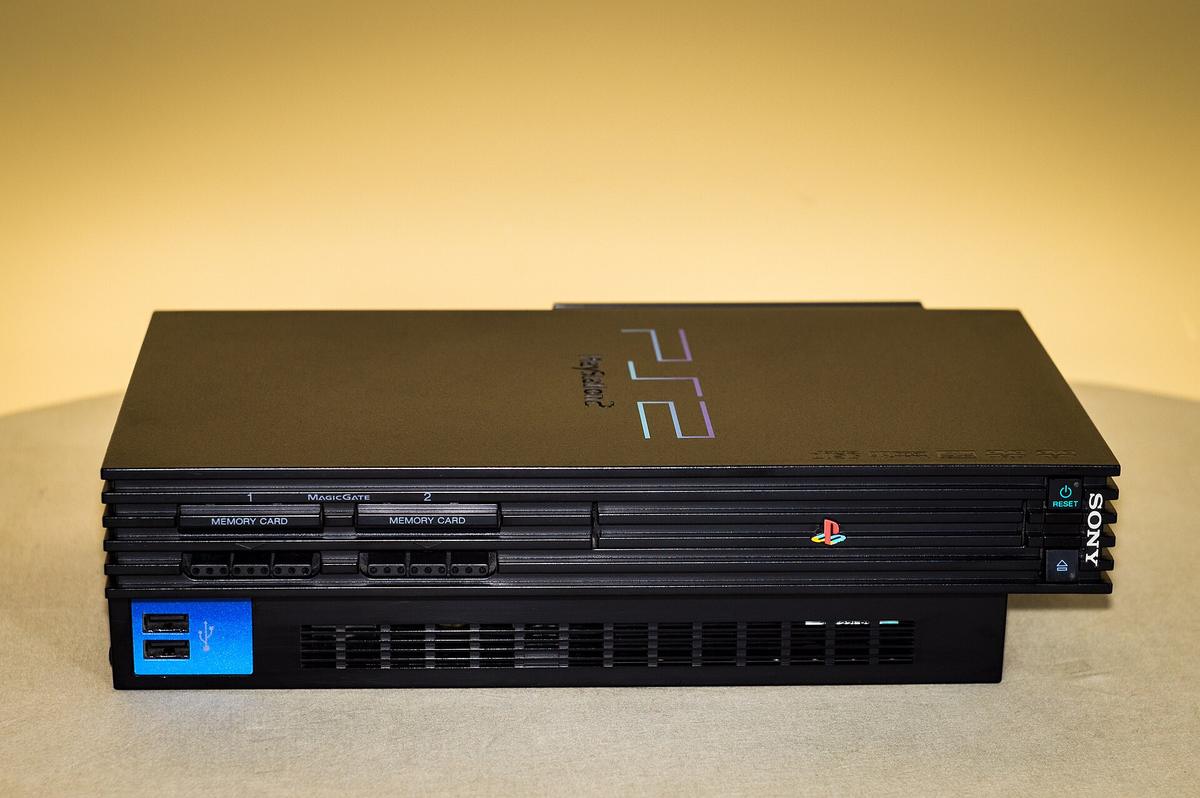
Plug a retro console into a modern 4K TV and you are not seeing what the console produces. You are seeing a translation. A scaler chip inside the TV, or inside an external converter, takes a low-resolution analogue signal and turns it into something digital the panel can display. That chip was designed for broadcast video. It was not designed for a Super Famicom. Every step adds potential delay or visual artifact. Learn the 240p 480i 720p 1080p distinction, because once you see why a 240p signal breaks a modern TV, you will never blame the console again. A SNES outputs 240p. A PS2 menu outputs 480i. An Xbox 360 outputs 720p. A PS3 outputs 1080p. Each one is a different animal, and your TV meets each with a different level of violence. What follows walks the four numbers, shows you what goes wrong, and tells you which box to buy so you stop fighting your display.
What Each Resolution Actually Is: 240p, 480i, 720p, 1080p
240p: The Retro Workhorse
240p is progressive scan. Every horizontal line of a single frame is drawn in one pass, top to bottom. The 'p' stands for progressive. A Super Famicom in Hong Kong typically pushes 256×224 or 512×224 pixels. A Sega Mega Drive does 320×224 or 256×224. All of it is wrapped in a 240p signal. The vertical active lines are 240, but the total lines per frame in NTSC are 262 or 263. The gap is the blanking interval, the time the electron beam needs to fly back to the top. The refresh rate is 59.94 Hz. The term 240p was never a broadcast standard. The retro gaming community coined it in the 1990s to describe what their consoles were already doing. Your TV sees this signal and mistakes it for 480i. That is where the trouble begins.What Each Resolution Actually Is: 240p, 480i, 720p, 1080p
480i: The Interlaced Broadcast Standard
480i is interlaced. Each frame is split into two fields. A field contains half the lines, 240 vertical active lines per field. The fields alternate, even lines then odd lines, to build one full frame. The total lines per frame in NTSC are 525. The two fields per frame run at 59.94 Hz. A PS2 menu outputs 480i, as do most PS2 games. Here is the problem. A scaler chip sees 240p and 480i as the same 15kHz analogue video signal, because they share the same horizontal frequency and total line count. The distinction sits in the blanking interval: 240p has a blank line between fields. 480i does not. A cheap converter cannot tell the difference. It assumes interlaced and applies deinterlacing.What Each Resolution Actually Is: 240p, 480i, 720p, 1080p
720p and 1080p: Modern Progressive Scan
720p is progressive scan with 720 vertical active lines and a total of 750 lines per frame, running at 60 Hz. An Xbox 360 outputs 720p natively for most games. 1080p is progressive scan with 1080 vertical active lines and 1125 total lines per frame. A PS3 outputs 1080p for many titles and for Blu-ray playback. These are clean digital signals over HDMI. Your TV treats them well. The pixel clock matters here: HDMI 1.4 has a maximum pixel clock of 340 MHz, and HDMI 2.0 goes up to 600 MHz. A modern 4K TV handles them without issue. The problem is never 720p or 1080p. It is the 240p and 480i content that breaks the scaler.Why 240p Breaks Modern TVs
The Misdetection Mechanism
Here is the mechanism, documented by RetroRGB and the 240p Test Suite. A modern TV's internal scaler chip is designed for broadcast video. Broadcast video is always interlaced: 480i, 576i, 1080i. Feed it a 240p signal and the chip misdetects it as 480i. The horizontal frequency and total line count are identical. It then applies a destructive deinterlace. It takes the two fields of 240 lines each, weaves them together incorrectly, discards half the vertical resolution, and adds combing artifacts. Those are the jagged horizontal lines that smear when a sprite moves. The claimed behaviour is a clean 1080p upscale. The real behaviour is a 480i deinterlace that produces a soft, combed mess.Why 240p Breaks Modern TVs
The Cheap Converter Trap
A generic HDMI converter from Sham Shui Po claims 1080p output on the box. Feed it a Super Famicom. It sees 240p, assumes 480i, deinterlaces, and adds 2 to 4 frames of input lag. The gap between the claim and the real output is a completely different signal treatment. The chip was designed for video, not games. The fix is a scaler that knows what 240p is. The RetroTINK 5X-Pro correctly identifies 240p, skips the deinterlace, and line-doubles it to 480p before scaling to 1080p. The result is a sharp image with scanlines present and no combing. The difference is not subtle. It is the gap between a game you can read and a watercolour smudge.240p vs 480i: The Difference and Why It Matters
240p and 480i are both 15kHz analogue video standards. The horizontal frequency is roughly 15.734 kHz for NTSC. The difference is structural. 240p is progressive scan: one frame of 240 lines drawn in a single pass, with a blank line between fields. 480i is interlaced: two fields of 240 lines alternate to make a 480-line frame. No blank line, because the fields are meant to be combined. What a scaler does with the signal is the distinguishing feature. Treating 240p as 480i destroys the scanline effect, the black lines between rows that give a CRT its characteristic look, and adds combing artifacts. A scaler that correctly handles 240p preserves those scanlines and produces a clean image.
240p vs 480i: The Difference and Why It Matters
For the Hong Kong apartment gamer with limited space who needs one display for modern and retro consoles, this is the core issue. Your Super Famicom outputs 240p. Your 4K OLED expects 480i at best. Plug the console in via composite. The TV sees a 15kHz signal, guesses interlaced, and weaves the two fields together. The result is a smeared mess on your 4K OLED. Combing on every horizontal edge. A flicker that makes text unreadable. You do not have a broken console. You have a broken scaler. The solution is not a better cable. Composite, S-Video, and component all carry the same 240p signal. Buy a scaler that understands it.
Retro Console Native Resolution: What Your Console Actually Outputs
Here is the factory data. A Super Famicom outputs 256×224, 256×239, or 512×224 pixels, all progressive, through its Multi AV connector. That connector carries composite, S-Video, or RGB depending on region. A Sega Mega Drive does 320×224 or 256×224, also 240p progressive. The Sony PlayStation 2 outputs 240p, 480i, and select titles at 480p or 1080i, through Multi AV carrying composite, S-Video, RGB, or YPbPr component. A Nintendo Switch, which is not retro, tops out at 1080p via HDMI, with supported resolutions of 480p, 720p, and 1080p.
Retro Console Native Resolution: What Your Console Actually Outputs
The 15kHz analogue video standard is fixed. 240p and 480i are historical formats. No console from the pre-HDMI era will output anything else natively. You can feed that signal into a scaler, and the scaler can output 1080p or 4K. The console itself cannot change its output. That is why the math of pixel grids does not change: a Super Famicom will always draw 256×224 pixels. The scaler's job is to map those pixels onto your 3840×2160 panel without inventing data. Line doubling repeats each line exactly. It does that with zero lag. Framebuffer scaling captures a full frame and resamples it. It can do non-integer scales but adds delay.
15kHz Video Signal Explained: The Physical Reality
How the CRT Beam Works
The 15kHz number is the horizontal frequency: 15,734 Hz for NTSC, 15,625 Hz for PAL. This is the rate at which the CRT electron beam sweeps across one line. A PAL signal runs at 50 Hz with 625 lines. NTSC runs at 60 Hz with 525 lines. A PAL game running at 50 Hz on a 60 Hz scaler will stutter unless the scaler handles frame rate conversion. The CRT electron beam draws the image line by line. It returns to the top during the blanking interval, the time when no picture is drawn. Scanline filters and black frame insertion try to replicate the look of those physical blank lines. They cannot reproduce the phosphor persistence of a CRT.15kHz Video Signal Explained: The Physical Reality
The Cable Hierarchy
The console video output hierarchy runs from worst to best: RF, composite, S-Video, then RGB or component at the top. Composite video carries all the signal on one wire. That causes dot crawl artifacts, the moving checkerboard pattern on colour edges. S-Video separates luminance and chrominance onto two wires, eliminating dot crawl. Component video and RGB are both high-quality analogue signals. Component uses three RCA jacks with colour-difference signals. RGB uses four signals with separate sync. For a Super Famicom, RGB SCART is the best you can do. For a PS2, component is better because the console outputs natively to it.Why 240p Breaks Modern TVs
Seven Failure Cases
Now, the failure cases. The first is 240p-as-480i misdetection, documented by RetroRGB and the 240p Test Suite. A scaler sees 240p, assumes 480i, applies deinterlacing, and discards half the resolution. The second failure is sync drop on white flash. The scaler loses sync and the screen goes black for 2 to 3 seconds during a Super Famicom game flash or a PS1 resolution switch. The sync signal is jittery or off-spec, and the scaler cannot lock on fast enough. The third failure is combing artifacts from motion. A scaler with motion-adaptive deinterlacing should reconstruct full resolution from 480i without flicker. A cheap one weaves the two fields, creating a jagged edge on moving objects.The fourth failure is aggressive sharpening. A scaler adds ringing halos around sprites that were not present on a CRT. You will see a white or black halo on high-contrast edges. Pure artifact. The fifth failure is wrong aspect ratio. A scaler stretches 4:3 content to 16:9, making Mario look like he ate too many mushrooms. The sixth failure is input lag. A scaler with a framebuffer adds 1 to 2 frames, which is playable. A TV's game mode adds 10 to 15 ms at 1080p and 30 to 40 ms at 4K, because the panel's internal scaler remains active. The seventh failure is the EDID handshake. Some capture cards report the RetroTINK 5X's 1080p output incorrectly and record a 1080i file, even though the unit is outputting progressive. Check the capture card's EDID settings.
How to Choose a Scaler: RetroTINK 5X-Pro, OSSC, and the Rest
The Three Serious Contenders
You have three serious options, and one junk option. The RetroTINK 5X-Pro is the reference lag-free scaler, designed by Mike Chi. It accepts composite, S-Video, and component over RCA, plus RGB SCART. It outputs up to 1080p or 1440p over HDMI. It has a menu system, profile saving, and CRT simulation filters. Its maximum input resolution spans 240p, 288p, 480i, 576i, 480p, 576p, 720p, and 1080i. It handles all of them without a framebuffer, so lag is measured in microseconds. The OSSC, the Open Source Scan Converter, is the foundational lag-free line-multiplier with no framebuffer. It produces razor-sharp pixels. It takes 240p, 288p, 480i, 576i, 480p, 576p, 720p, and 1080i via component or RGB. It has no composite or S-Video input. You cannot plug a NES into it without an external decoder.How to Choose a Scaler: RetroTINK 5X-Pro, OSSC, and the Rest
PS2 Owners: Buy the RetroTINK
The OSSC is a line multiplier with no framebuffer and no composite input. The RetroTINK 5X is a framebuffer scaler with composite and S-Video support. The distinguishing feature is whether you need to play 480i-heavy PS2 games without flicker. The OSSC line-doubles 480i into a flickering 480p image. It is unwatchable. The RetroTINK 5X's motion-adaptive deinterlacing reconstructs full resolution from 480i without flicker. That is critical for PS2 games. If you only play Super Famicom and Mega Drive, the OSSC is fine. If you play PS2, buy the RetroTINK. The Analogue Pocket is a different animal. It is a handheld FPGA console with a dock that outputs 1080p, replicating Game Boy, Game Gear, and other portables on a TV. It is not a scaler. It is a console that happens to use FPGA hardware.How to Choose a Scaler: RetroTINK 5X-Pro, OSSC, and the Rest
Cables, PAL, and the Junk Option
For cables, HD Retrovision produces component video cables with integrated transcoders for consoles that lack native component output, like the Mega Drive and Super Famicom. They are the best way to get an RGB-quality signal into a scaler without a SCART switcher. In Hong Kong, your TV's broadcast standard was PAL-I, 576i at 50 Hz. A PAL Super Famicom outputs 288p, not 240p. The RetroTINK 5X handles 288p and 576i, but your 4K TV may not accept a 50 Hz signal over HDMI. Enable the frame rate conversion in the scaler. The generic HDMI converter from Sham Shui Po is the junk option. It claims 1080p but treats 240p as 480i. Avoid it. The mClassic claims 1440p output, but it upscales a 1080p active area and adds lag. It is a waste of money for retro.How to Choose a Scaler: RetroTINK 5X-Pro, OSSC, and the Rest
The 4K Endgame and the Budget Path
For the 4K crowd, the RetroTINK-4K is the endgame. It accepts 240p, 288p, 480i, 576i, 480p, 576p, 720p, 1080i, and 1080p via component over RCA, S-Video over Mini-DIN, composite over RCA, or SCART. It outputs 3840×2160 at 60 Hz. It adds HDR and 4K scanline masks, which look superb on an OLED. The distinguishing feature between the 5X and the 4K is whether you need HDR CRT emulation and 4K scanlines. If you do, pay the premium. On a budget, the GBS-Control is a Chinese scaler with motion-adaptive deinterlacing. It exhibits chroma artifacts on fast-moving red objects. It is for tinkerers. The OSSC zero-lag claim is real. It is a line multiplier with no framebuffer, so lag is measured in microseconds, not milliseconds. But it cannot do non-integer scales. 240p to 1080p requires a 4.5x scale, which produces uneven pixels.FAQ: 240p, 480i, 720p, 1080p Retro Gaming
- Why does my Super Famicom look blurry on my 4K TV? The TV's scaler misdetects the 240p signal as 480i and deinterlaces it, discarding half the vertical resolution. Buy a RetroTINK 5X-Pro to fix it.
- What is the difference between 240p and 480i? 240p is progressive scan with a blank line between fields. 480i is interlaced with alternating fields. A scaler that treats 240p as 480i destroys the scanline effect and adds combing artifacts.
- Can I use a cheap HDMI converter for retro gaming? No. It claims 1080p but treats 240p as 480i, adding 2 to 4 frames of lag and destroying the image. Spend the money on a proper scaler.
- What is the best scaler for a PS2? The RetroTINK 5X-Pro. Its motion-adaptive deinterlacing reconstructs full resolution from 480i without flicker. The OSSC cannot do this.
- Does my TV's Game Mode eliminate input lag? No. A Samsung or LG TV in Hong Kong with Game Mode on still adds 10 to 15 ms at 1080p and 30 to 40 ms at 4K. The panel's internal scaler remains active.
- Should I buy the RetroTINK 4K instead of the 5X? Only if you need HDR CRT emulation and 4K scanline masks. Otherwise, the 5X maxes at 1440p and is enough for 240p and 480i.
- Will a PAL console work on an NTSC scaler? Yes, but PAL runs at 50 Hz with 288p and 576i. The scaler must handle frame rate conversion, or the game will stutter. The RetroTINK 5X supports 288p and 576i.
Input Lag, Sync Tolerance, and Signal Compatibility: What to Measure
Three Metrics That Matter
When you compare scalers, measure three things. Input lag is measured in milliseconds from signal in to frame on screen. A line multiplier like the OSSC adds microseconds. A framebuffer scaler adds one frame or less. A TV's built-in scaler adds 10 to 40 ms. Input signal compatibility is the categorical list of accepted signal types: composite, S-Video, component, RGB SCART, VGA, HDMI. A scaler that lacks composite input cannot take a NES without an external decoder. Maximum output resolution is measured in pixels vertically: 1080p, 1440p, 4K. Sync tolerance is a categorical measure of how jittery or off-spec a sync signal the device accepts. A scaler with slow lock means a blank screen for 2 to 3 seconds every time a PS1 game switches from 240p menu to 480i gameplay.Input Lag, Sync Tolerance, and Signal Compatibility: What to Measure
What to Buy for a Hong Kong Apartment
The practical instruction is this. If you are buying one scaler for a Hong Kong apartment with a 4K OLED and a shelf of retro consoles, buy the RetroTINK 5X-Pro. It costs roughly $300 USD, ships from Mike Chi's store, and arrives in about a week. It accepts composite, S-Video, and component. Plug in everything from a NES to a PS2 without extra adapters. It saves profiles per console. Switch from Super Famicom to PS2 without reconfiguring. If you only play Super Famicom and Mega Drive and want zero lag, the OSSC is fine. You will need RGB SCART cables and a SCART switcher. You will not be able to play PS2 without flicker. The Analogue Pocket with a dock plays handheld games. It does not upscale your consoles.Input Lag, Sync Tolerance, and Signal Compatibility: What to Measure
What to Avoid
Do not buy the mClassic. It claims 1440p output, but it upscales a 1080p active area and adds lag. The gap is a full resolution tier, caused by the scaler not generating new pixel data at the output resolution. Do not buy a generic HDMI converter from Sham Shui Po. It claims 1080p but treats 240p as 480i. The gap is a completely different signal treatment. If you already have a GBS-Control, you can make it work. Expect chroma artifacts on fast-moving red objects. It is a tinkerer's board, not a consumer product. If you are on a PS5 or Xbox Series X and want better anti-aliasing, a RetroTINK will not help you. Those consoles output 4K natively. Your money is better spent on a better display.Who This Subject Suits, and Who It Does Not
This subject suits the traveller who owns a stack of original consoles and wants one display that does not butcher the image. It suits the Hong Kong apartment gamer with limited space who needs one display for modern and retro consoles and must understand why their Super Famicom looks like a smeared mess on their 4K OLED. It suits the modern gamer who wants better anti-aliasing on a PlayStation 5 or Xbox Series X and needs to know that the scaler is not the bottleneck. It does not suit someone who only plays emulators on a PC. There, the emulator handles the scaling, and you do not need a RetroTINK. It does not suit someone who is happy with the composite cable and a CRT. If you already have a CRT, you do not need a scaler. A 14-inch Trinitron from 1998 will beat any LCD for 240p.
Who This Subject Suits, and Who It Does Not
It does not suit someone who needs a single cable to rule them all. The RetroTINK 5X-Pro does not accept RF, so a NES or Atari 2600 requires an external demodulator. It does not suit someone who refuses to learn menu options. The RetroTINK has a menu system, and you will use it to switch profiles. It does not suit someone on a tight budget. The cheap route is a used CRT for free on Carousell and a set of composite cables. But if you are reading this, you have tried that and the CRT died, or you do not have the desk space. The honest recommendation: buy the RetroTINK 5X-Pro, buy HD Retrovision component cables for your Super Famicom and Mega Drive, and set a profile for each console. That is the entire hobby.
More in this guide
How Retro Game Upscaling Works: From 240p to a 4K Flat PanelAI Upscaling Technologies and Hardware Dongles Solve Different Retro Gaming Problems.
.jpg)