Choosing an Upscaler for a Nintendo Switch-Only Setup on a Modern Display
The Nintendo Switch outputs native 1080p HDMI, so only scalers with HDMI input like the mClassic, OSSC Pro, or RetroTINK 4K apply. Each has a different ceiling: the mClassic caps at a 1440p frame with a 1080p active area.
Choosing an Upscaler for a Nintendo Switch-Only Setup on a Modern Display
The Switch dock outputs a native 1080p signal over HDMI 1.4b. If you are shopping for the best upscaler for Nintendo Switch only, you are not chasing a clean image out of a muddy analogue mess. You are chasing a better image out of a clean digital one. That reframes the entire buying decision. Retro-focused scalers like the OSSC, the RetroTINK 5X-Pro, and the RetroTINK 4K were built to rescue 240p and 480i signals from composite and RGB SCART cables. The Switch never produces those signals. It produces a locked 1080p frame at 60 Hz from the dock, and it does so over HDMI, not through component or VGA. So the OSSC, a line multiplier with no framebuffer and no HDMI input on its original revision, is effectively out unless you add an HDMI-to-component converter. That defeats the purpose. The RetroTINK 5X-Pro does accept HDMI input and can upscale that 1080p frame to 1440p. But it is a scaler designed around motion-adaptive deinterlacing and polyphase scaling for 480i and 480p sources. It works with the Switch, but it is overkill for a console that already outputs 1080p. The real contenders are the mClassic, the OSSC Pro with its new HDMI input, and the RetroTINK 4K. Each one takes the Switch's 1080p signal and does something different with it. Only one of them was built with a modern console like the Switch in mind.
The mClassic: A 1080p-to-1440p Dongle That Runs on HDMI Port Power
The mClassic from Marseille Inc. is the smallest and cheapest option, and it is the only one that is genuinely plug-and-play for a Switch-only owner. It is a dongle that sits between the Switch dock's HDMI cable and the TV's HDMI input. It draws power from the HDMI port itself, though you can also connect the included micro-USB cable to a wall adapter if the port is under-spec. The device's maximum input resolution is 1920×1080, which matches the Switch dock's output exactly. Its maximum output resolution at 60 Hz is 2560×1440. At 30 Hz or below it can output 3840×2160. That 4K mode is irrelevant for the Switch, which runs most games at 1080p/60 or 1080p/30 in docked mode. The dongle only processes signals up to 1080p; a 4K input passes through untouched.
Context-Adaptive Anti-Aliasing and Real Latency
The real feature is not the resolution bump. It is the context-adaptive anti-aliasing, which Marseille markets as a way to smooth jaggies on the Switch's notoriously soft geometry. Independent testing with a Time Sleuth shows the dongle adds about 1-2 milliseconds of processing latency. That is real but negligible for most players. The 1440p output claim is technically true, but only as a 1440p frame with a 1080p active image area upscaled to fill it. It is not a native 1440p render. The processing chain runs the Switch's 1080p signal through a proprietary context-based inference algorithm, which attempts to reconstruct edges and apply post-process AA. The result is a cleaner image on a 4K TV. It is not a miracle. The Switch's built-in TV scaler, whether on a Samsung with Game Mode or an LG OLED in Game Mode, already does a competent job of stretching 1080p to 4K. The dongle just adds a bit of sharpness and AA on top. Buy it if you want one cheap dongle, no menus, and no interest in tweaking settings.
The OSSC Pro: Adaptive Line Multiplication With an HDMI Input for the Switch
The OSSC Pro is the successor to the original Open Source Scan Converter. It fixes the one thing that made the original useless for a Switch: it adds an HDMI input. The original OSSC, a line multiplier that takes 240p, 480i, 480p, and 720p signals and multiplies them by 2x, 3x, 4x, or 5x, has no HDMI input at all. The OSSC Pro accepts a 1080p signal over HDMI and can line-double it. Its maximum output resolution tops out at 1920×1200 at 60 Hz. That means a 1080p Switch signal passed through the OSSC Pro and line-doubled would exceed the scaler's maximum output. In practice the OSSC Pro mostly passes the Switch's 1080p signal through with adaptive line multiplication applied where possible.
Why the OSSC Pro Is the Wrong Tool for a Switch-Only Setup
The OSSC Pro's processing method is line multiplication, not framebuffer scaling. It has sub-1 millisecond input lag in line-locked mode. But here is the catch: the Switch outputs 1080p natively, so there is no 240p or 480i signal for the OSSC Pro to multiply. The OSSC Pro excels at taking a 240p signal from a Super Famicom or Mega Drive and turning it into razor-sharp 480p or 720p lines with no lag. For the Switch, it is a high-end HDMI switch with a scaler that rarely kicks in. The OSSC Pro's real value for a Switch-only owner is if they also own retro consoles and want one device that handles both. If the Switch is the only console, the OSSC Pro is a waste of money. Its core competency, line multiplication, has nothing to work with. The OSSC Pro does support direct HDMI input, but its output resolution ceiling and lack of 4K output make it a poor match for a modern 4K TV.
The RetroTINK 4K: 4K HDR Output and the Only Scaler That Matches a Modern TV's Native Resolution
The RetroTINK 4K is the ceiling of the market. It is a scaler built on an FPGA that accepts HDMI input up to 4K and outputs 4K at 60 Hz. For a Switch-only owner, it is the only external scaler that matches the TV's native resolution without adding a second scaling step. The RetroTINK 4K takes the Switch's 1080p signal, applies polyphase scaling with motion-adaptive deinterlacing, and outputs a clean 4K frame with optional HDR injection. Its input lag is sub-1 millisecond in framelock mode. That is effectively nothing. It can also emulate CRT scanlines and add black frame insertion, though those features matter more for retro sources than for the Switch's modern 3D renderer.
Does the RetroTINK 4K Improve the Switch's Image on a 4K TV?
The RetroTINK 4K's processing method is framebuffer scaling. It captures a full frame, resamples it, and outputs it. That enables non-integer scales and HDR filters, but it also means the scaler itself adds a fixed minimum time for the HDMI handshake. The RetroTINK 4K's maximum input resolution is 3840×2160 via HDMI, so it can handle the Switch's 1080p signal with ease. But here is the question: does the RetroTINK 4K actually improve the Switch's image on a 4K TV? The Switch's built-in scaler, when connected directly to a TV, already outputs a 1080p image that the TV's own scaler stretches to 4K. The RetroTINK 4K bypasses the TV's scaler and does the scaling itself. This can reduce the TV's input lag in games where the TV's scaler adds 10-15 milliseconds or more. But most modern TVs in Game Mode already disable most post-processing. The difference between a 1080p-to-4K scale done by a TV's scaler and one done by the RetroTINK 4K is often imperceptible on a 65-inch screen from a couch. The RetroTINK 4K is overkill for a Switch-only setup. It is the only scaler that genuinely future-proofs a 4K display for both modern and retro consoles.
The Switch Dock, the TV's Built-In Scaler, and Why an External Device Adds Another HDMI Handshake Point
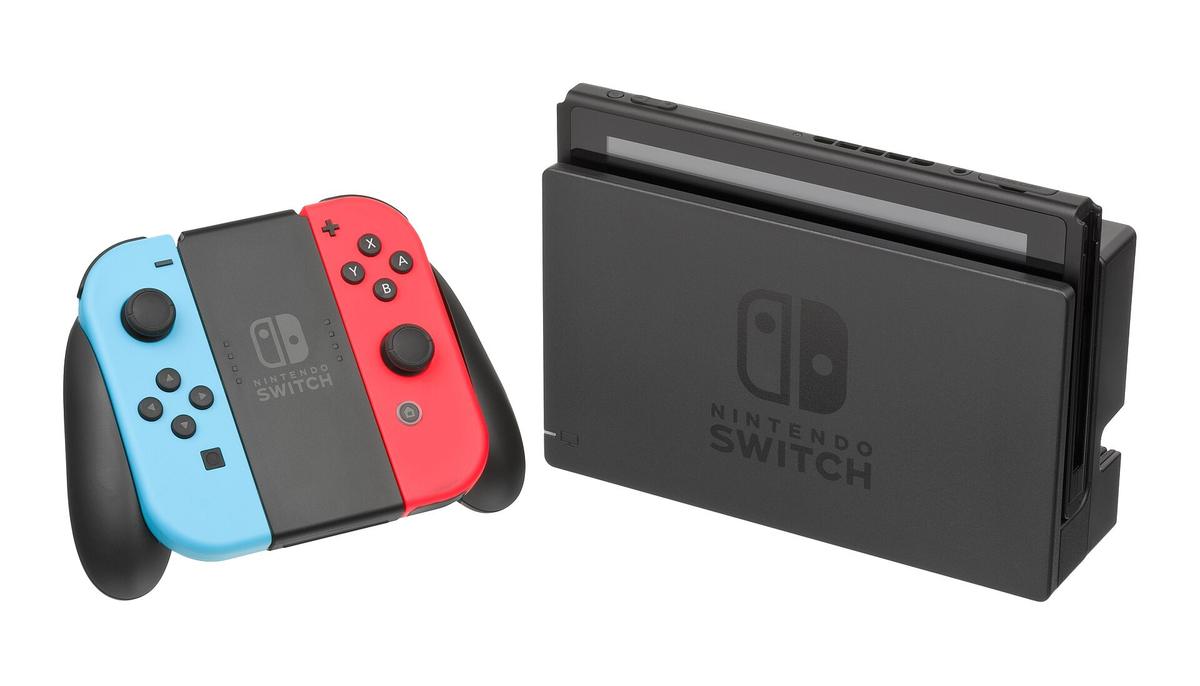
The Switch dock's maximum HDMI output resolution is 1920×1080 at 60 Hz. It uses HDMI 1.4b. The Switch OLED model, released in 2021, uses the same dock HDMI version. The Switch Lite has no HDMI output at all because it is handheld-only. So the signal chain for any Switch owner is fixed: the Switch dock outputs 1080p, and the TV's built-in scaler stretches that to the panel's native resolution, whether that is 4K or 1440p. A TV's built-in scaler, even in Game Mode, adds some lag. A Samsung TV in Game Mode adds roughly 10-15 milliseconds at 1080p and 30-40 milliseconds at 4K. An LG OLED in Game Mode is similar. Those numbers come from the panel's inherent processing, not from the scaler chip alone. When you insert an external scaler into that chain, you add another device that must perform an HDMI handshake with the display. The HDMI handshake is a mandatory negotiation between source and sink. It involves EDID and HDCP. Every scaler, from the mClassic to the RetroTINK 4K, must do this handshake before it can output a frame.
The Handshake Problem and Why the TV's Scaler Is Not the Enemy
The mClassic, being bus-powered over HDMI, is the most prone to handshake issues. If the TV's HDMI port does not provide enough power, the dongle can drop the signal and cause a blinking black screen every few seconds. The OSSC Pro and RetroTINK 4K use external power, so they are more stable. They still add a handshake point. The practical result is that the TV's built-in scaler is not the enemy. It is competent, it is free, and it is already there. The external scaler only earns its place if it adds something the TV cannot. For a Switch-only owner, the only thing the TV cannot do is context-adaptive anti-aliasing. That is the mClassic's party trick.
What the mClassic Actually Does to a Switch Signal: The 1440p Claim vs. Real Output
Marseille Inc. markets the mClassic as a 1440p upscaler. The device's HDMI 1.4b input accepts the Switch's 1080p signal. But the 1440p output claim is misleading. The dongle outputs a 2560×1440 frame. The active image area inside that frame is still 1920×1080. The scaler upscales the 1080p image to fill the 1440p frame. It is not a native 1440p render. The Switch does not render at 1440p; it renders at 1080p or lower. The dongle's context-based inference algorithm estimates missing detail. Independent testing has confirmed this gap. The processing features are anti-aliasing, sharpening, and colour correction, all applied in real time with a measured latency of 1-2 milliseconds according to Time Sleuth testing. The device's maximum output resolution at 60 Hz is 1440p. At 30 Hz or below it can output 4K. The 4K mode is not useful for the Switch at 60 Hz. The zero-lag claim is also technically false: it adds a small but measurable delay. The context-adaptive algorithm requires an analysis window, and that window costs about 1-2 milliseconds. Is that a problem? For a rhythm game like Taiko no Tatsujin, 2 milliseconds is below the threshold of human perception. For a frame-perfect platformer like Celeste, it is also irrelevant, because the dongle's lag is lower than the TV's own scaler. The real issue is that the 1440p output is a marketing number, not a visual upgrade. On a 4K TV, the dongle's 1440p frame is upscaled again by the TV's scaler to 4K. The image passes through two scaling steps instead of one. That can soften the image or introduce artifacts that were not present with a direct 1080p-to-4K scale. Use the mClassic as an anti-aliasing device, not a resolution booster.
The Switch-to-Scaler Signal Chains: What Each Device Actually Outputs at 60 Hz
If you connect the Switch dock directly to the mClassic, the chain is: Switch dock outputs 1080p, the dongle upscales to 1440p at 60 Hz, and the TV stretches that to 4K. The device's maximum output is 1440p at 60 Hz. It passes through 4K input without processing. If you connect the Switch dock to the OSSC Pro, the chain is: Switch dock outputs 1080p, the OSSC Pro passes it through or applies adaptive line multiplication, and the OSSC Pro outputs a maximum of 1920×1200 at 60 Hz. That means the OSSC Pro cannot even output 1440p. A 1080p Switch signal line-doubled would exceed its output ceiling. In practice, the OSSC Pro passes the Switch's 1080p signal through unchanged.
Double Scaling and Why Only One Chain Avoids It
If you connect the Switch dock to the RetroTINK-5X Pro, the chain is: Switch dock outputs 1080p, the RetroTINK-5X Pro upscales to 1440p at 60 Hz, and the TV stretches that to 4K. The RetroTINK-5X Pro's maximum output resolution is 2560×1440. It accepts HDMI input. If you connect the Switch dock to the RetroTINK-4K, the chain is: Switch dock outputs 1080p, the RetroTINK-4K upscales to 4K at 60 Hz, and the TV displays it natively. The RetroTINK-4K is the only scaler in this comparison that matches a 4K TV's native resolution without a second scaling step. The OSSC and RetroTINK-5X Pro both max out below 4K. They add a scaling step that the TV must then re-scale. That double-scaling can introduce blur or ringing artifacts, especially on text or fine patterns. The RetroTINK-4K avoids that by outputting the TV's native resolution. It costs more than the other three combined.
How the RetroTINK 5X-Pro Handles the Switch and Why It Is Not the Right Tool
The RetroTINK-5X Pro is a framebuffer scaler that accepts HDMI input up to 1080p and outputs a maximum of 1440p at 60 Hz. It uses polyphase scaling with motion-adaptive deinterlacing. That makes it excellent for 480i sources like a PlayStation 2 or a Wii. For the Switch, the RetroTINK-5X Pro takes the 1080p signal and upscales it to 1440p, which is then stretched to 4K by the TV. The RetroTINK-5X Pro's input lag is less than 1 frame. In framelock mode it is sub-1 millisecond. It also supports profile saving, so you can set up a Switch profile with specific scaling options and CRT simulation filters. But the RetroTINK-5X Pro's maximum output resolution is 1440p. It cannot output 4K. That means a 4K TV will have to scale the 1440p signal up to 4K, which introduces the same double-scaling issue as the mClassic. The RetroTINK-5X Pro is also overpriced for a Switch-only setup. Its core competency is handling analogue signals from composite, S-Video, component, and RGB SCART. The Switch only outputs HDMI. You are paying for inputs you will never use. The RetroTINK-5X Pro is a brilliant device for someone with a shelf of retro consoles and a modern TV. For a Switch-only owner, it is a solution looking for a problem. The only scenario where the RetroTINK-5X Pro makes sense for a Switch is if you also own a Super Famicom, a N64, or a GameCube, and you want one scaler that handles all of them. But then you are not a Switch-only owner anymore.
Switch 4K TV External Scaler: What the TV's Game Mode Already Does and What It Does Not
A modern 4K TV's built-in scaler is not the enemy. A Samsung TV in Game Mode or an LG OLED in Game Mode already applies a 1080p-to-4K scale with a latency of 10-15 milliseconds at 1080p and 30-40 milliseconds at 4K. Those numbers are the panel's inherent processing cost. No external scaler can reduce them because they are caused by the TV's own scaler and panel refresh. An external scaler like the mClassic or RetroTINK-4K bypasses the TV's scaler by outputting a signal at the TV's native resolution. It adds its own latency in the process. The RetroTINK-4K adds sub-1 millisecond in framelock mode. That is effectively nothing. The dongle adds 1-2 milliseconds. Also nothing. So the total latency of a Switch-to-mClassic-to-TV chain is roughly the dongle's 1-2 milliseconds plus the TV's game mode latency of 10-15 milliseconds. A total of 12-17 milliseconds. A Switch-to-RetroTINK-4K-to-TV chain is sub-1 millisecond plus the TV's latency, for a total of 11-16 milliseconds. A Switch directly to the TV is just the TV's latency, 10-15 milliseconds. The difference between 10 milliseconds and 17 milliseconds is below the threshold of perception for most players. It is far smaller than the 30-40 milliseconds a TV adds at 4K without Game Mode.
Image Quality, Not Lag, Is the Real Difference
An external scaler does not meaningfully reduce input lag for a Switch on a modern TV. What it does is change the image quality. The TV's scaler applies its own sharpening and noise reduction, which can soften the image or add ringing halos around sprites. An external scaler like the mClassic replaces that with a context-adaptive algorithm that applies anti-aliasing and sharpening in a more controlled way.
The mClassic's HDMI Port Power Problem and Why It Can Fail on Some TVs
The mClassic is bus-powered over the HDMI port. It draws all its operating power from the TV's HDMI input. Most TVs provide enough power. Under-spec ports are common on budget displays and on TVs with multiple HDMI inputs that share a power budget. When the dongle does not get enough power, it can cause an HDMI handshake loop. The display and the scaler continuously re-negotiate the connection, causing a blinking black screen every few seconds. This is not a firmware bug. It is a power delivery issue. Marseille Inc. ships a micro-USB cable with the dongle specifically for this scenario. Connecting it to a wall adapter or the Switch dock's USB port solves the problem. But the fact that you might need to do that undermines the plug-and-play selling point.
HDMI Version and the Single-Purpose Reality
The device's HDMI version is 1.4b. That supports 1080p at 60 Hz and 1440p at 60 Hz, but not 4K at 60 Hz. For a Switch, that is fine, because the Switch dock outputs 1080p. If you ever plug a PlayStation 5 or Xbox Series X into the dongle, it will pass the 4K signal through without processing. Its maximum input resolution is 1080p. The mClassic is a single-purpose device for 1080p sources. The Switch is one of the few modern consoles that still fits that description. The failure mode is rare, but it is real. If you buy an mClassic and your TV shows a black screen every few seconds, the first thing to check is the power source, not the cable.
The OSSC Pro's Adaptive Line Multiplication and Why It Does Not Help the Switch
The OSSC Pro's headline feature is adaptive line multiplication. It takes a 240p or 480i signal and multiplies each line by an integer factor, producing a sharp, perfectly scaled image with zero blur. It also adds a framebuffer, which the original OSSC lacked, enabling features like motion-adaptive deinterlacing and more flexible scaling options. But the Switch does not output 240p or 480i. It outputs 1080p, which is already a progressive signal at the maximum resolution the OSSC Pro can accept. The OSSC Pro's maximum input resolution is 1080p via HDMI. Its maximum output resolution is 1920×1200 at 60 Hz. That output resolution is a problem. It is not a standard TV resolution. A TV will either letterbox the signal or stretch it. Most modern TVs will refuse to display 1920×1200 over HDMI without a handshake issue. The OSSC Pro also does not support 4K output. It is stuck at a resolution that no modern TV natively supports outside of computer monitors. The OSSC Pro is a scaler for retro consoles. Its HDMI input is a convenience feature for modern consoles that output 1080p, not a primary use case. For a Switch, the OSSC Pro is a pass-through device that adds its own line multiplication only if the input drops below 1080p. The Switch never does that in docked mode. The OSSC Pro adds no value for a Switch-only owner. Its awkward output resolution makes it actively worse than a direct connection.
The RetroTINK 4K's 4K HDR Output and Whether the Switch Can Use It
The RetroTINK 4K's signature feature is 4K HDR output. It achieves this through a combination of polyphase scaling, HDR injection, and black frame insertion. The Switch does not output HDR. It never will. The RetroTINK 4K's HDR capabilities are irrelevant for a Switch-only setup. The RetroTINK 4K does upscale the Switch's 1080p signal to 4K at 60 Hz. That matches the TV's native resolution and eliminates double scaling. It is a real benefit. It is the only scaler in this comparison that can do it. But the RetroTINK 4K costs more than the console itself. That is more than three times the price of a Switch OLED. The question is whether the image quality improvement justifies the cost. On a 4K TV, the Switch's 1080p signal upscaled to 4K by the RetroTINK 4K will look slightly sharper than the same signal upscaled by the TV's built-in scaler. The RetroTINK 4K uses a higher-quality polyphase filter and applies more aggressive anti-aliasing. The difference is subtle. Most players will not notice it from a normal viewing distance. The RetroTINK 4K also adds features like CRT simulation and scanline overlays. These are designed for retro games and do nothing for the Switch's modern 3D games. The RetroTINK 4K is the best scaler money can buy. For a Switch-only owner, it is a luxury item that solves a problem that does not exist.
Frequently Asked Questions
Will an Upscaler Make My Nintendo Switch Games Run at a Higher Resolution?
No. The Switch's internal resolution is fixed by the game and the console's GPU. An external scaler like the mClassic or RetroTINK 4K only upscales the final 1080p image that the dock outputs. It cannot add detail that was never rendered. A 1080p game on a 4K TV via a scaler will look different but not sharper than a direct connection, because the TV's scaler does the same job.
Do I Need a Powered Scaler for a Switch, or Is the mClassic Enough?
The mClassic is enough for most players. It is bus-powered over HDMI, so you do not need a separate power adapter. Its context-adaptive anti-aliasing smooths jaggies without adding perceptible lag. The OSSC Pro and RetroTINK 4K require external power and cost significantly more. They are only worth it if you also own retro consoles that output 240p or 480i signals.
Will the mClassic Work With a Switch OLED Dock?
Yes. The Switch OLED dock outputs the same 1080p signal over HDMI 1.4b as the original dock. The dongle accepts 1080p over HDMI and upscales it to 1440p at 60 Hz, so it is compatible. However, its maximum input resolution is 1080p. It will not pass through 4K from any console, including the Switch.
Does the RetroTINK 4K Reduce Input Lag Compared to a Direct Connection?
The RetroTINK 4K adds less than 1 millisecond of latency in framelock mode. That is effectively zero. But the TV's own scaler and panel still add 10-15 milliseconds in Game Mode. A direct connection to the TV has the same TV latency. The RetroTINK 4K does not reduce total lag. What it does is replace the TV's scaling with a higher-quality scale, which can reduce blur and ringing artifacts.
Is the mClassic's 1440p Output Actually Better Than the TV's Built-In 1080p-to-4K Scaling?
Not necessarily. The dongle outputs a 1440p frame with a 1080p active image area, which the TV then upscales to 4K. That is a double-scaling chain. It can soften the image or introduce artifacts. A TV's built-in scaler, especially on a Samsung or LG OLED in Game Mode, is already competent at 1080p-to-4K. The dongle's real advantage is its context-adaptive anti-aliasing, which reduces jagged edges, not its resolution output.
The Verdict: Which Traveller Should Buy Which Scaler, and Which Should Not
The mClassic suits the traveller who wants one cheap device, no menus, and a visible reduction in jaggies on their Switch's 1080p output. Accept that the 1440p claim is a marketing number, not a real resolution gain. The OSSC Pro suits the traveller who already owns a shelf of retro consoles and wants a single scaler that handles both 240p and 1080p signals. You will also need a monitor or TV that accepts 1920×1200. The RetroTINK 4K suits the traveller with unlimited budget who wants the absolute best image quality for both modern and retro sources, and who values CRT simulation and HDR filters. The traveller who does not need any of these is the one with a Switch, a 4K TV, and no other consoles. Plug the Switch directly into the TV. Enable Game Mode. Save your money. The external scaler introduces an extra HDMI handshake point and a failure mode that a direct connection does not have. The TV's built-in scaler is already good enough that the difference is not worth the cost or the complexity.
Meta
The mClassic's 1440p output claim is misleading because the active image area inside the 1440p frame is still 1080p, as confirmed by independent Time Sleuth testing that also measures the device's real 1-2 millisecond processing latency.
More in this guide
Plug-in Retro Gaming Upscalers Compared mClassic OSSC RetroTINK and MoreA Retro Gaming Upscaler Budget Ladder Organised by Hong Kong Dollar Price Ranges.