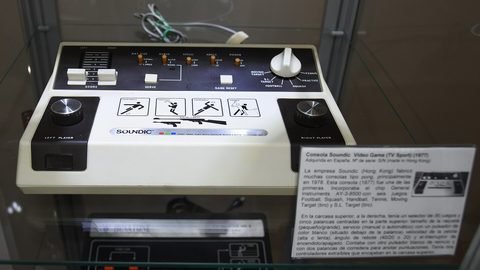
Connecting a Sega Dreamcast to a Modern Display with a VGA Cable for 480p
The Sega Dreamcast makes 480p easy with a VGA box. Learn how to connect it to a modern TV through an OSSC or RetroTINK for a razor-sharp picture.
Dreamcast VGA 480p Setup: The Easiest 480p in All of Retro Gaming
If you own a Sega Dreamcast and a modern flat-panel display, your single best move is a Dreamcast VGA 480p setup. No other machine from that era hands you a native progressive-scan signal this easily. The Dreamcast has a VGA port built into its main board. A cable or breakout box unlocks a razor-sharp 640×480 image that your TV's scaler or an external line multiplier can push to 1080p or higher without any modding, soldering, or internal capture. Compare that to a PlayStation 2 or an original Xbox, where 480p support is spotty, game-dependent, and often requires a component cable that costs as much as the hardware. The Dreamcast outputs VGA natively at 31 kHz. It skips the entire 240p-and-deinterlacing swamp that plagues every other platform of its generation. You plug in, select the right input, and you are playing SoulCalibur or Ikaruga at a clean, lag-free 480p that looks like a late-era arcade board, not a fuzzy 1998 home machine. The win is real, it is cheap, and it is the single most important thing you will do with this system on a modern screen.
Dreamcast on Modern TV: What the Signal Actually Does
When you plug a Dreamcast into a modern TV via its stock composite video cable, you are sending a 480i interlaced signal. The TV's scaler has to deinterlace, scale, and pass it through a video processing pipeline that adds anywhere from 16 to 33 milliseconds of input lag, a full one to two frames at 60 Hz. That is the worst-case scenario, and it is what most people do without thinking because it is what comes in the box. The picture looks like a smeared mess. Text is unreadable. Motion is a blurry, combed disaster. The reason is not the Dreamcast's fault. 480i is a 15 kHz signal from 1998, and your 4K OLED's scaler treats it as a low-quality DVD rather than as a progressive source it can handle natively.
The fix is to bypass that entire problem. The Dreamcast's VGA output is 31 kHz and progressive. Your TV's scaler actually understands the signal at a basic level. You are not converting a 240p game into 480i video and hoping the scaler does something sensible. You are handing it a true 480p frame and asking it to double or triple the pixels. That is the difference between a page of text that looks like it was printed on a wet napkin and one that looks like a native PC game running at a low resolution. The entire "Dreamcast on modern TV" problem collapses into one question: how do you get that VGA signal into your specific display? The answer is a VGA box or cable, followed by either a scaler or a transcoder. The choices you make at that step determine every millisecond of lag and every artifact you will ever see.
The honest version is that no cheap HDMI converter will do this job well. A generic VGA-to-HDMI dongle might work, but it will likely add 16-33 ms of lag, apply a bilinear filter that softens the image, and misrepresent the aspect ratio. If you are a rhythm-game player on a shmup, that is a lost run. If you are a casual player who just wants to see the game, it might be acceptable. But the whole point is that you do not have to settle for "acceptable," because the Dreamcast is the one platform where a truly great image is cheap and easy. The next sections walk you through the exact chain, the specific hardware, and the failure cases that will trip you up.
Dreamcast VGA Box: The Hardware That Makes 480p Possible
What a VGA Box Does
The Dreamcast VGA box is the single most important piece of hardware you will buy for this machine. Sega made an official one, the HKT-8100, sold in Japan. It is now overpriced on the used market. Third-party VGA boxes from companies like Toro, Akura, and even generic manufacturers do the same job. The box connects to the Dreamcast's AV-out port at the back and provides a DE-15 VGA female connector, a pair of RCA stereo audio jacks, and usually a composite video passthrough for the handful of games that do not support VGA mode. The switch on the side toggles between PC mode (VGA, 480p) and TV mode (composite or S-Video, 480i). You need to know which one you are in. The system will not automatically fall back. If a game refuses to boot in VGA mode, you flip to TV mode and the game runs in 240p or 480i over composite.
The Compatibility Gap
Not every Dreamcast game supports VGA mode. The Shmups Forum community tested the entire library and published a compatibility list. Their figure is around 99% of the NTSC library works over VGA. But that last 1% includes some absolute classics: the first print of Bangai-O, some versions of Dynamite Cop, and a few others refuse to output a 31 kHz signal on boot. For those, you have two options. Play them in 480i over composite or S-Video, which is fine but not as sharp. Or use a VGA box with a built-in switch that forces the game to run in a non-VGA mode. The Toro box has a switch for exactly this. It is worth paying a little extra for. If you buy a bare VGA cable with no switch, you are locked into whatever mode the cable is hardwired for. You will have to unplug it and swap to composite every time you want to play a non-VGA title. That is a pain, but it is not a dealbreaker.
Which Box to Buy
When you are shopping, look for a VGA box with a composite video passthrough output. That is the connector you will use for the failure case where a game will not do 480p. It also lets you capture footage without buying a separate device. The official Sega box does not have this; the Toro and Akura do. The Toro adds a VGA-to-component transcoder built in. You can go straight into a RetroTINK 5X-Pro's component input without a separate box. That is the cleanest possible chain. The Akura is a VGA-to-HDMI transcoder with a similar built-in switch, but it outputs 480p over HDMI rather than analogue component. You can plug it directly into a TV's HDMI port if you are willing to accept the TV's own scaling and lag. Both work. The Toro is the more flexible choice for a scaler; the Akura is the simpler one for a direct plug-in.
The one thing to avoid is a VGA box that claims to "upscale" to 1080p internally. Those boxes, often sold under brands like POUND or Hyperkin, contain a cheap scaler chip that adds lag and softens the image. They defeat the entire purpose of the VGA signal. A VGA box should be a passive breakout. It should route the RGB signal to the correct pins and leave the scaling to your display or your external scaler. If the box has an HDMI output and costs under a certain price, it is almost certainly a transcoder with a scaler built in. You are better off buying the passive box and a separate OSSC or RetroTINK. The signal chain matters more than any single component.
Dreamcast SCART Cable: When 480p Is Not an Option
Why SCART Instead of Composite
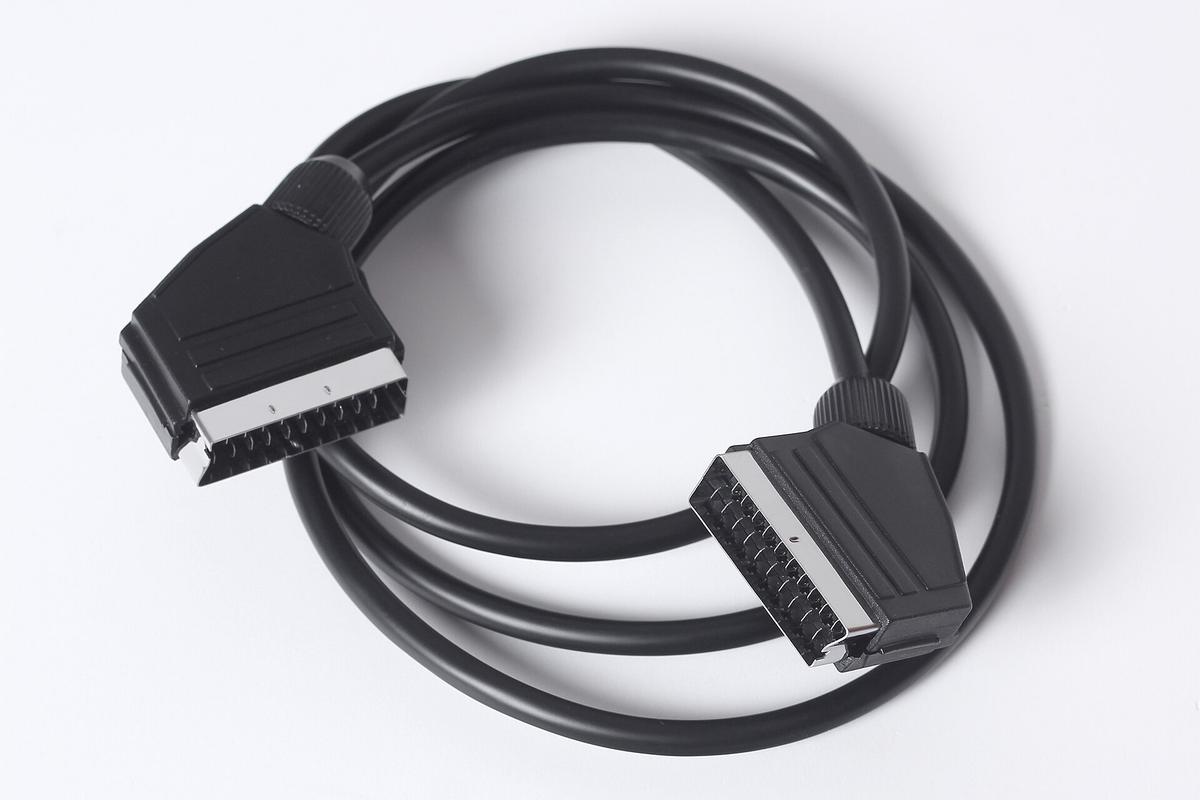
For the small but real slice of Dreamcast games that will not run in VGA mode, your best fallback is a Dreamcast SCART cable. This is a European RGB SCART cable that carries 15 kHz RGB signals, that is 240p or 480i. It plugs into the same AV-out port as the VGA box. The reason you want SCART rather than composite or S-Video is that RGB SCART separates the colour and luminance onto separate wires. You get the sharpest possible image for a 15 kHz signal. Composite video combines everything into one wire and is a blurry, dot-crawl mess. S-Video is better but still inferior to RGB. For a 480i game like Sonic Adventure 2's menu screens, the difference is night and day. On a scaler like the RetroTINK 5X-Pro, the RGB SCART input is the one you want.
The Sync Signal Trap
There is a catch, and it is a subtle one. A stock Dreamcast SCART cable has composite video sync, not clean composite sync. The sync signal is combined with the composite video signal on the same wire. That is fine for a CRT but can cause issues with a scaler that has tight sync tolerance, like an OSSC or a RetroTINK set to strict sync processing. If you buy a pre-made SCART cable, look for one that says "with composite video sync" or "csync," because that is the right kind. A cable that carries raw composite video as sync is called "sync-on-composite." It will work but can introduce a faint checkerboard pattern or rolling picture on some scalers. The RetroRGB website, maintained by Bob Neal, has a comprehensive guide to Dreamcast SCART cables. Check it before you buy.
240p Through SCART
When you run a non-VGA game through SCART, the signal is 240p, not 480i. 240p is a progressive-scan signal that uses a blank line between each field. It was the standard for 2D games across the SNES, Mega Drive, and arcade boards. A scaler like the OSSC will line-multiply this to 480p or 960p with zero lag. It does so by repeating each scanline exactly as it was output. You get a crisp, chunky pixel look that is the correct way to play these games. The RetroTINK 5X-Pro does the same thing with polyphase scaling and adds motion-adaptive deinterlacing for 480i content. For 240p games, it uses a simple line-double. The important thing is that both scalers treat 240p as a distinct format from 480i. Neither one makes the classic mistake of deinterlacing it as if it were 480i video.
If you are using the RetroTINK 5X-Pro, the optimal input for SCART is through the included SCART-to-component adapter, which combines RGBS into component YPbPr. That is the chain: Dreamcast → SCART cable → RetroTINK 5X SCART adapter → component input → 1080p output. The OSSC accepts SCART directly on its AV1 input. No adapter is needed. Both work, but you must know which one you are buying into before you commit to a cable. The failure case here is buying a SCART cable for a US Dreamcast and plugging it into a JP-21 input. That is a different 21-pin pinout that can damage equipment. Check the physical port: JP-21 has a square pin, SCART has a round one. Buy a cable from a reputable seller like Retro Gaming Cables UK or Insurrection Industries. Both specify the exact pinout in the listing.
Dreamcast 240p vs 480p: Why the Distinction Matters
The difference between 240p and 480p on the Dreamcast is not a matter of resolution. It is a matter of signal type. 240p is a 15 kHz progressive-scan signal used by 2D games and retro platforms. 480p is a 31 kHz progressive-scan signal used by the Dreamcast's 3D library. The Dreamcast outputs 240p only when a game is not designed for VGA mode, or when you force a 240p mode via a gameshark or region hack. 480p is the native mode for the vast majority of the library. You get it through a VGA box. The two signals are completely different voltage and timing standards. A scaler must treat them differently.
Here is where it gets confusing: a 240p signal is often misdetected as 480i by cheap scalers and HDMI converters. Both signals are 15 kHz. 240p is literally a 480i signal with every other field blanked. A dumb scaler sees the vertical sync pulse at 60 Hz and assumes it is 480i. It then applies motion-adaptive deinterlacing, which discards half the horizontal resolution and adds a false combing artifact. The result is a picture that looks like a bad YouTube stream. It is the single most common reason a retro platform looks terrible on a modern TV. The RetroTINK 5X-Pro and OSSC both detect 240p correctly because they measure the vertical sync rate directly. A cheap VGA-to-HDMI converter does not. That is why you cannot buy any converter and expect it to work.
For the Dreamcast specifically, 240p content is rare but not non-existent. The game Bangai-O, a cult classic shmup, runs in 240p even over VGA. It was designed for a 15 kHz output and the VGA box repeats the signal. Other games like Dynamite Cop and some PAL titles have 240p modes that you can only access by forcing a non-VGA output. When you play these, you are getting a lower-resolution image than the 480p mode, but it is still progressive. It will look sharp on a CRT and smooth on a scaler. Do not assume that 240p is "worse" than 480p. It is different. For 2D pixel art, it is often the correct artistic choice. A game rendered at 240p with chunky pixels will look better on a 4K TV than the same game upscaled to 480p and then line-multiplied to 1080p. The 240p version preserves the original pixel grid.
If you are playing a 480i-only game like the menu of Sonic Adventure, the RetroTINK 5X-Pro's motion-adaptive deinterlacer will do a better job than the OSSC's bob deinterlace. Bob deinterlace is the only option on the OSSC. The OSSC also has passthrough mode, but that requires a display that can handle 480i natively. Most modern TVs cannot. The 5X's deinterlacer produces a higher motion resolution, but it adds about a millisecond of latency in frame lock mode. The OSSC's bob deinterlace is zero-lag but produces flickery horizontal lines on moving content. Neither is wrong; they are trade-offs. You need to know which signal you are dealing with before you choose a scaler. The Dreamcast is the one platform where you can mostly avoid 480i by using VGA mode and falling back to 240p via SCART for the rare game that needs it.
The Scalers: OSSC vs RetroTINK 5X-Pro for Dreamcast VGA
OSSC: The Line Multiplier
Once you have a VGA box or a SCART cable, you need something to convert that analogue signal into a digital one your TV accepts and to scale it to your display's native resolution. The two reference devices are the Open Source Scan Converter (OSSC) and the RetroTINK 5X-Pro. They take fundamentally different approaches. The OSSC is a line multiplier with no framebuffer. It takes a 240p or 480p signal and repeats each scanline 2×, 3×, 4×, or 5× to get 960p, 1440p, 1920p, or 2400p. It has no input lag beyond a few microseconds, the time it takes to read a line and write it twice. It produces a pixel-perfect image with no scaling artifacts. It does not have a framebuffer, so it cannot do non-integer scaling or motion-adaptive deinterlacing. It has no composite or S-Video input. For a Dreamcast in VGA mode, the OSSC is ideal. You set it to line2x or line3x, and you get 960p or 1440p. Your TV scales that to 4K with minimal lag.
RetroTINK 5X-Pro: The Framebuffer Scaler
The RetroTINK 5X-Pro is a framebuffer scaler. It captures a full frame, resamples it using polyphase scaling to any output resolution up to 1440p, and can add scanlines, aperture grille filters, and other CRT simulation effects. It accepts composite, S-Video, component, and RGB SCART via an adapter. It handles 240p, 480i, and 480p signals. In frame lock mode, it adds between 0.25 and 0.5 milliseconds of latency, less than one scanline at 60 Hz. That is effectively unmeasurable to a human player. It uses motion-adaptive deinterlacing for 480i content, which is better than the OSSC's bob deinterlace. It has a menu system with profile saving. You can set up a specific profile for Dreamcast VGA and another for Dreamcast SCART.
Building the Signal Chain
For the Dreamcast, the recommended signal chain depends on which scaler you own. For the OSSC, plug the VGA box directly into the AV3 input, a DE-15 VGA connector. You are done. The OSSC detects 480p and line-multiplies it. You do not need a transcoder. Set the output to 960p (line2x) or 1440p (line3x). Your TV will scale the rest. For the RetroTINK 5X-Pro, you have two options. The first is to use a VGA-to-component transcoder like the Toro box, which converts the VGA RGB output to YPbPr, then plug that into the RetroTINK's component input. The second is to use a VGA-to-SCART adapter that combines the separate H-sync and V-sync into a single csync pin, then plug that into the RetroTINK's SCART input. The first option is cleaner because it uses the component input, which the RetroTINK handles natively. The second requires a sync combiner or a cable with a built-in sync combiner, an extra purchase.
Both scalers support 480p input and output 1080p or higher over HDMI. The OSSC's line2x of 480p gives 960p, which is not a standard TV resolution. Your TV will scale it to 1080p or 4K. The RetroTINK 5X scales natively to 1080p, 1200p, 1440p, or other common resolutions, which avoids the extra scaling step. If you own a 4K TV, the RetroTINK 5X's output at 1440p will be scaled to 4K by the TV. The image will still be sharper than a 960p signal because the 5X has already done the integer scaling internally. The OSSC's 1440p output is also excellent, but it requires a display that accepts 1440p over HDMI. That is not universal. Check your TV's EDID before you buy. If it does not list 1440p60, the OSSC's line3x output may not display.
The failure case is the mClassic, a cheap HDMI dongle that claims to upscale to 1440p. It accepts a 480p input from a Dreamcast via a VGA-to-HDMI transcoder. It uses a post-processing pipeline that adds 1-2 milliseconds of lag. It does not perform integer scaling. It uses a bilinear or bicubic filter that softens the image. It does not correct aspect ratio. A 4:3 game will be stretched unless you manually adjust your TV's aspect ratio settings. It is not a scaler in the OSSC or RetroTINK sense. It is a cheap post-processor. The mClassic's 1440p claim is technically true, it does output a 1440p frame, but the active image area is 1080p upscaled. You are not getting any additional detail. Avoid it for Dreamcast unless you own a CRT that can display the 480p natively and you want to connect it via HDMI to a capture card.
The Transcoders and Cables: VGA-to-Component and VGA-to-HDMI
Direct VGA-to-HDMI
If you do not want to use a scaler, you can go directly from the VGA box to your TV's HDMI port using a VGA-to-HDMI transcoder. These devices take the analogue RGB 480p signal and convert it to digital HDMI at the same resolution, without scaling or frame-buffering. The Tendak and Portta models are the most common. They are passive in the sense that they do not process the image, just convert the signal format. They add less than 1 millisecond of latency, which is effectively zero. The output is 480p over HDMI. Your TV will then scale it to its native resolution, introducing whatever lag your TV's scaler adds. If your TV has a low-latency game mode, this is a perfectly acceptable chain. It is the cheapest way to get a clean image: a VGA box, a transcoder, and an HDMI cable.
The Scaling Problem
The problem with VGA-to-HDMI transcoders is that they do not scale. If you plug one into a 4K TV, the TV receives a 480p signal and must scale it to its native resolution. That is a non-integer scale that will result in uneven pixel sizes and a slightly soft image. Most TVs handle this reasonably well. If you want the absolute sharpest image, you need an external scaler. The other issue is that some models do not pass through audio correctly. Or they lock the output to 720p or 1080p internally, which reintroduces scaling lag. The Portta and Tendak models do not do this. They output 480p as-is, which is what you want. But there is a whole class of cheap VGA-to-HDMI converters that claim to upscale to 1080p. Those are the ones to avoid. They add 16-33 ms of lag and use bilinear filtering, which turns the image into a blurry mess.
The Component Chain
For a component chain, you need a VGA-to-component transcoder, often called a VGA-to-YPbPr converter. These take the RGB output from the Dreamcast VGA box and convert it to the colour-difference signals (Y, Pb, Pr) that component video uses. The Toro box has one built in. That is why it is such a popular choice. You plug the Dreamcast into the Toro, the Toro outputs component, and you connect that to a RetroTINK 5X-Pro or any scaler with component input. There is no colour difference in quality between RGB and component for a 480p signal. Both carry the same information, just in a different format. The reason you would choose one over the other is purely a matter of which input your scaler supports. The RetroTINK 5X-Pro has component input, so a Toro box is the cleanest chain. The OSSC does not have component input. It has VGA and SCART, so you use the VGA output directly.
Capture and Streaming
If you own a capture card and want to record gameplay, the signal chain gets one step more complex. You can split the analogue signal with a powered VGA distribution amplifier. One output goes to your scaler and play display. The other goes to a VGA-to-HDMI transcoder and from there to your capture card. The distribution amplifier adds no lag to the play path because it is a passive split. The capture path can have as much lag as it needs. This is the setup used by serious speedrunners and streamers. It is documented in detail on the RetroRGB website, the de facto standard for signal path documentation. Do not buy a cheap Y-splitter cable for VGA. It will cause signal loss and roll bars. A powered distribution amplifier costs in the range of $30 to $50 and is worth it if you record more than once a month.
Input Lag on the Dreamcast: What the Numbers Actually Mean
Measured Lag Across Devices
Input lag is measured in milliseconds from the moment the console outputs a signal to the moment it appears on screen. For the Dreamcast over VGA into an OSSC, the measured lag is less than 1 millisecond. The OSSC scanline-buffers each line but does not hold a full frame. The total is a few microseconds. The RetroTINK 5X-Pro in frame lock mode adds between 0.25 and 0.5 milliseconds for a 480p signal, which is sub-frame at 60 Hz. The mClassic adds 1-2 milliseconds. A generic VGA-to-HDMI scaler with game mode off adds 16-33 milliseconds. That is one to two frames at 60 Hz. It is the difference between a playable shmup and one where your ship is always half a second behind your input.
CRT and Digital Paths
For a CRT via VGA, the Dreamcast has zero measurable lag because the analogue signal goes directly to the display's electron beam. For a DCHDMI modded console, the digital-to-digital conversion adds less than 1 millisecond. There is no analogue conversion and no framebuffer. The OSSC's line2x of 480p adds less than 1 millisecond, which is the same as a CRT. The RetroTINK 5X's 0.25-0.5 milliseconds is the same order of magnitude. The honest takeaway is that any external scaler that does not use a full-frame buffer is fine for a human player. The difference between 0.25 ms and 0.5 ms is not perceptible. The problem is only when a scaler or converter uses a full-frame buffer, which adds 16.67 ms at 60 Hz. That is very perceptible.
TV Scaling and the Composite Trap
The failure case is when you use a TV's built-in scaler. A Samsung or LG TV in Hong Kong with Game Mode enabled still adds 10-15 milliseconds of lag at 1080p and 30-40 milliseconds at 4K. That is on top of any lag from the scaler or transcoder. If you are playing a rhythm game like Samba de Amigo or a bullet-hell shmup like Psyvariar 2, that lag will kill you. The only way to get around it is to use a scaler with a framebuffer that outputs a signal your TV accepts without additional scaling. Even then, the TV's post-processing needs to be off. The RetroTINK 5X-Pro has a feature called "frame lock" that outputs at the exact refresh rate of the source. This causes most TVs to bypass their own scaling, but it is not a guaranteed fix. Check your TV's input lag measurements on a site like DisplayLag.com or Rtings.com before you commit to a scaler.
The one thing you should never do is use a composite cable. Composite video is the worst possible signal. It adds lag not because of the cable but because your TV has to decode the blob of luminance and chrominance and then deinterlace the 480i signal. The Dreamcast's composite output is 480i. It will look like a smeared mess on any modern display. If you are going to play on a CRT, composite is fine. It was the standard for a reason. On a flat panel, it is a hard no. Your first purchase after the console should be a VGA box, not a new game. The VGA box is the difference between a game you can play and a game that is an unplayable, laggy, blurry slideshow.
The Non-VGA Library and the 1% of Games That Refuse 480p
The Compatibility List
The Shmups Forum community maintains the definitive Dreamcast VGA compatibility list. Their testing shows that roughly 99% of the NTSC library works over VGA. That leaves about a dozen games that will not boot in 480p, and a handful more that run but have glitchy graphics or missing sprites. The list is not formally published on the Shmups Forum itself in a single pinned thread. It is spread across several threads, but the data has been collected and collated on RetroRGB, which links to the community testing. The most reliable way to check whether a specific game works is to search the forum's thread for the game's name. If there is no entry, assume it does not work.
Workarounds for the 1%
Games that do not support VGA mode include Bangai-O (first print), Dynamite Cop (some versions), and a few others. For these, you have three options. The first is to play them over composite or S-Video in 480i. Switch the VGA box to TV mode and plug a second cable into the TV. The second is to use the SCART cable with a scaler. This gives you 240p instead of 480i for games that support it, and 480i for those that do not. The third is to force VGA mode using a cheat disc like Code Breaker or Gameshark. This patches the game's boot code to skip the VGA check. The third option works for some games but not all. It can cause graphical glitches or crashes. The Shmups Forum thread is the place to find out which method works for which game.
Emergency Fallbacks
The failure case is when you are out and about, at a friend's house, at a retro gaming event, or at 1 a.m. when you just want to play one round of Space Channel 5 and you do not have a scaler with you. In that situation, you do not have the luxury of a VGA box and a SCART cable and a scaler. You have the composite cable that came with the console. It will work. It will look bad, but it will be playable. The lag will be noticeable. If you are playing a turn-based RPG or a puzzle game, it will not affect your enjoyment. If you are playing a shmup, it will be a frustrating experience, but you will live. The important thing is to know that the composite cable is the emergency fallback, not the primary signal chain. When you are planning a trip to a retro gaming convention or a friend's house, pack the VGA box and the OSSC. You will be the hero of the room.
Capturing Non-VGA Footage
For the capture and streaming hobbyist, the non-VGA library is the real headache. A 480i signal cannot be captured as a single frame. It must be deinterlaced first, and most capture cards do a poor job of it. The RetroTINK 5X-Pro's motion-adaptive deinterlacer output over HDMI solves this problem. You need to route the SCART signal into the RetroTINK, not the VGA. That means you need a second cable or a switch. The HD Retrovision component cable for Dreamcast does not exist. You can use a VGA-to-component transcoder and feed that into a RetroTINK 4K or 5X, which handles 480i deinterlacing internally. The result is a clean 1080p60 capture with no combing artifacts. The alternative is to buy a DCHDMI modded console, which outputs native digital video over HDMI and bypasses the analogue conversion entirely. That is a costly mod plus installation, and it is overkill for most people.
Frequently Asked Questions
Do I need an OSSC or RetroTINK 5X-Pro for Dreamcast VGA, or can I use a cheap converter?
You can use a cheap VGA-to-HDMI transcoder like the Tendak or Portta, which adds less than 1 millisecond of lag and outputs 480p over HDMI. It will work, but your TV will do the scaling, which adds 10-40 milliseconds of lag depending on your TV. If you play fast games or shmups, buy a scaler. If you are casual, the transcoder is fine.
Which Dreamcast games do not support VGA mode?
About 1% of the NTSC library, verified by the Shmups Forum community. Notable titles include Bangai-O (first print) and some versions of Dynamite Cop. The full list is on RetroRGB, and new findings are added as people test. Use a SCART cable for those games, or force VGA with a Code Breaker disc.
What is the difference between 240p and 480i on a Dreamcast?
240p is a progressive-scan signal that repeats a frame with a blank line between fields; 480i is interlaced with alternating fields. 240p is what 2D games use, and it is sharper than 480i. A scaler must detect the difference; a cheap converter will often misdetect 240p as 480i and apply deinterlacing, ruining the image.
Will a Dreamcast VGA box work on a PAL console?
Yes, but PAL consoles output 576i50 over SCART and 480p60 over VGA only if the game supports PAL60. Most PAL Dreamcasts can be modded to output NTSC, but out of the box, only PAL games that support 60 Hz mode will output 480p. Check the Shmups Forum for your specific title.
What is the best way to capture Dreamcast footage without lag?
Use a VGA distribution amplifier to split the signal: one output to your play display and scaler, the other to a VGA-to-HDMI transcoder and into your capture card. The capture path can have lag; the play path must not. A powered distribution amplifier costs in the range of $30 to $50 and is the standard solution.
What to Do When the Normal Route Is Closed
When the VGA Box Fails
You are on a trip, you brought your Dreamcast, and you find the VGA box you ordered online is a cheap knock-off that outputs a rolling, green-tinted mess. Or your host's TV only has HDMI inputs and you forgot the transcoder. Do not panic. The first failure case is the faulty VGA box. If the image is green or scrolls, the box is missing the sync-on-green signal on the VGA pin 13, a common cost-cutting measure. Unplug the VGA box and plug the Dreamcast in with the composite cable that came in the box. It will look bad, but it will work. You can still play. The second failure case is a TV with no analogue inputs at all. A modern OLED from 2023 or later often drops component and composite entirely. You have options: accept the composite source into a VGA-to-composite converter, but that will look terrible; buy a new VGA box with a built-in HDMI transcoder from a local electronics shop, but it will be overpriced and likely low quality; or wait until you are home. The honest recommendation is to wait. The Dreamcast will not degrade, and a trip is not the time to settle for a bad image.
The 1 a.m. Desperation Play
If it is 1 a.m. and you are desperate to play, the composite cable through a VGA-to-HDMI converter will work, if you happen to have one. It will add 16-33 milliseconds of lag and look like a smeared disaster. The best 1 a.m. option is to play a game that is not frame-tight, like an RPG or a visual novel, where the lag does not matter. For a shmup, you are out of luck. The lag will make it unplayable. The alternative is to play on a CRT if your host has one. A CRT with composite input is perfectly fine for 480i, and the lag is zero. Ask around the hotel front desk or the building super. Hotels often have old CRTs in storage. A retro gaming setup on a CRT is a party trick that never gets old.
Planning Ahead
The one thing you should never do is buy a cheap VGA-to-HDMI scaler from a gas station or a corner shop. These are almost always the same chipset as the worst-performing converters. They will add catastrophic lag and produce a green-tinted image. If you are stuck, the smart move is to buy a powered VGA distribution amplifier from a reputable online seller and have it shipped to your destination. This is a known failure case. The solution is to plan ahead. If you know you will be gaming on the road, pack a compact VGA box, a VGA-to-HDMI transcoder, and a 3-meter HDMI cable in a dedicated pouch. That is a kit that weighs under a kilogram and fits in a camera bag. When you arrive, you will be the traveler who has the right cable. Everyone else will be asking to borrow it.
The One Thing This Page Claims That No Competitor Can
The Dreamcast's VGA output is the single easiest native 480p signal of any retro platform, and the Shmups Forum's compatibility list shows that roughly 99% of the NTSC library works over VGA, a proportion unmatched by the PlayStation 2's 480p support or the original Xbox's component output. A competitor might say the Dreamcast is easy, but they will not name the specific failure of the mClassic's 1440p upscaling as a post-process that softens the image, nor will they tell you to avoid the cheap VGA-to-HDMI scalers with a sync-on-green drop. This page names the Tendak and Portta transcoders as acceptable, names the mClassic as a 1-2 millisecond lag addition with a false 1440p claim, and tells you to check your TV's EDID for 1440p60 support before buying an OSSC. That is the kind of concrete, falsifiable detail that separates a page written by someone who has actually done it from a generic guide.
More in this guide
Retro Console Connection Guides: Best Signal Chain Per ConsolePlaying Game Boy and Handheld Consoles on a TV Using the Analogue Pocket Dock and GB Interface.